© 2009 Verizon. All Rights Reserved.
58
Verizon Hub User Guide
Date & Time.
View Current Date & Time Settings.
Touch 1. Menu.
Touch2.
.
Touch 3. Settings.
The4.
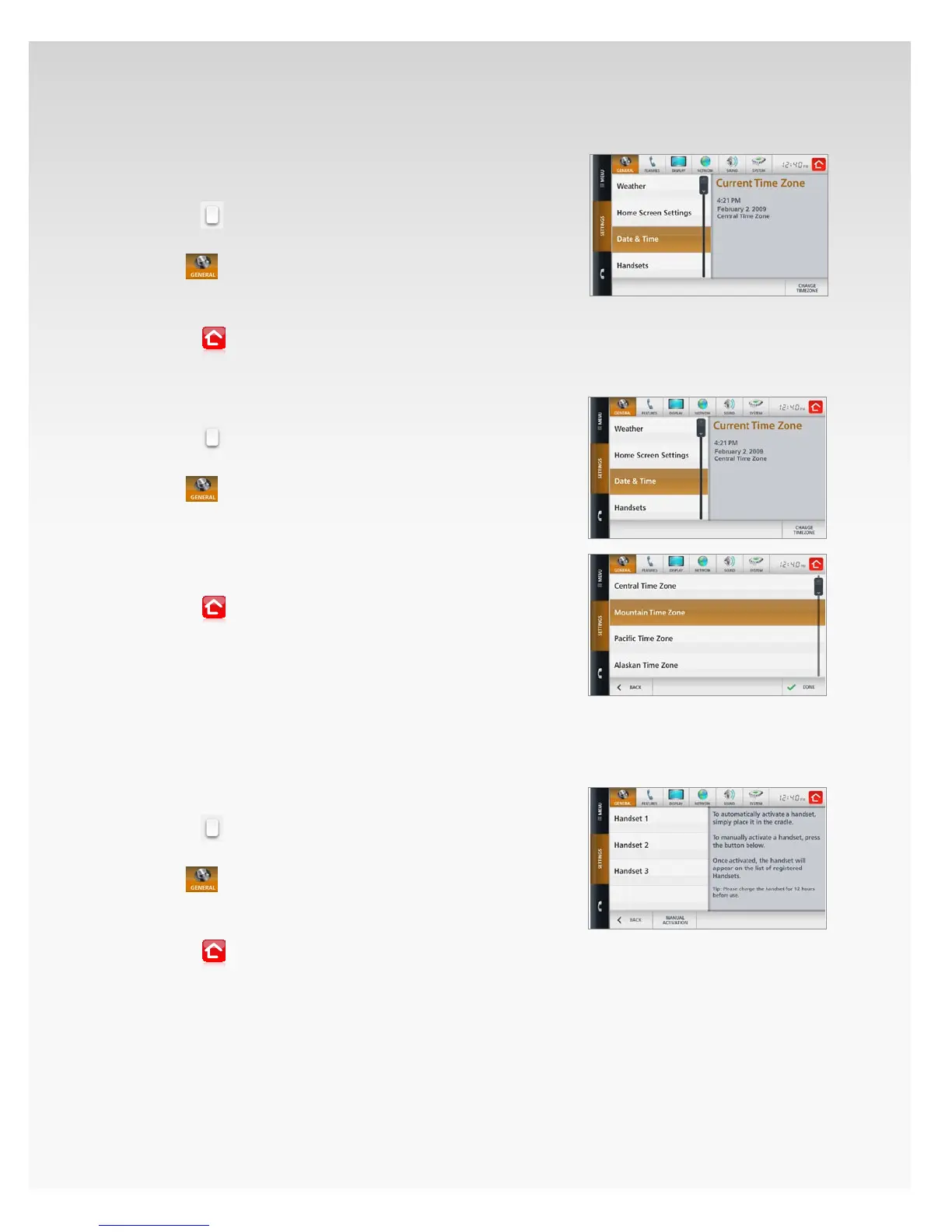
section will open, showing Weather.
Touch 5. Date & Time.
The current date and time will appear.6.
Touch7.
to return Home.
Change Time Zone.
Touch 1. Menu.
Touch2.
.
Touch 3. Settings.
The4.
section will open, showing Weather.
Touch 5. Date & Time.
The current date and time will appear.6.
Touch 7. Change Time Zone.
Select the new 8. Time Zone and touch Save.
Touch9.
to return Home.
The changes you’ve made to your Time Zone will be
eective immediately.
Handsets.
View Activated Handsets.
Touch 1. Menu.
Touch2.
.
Touch 3. Settings.
The4.
section will open, showing Weather.
Touch 5. Handsets.
A list of activated handsets will appear.6.
Touch7.
to return Home.














 To Next Page