© 2009 Verizon. All Rights Reserved.
53
Verizon Hub User Guide
Trac.
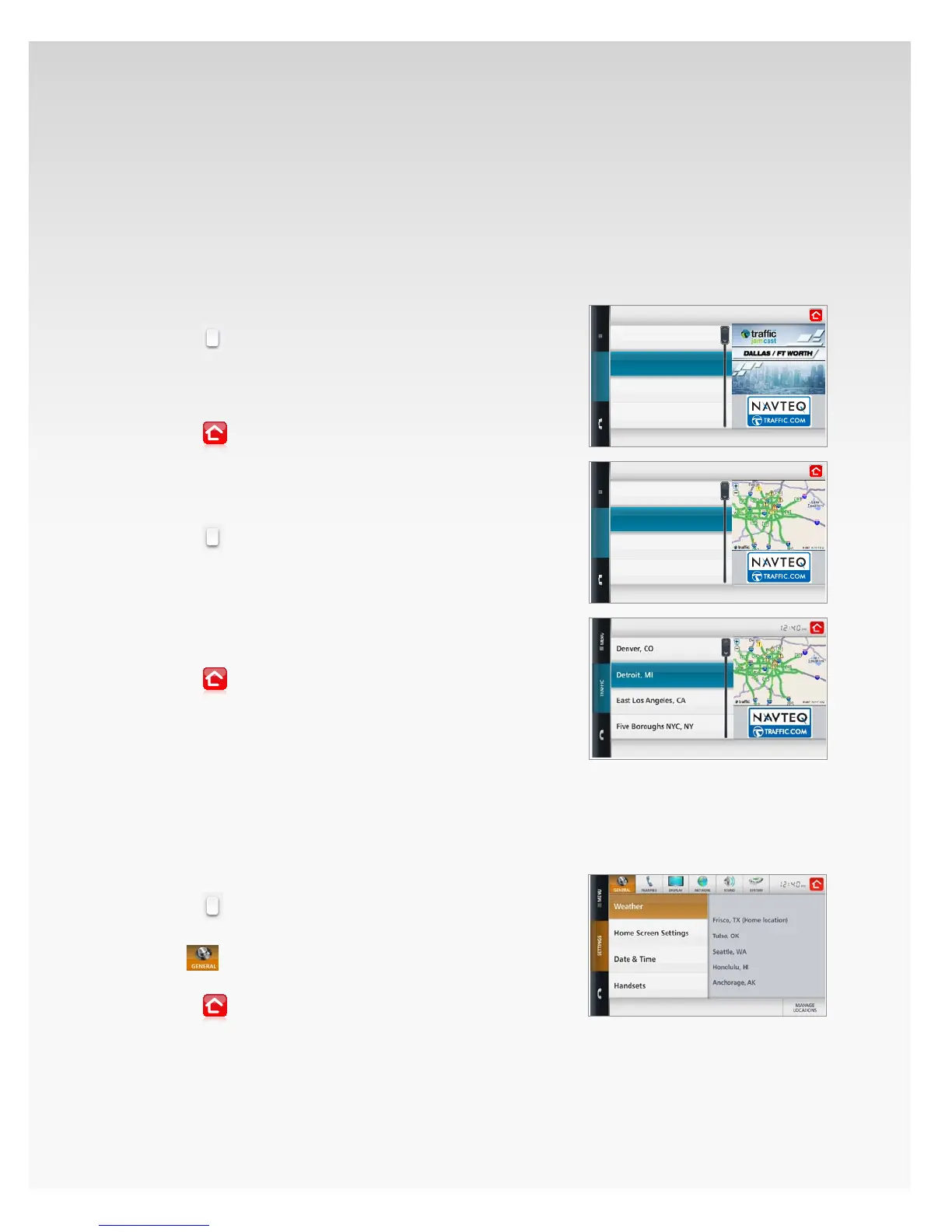
You can check current trac conditions in your area, or
lookup another U.S. metropolitan area. A video will
automatically play showing the current trac jams and
areas to avoid.
Check Local Trac.
Touch 1. Menu.
Touch2.
.
Touch 3. Trac.
Select a 4. City from the list.
The trac update for this city will start playing.5.
Touch6.
to return Home.
View Trac for Another Area.
Touch 1. Menu.
Touch2.
.
Touch 3. Trac.
Select a 4. City from the list.
The trac update for this city will start playing.5.
Touch the name of 6. another city in the list.
The trac update for this city will start playing.7.
Touch8.
to return Home.
Settings.
General.
Weather.
View Current Weather Location(s).
Touch 1. Menu.
Touch2.
.
Touch 3. Settings.
The4.
section will open, showing Weather.
A list of your current, saved Weather locations will appear.5.
Touch6.
to return Home.
Chicago
Dallas/Fort Worth
Detroit
Houston
Chicago
Dallas/Fort Worth
Detroit
Houston
Chicago
Dallas/Fort Worth
Detroit
Houston
Chicago
Dallas/Fort Worth
Detroit
Houston



 To Next Page
 Loading...









