05 / CONFIGURING
ADVANCED SETTINGS
99
http://setup.verizon.com/businessinternetgateway |
©2024 Verizon. All Rights Reserved
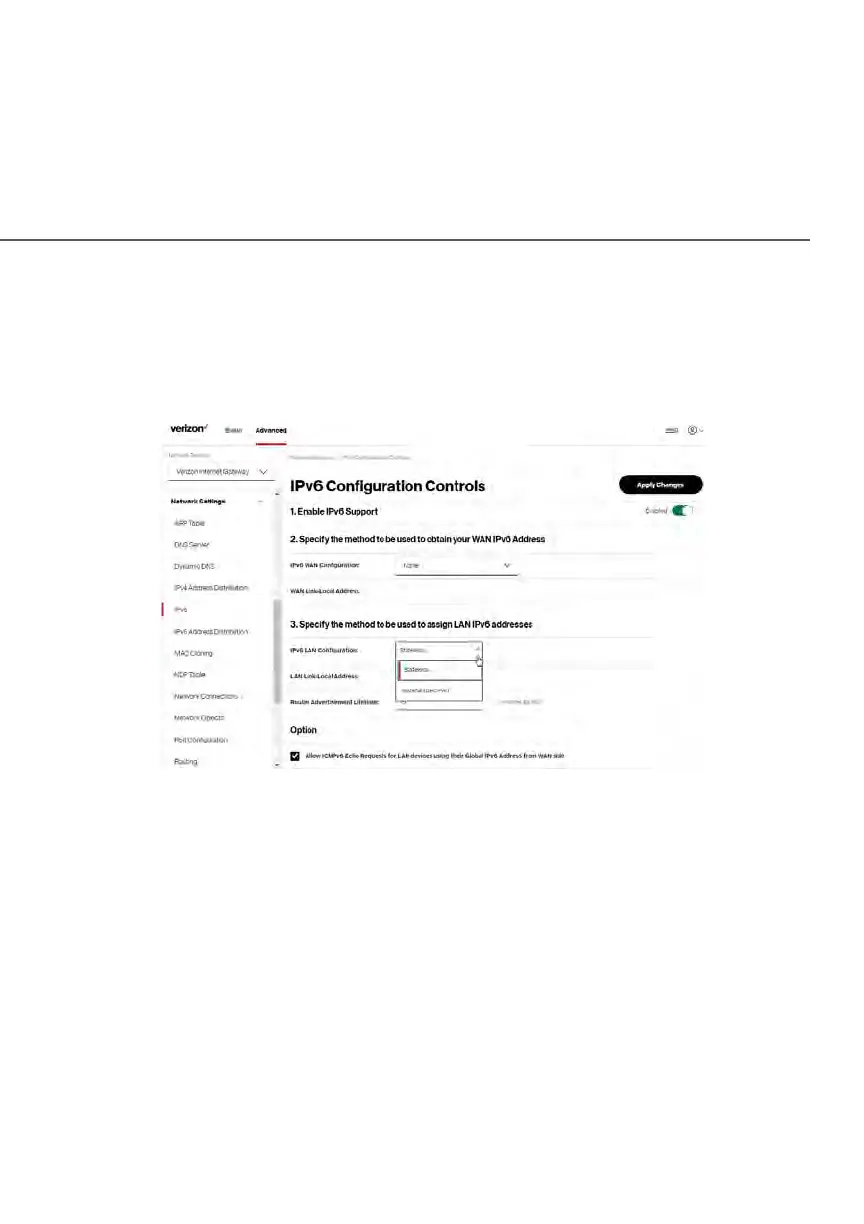
LAN IPv6 Stateless with No WAN Settings
1. To configure IPv6 LAN Stateless mode with no WAN connection, select
the Stateless option on the IPv6 Configuration Controls page as shown
below:
2. Specify the settings to be used to assign LAN IPv6 addresses by
entering the following details:
• IPv6 LAN Configuration (select Stateless from the dropdown list)
• LAN Link Local Address (automatically populated)
• Router Advertisement Lifetime (minutes between 0-150)
• Option: Allow ICMPv6 Echo Request for LAN devices using their
Global IPv6 Address from WAN side - requesting an IPv6 address
from any available DHCPv6 servers available on the ISP
3. After entering all appropriate IPv6 settings, click Apply changes to have
changes take effect.















 To Next Page