15
Original Operating Instructions: K4 edition
Document version: E – 02/2020
Installing the machine
4.5 Installing the air extraction system
b
How the air extraction system works: chapter 3.4,
page 9
Available components of the air extraction system:
Suction device including suction hose
Data cable for supported suction devices: enables the
communication between the machine and the device
(e.g.forswitchingthedeviceonando)
Switching unit for switching the suction device on and
oviatheMachine
Hose connection for suction hose: if the suction hose
doesnottintothemachine
Which components are required and how you can combine
them is listed in the following table.
Component Source Required?
Suction device Customer service,
specialist dealers
Yes
Switching device Customer service No
Hose connection Scope of delivery,
customer service
If the suction hose
doesnott
You obtain the cable or switching unit via customer service
if necessary.
4.5.1 Requirements for the suction device
h Use a suction device with the following properties only:
Designed for the commercial use in the dental sector
EquippedwithalterofthelterclassM
Suitable for the operating site of the Machine
Equipped with safety devices which protect you from
static discharges (e. g. through an anti-static suction
hose)
Minimum extraction capacity:
2000 l/min at 220 hPa (70.6 cfm at 3.2 psi)
4.5.2 Installing the suction device
M1. Before the installation of the suction device read the
documentation for the device and have the documen-
tation always ready at hand.
M2.
Check if the connection of the suction hose has an
outerdiameterof45mm.Ifthediameterisdierent,
use the provided hose connection (
chapter 4.5.3,
page 15).
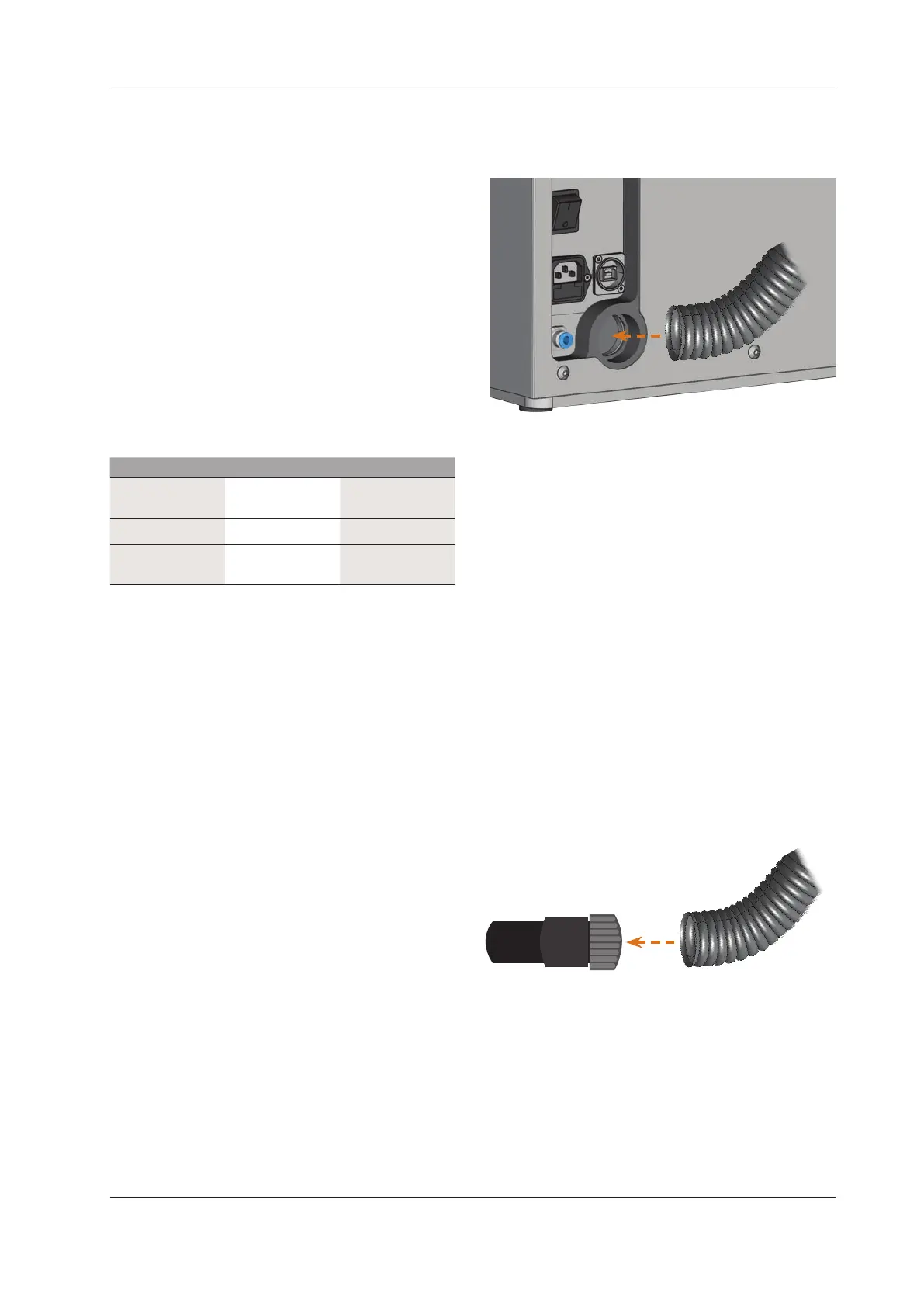
M3. Insert the suction hose of the suction device into the
opening for the air extraction of the Machine. Make
surethatthesuctionhoseisrmlyconnected.
M4. If you want the machine to automatically switch the
suction device on and o, install the switching unit
(
chapter 4.5.4, page 16). If you require a switch-
ing unit, contact customer service.
M5.
Continue with the installation of the suction device as
described in the documentation for the device.
4.5.3 Connecting the suction hose with the provided
hose connection
n
If you can connect the suction hose of your suction de-
vice directly to the Machine, you do not need the hose
connection.
M1.
Turn the thread of the hose connection counter-clock
-
wise until the connection is completely open. If the
thread gets det
ached from the hose connection, place
it onto the connection again and turn it clockwise once
so that it is screwed to the connection again.
M2. Insert the suction hose of the suction device completely
into the hose connection on the side of the thread.
M3. Turn the thread of the hose connector clockwise up to
the stop.
Thesuctionhoseisrmlyattachedtothehoseconnec
-
tion.


 To Next Page