Getting Started
Cleaning Instructions
MAP-200 Optical Switch mOSW-C1 Installation and User Guide Standard
June 2016 Document Number 22112369-120 R000 Page 27
Cleaning Jumper Connectors
CAUTION
• Connecting damaged or dirty connectors to the unit can damage
the connectors on the unit.
• Never force an optical connector. Some connectors have a
ceramic ferrule that can easily be broken.
WARNING: LASER SAFETY
• Never clean the connectors when the unit is turned on.
Optical connectors need to be cleaned before use with the unit.
Prerequisites
The following items are required for cleaning:
• Filtered compressed air or dusting gas
• Lint-free pipe cleaners or lint-free swab
• Lint-free towels
• Optical grade isopropyl alcohol or optical grade 200° ethanol (do not use
rubbing alcohol, which contains 30% water)
Cleaning Procedure
To clean the connectors:
1. Ensure that the unit is shut down (See source shut down).
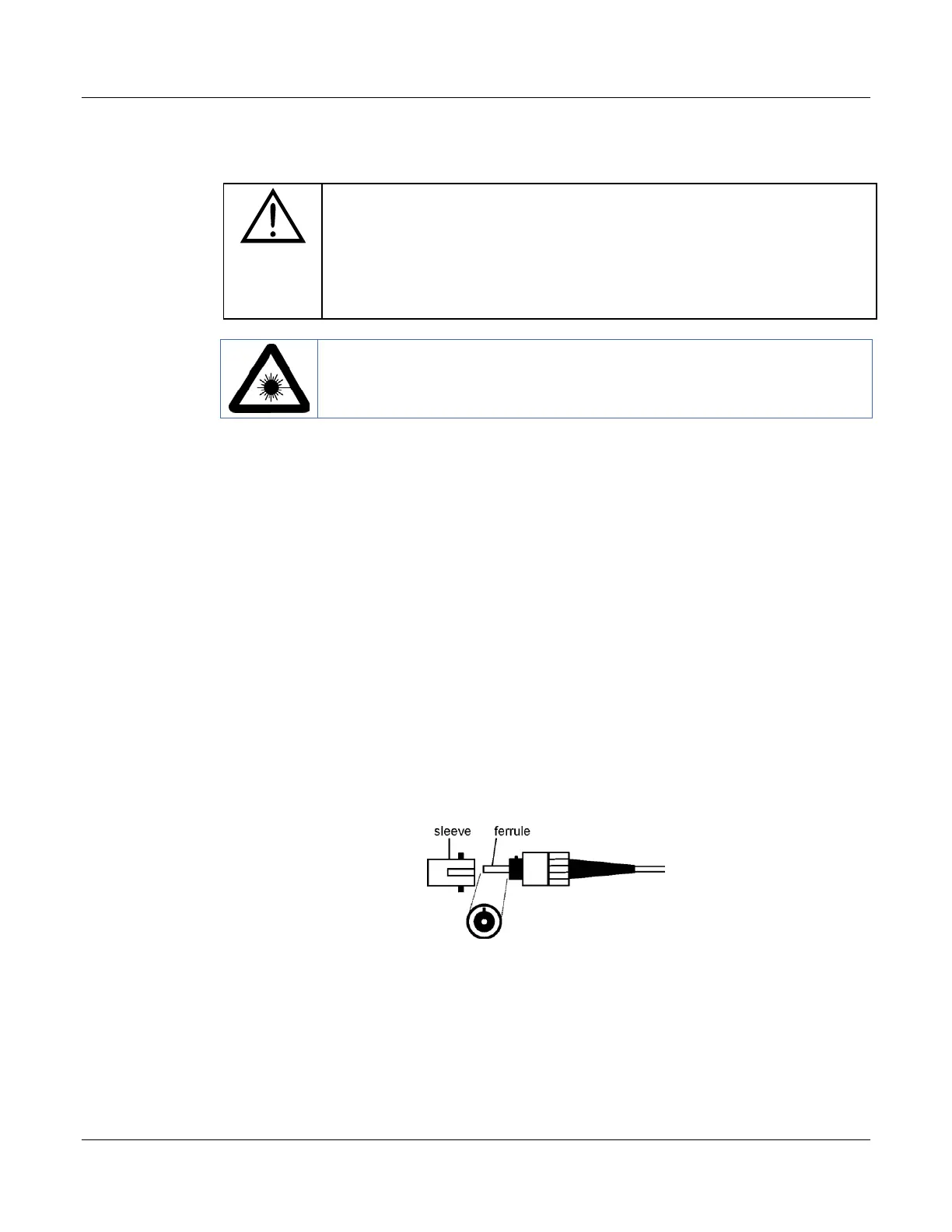
2. Blow the sleeve with filtered compressed air.
Figure 9: Connector cleaning (connector type can vary)
3. Apply optical grade isopropyl alcohol or optical grade ethanol (do not use
rubbing alcohol) to a small area of a lint-free towel and rub the end of the
ferrule over the wet area.
4. Wipe the ferrule on a dry area of the lint-free towel.


 To Next Page