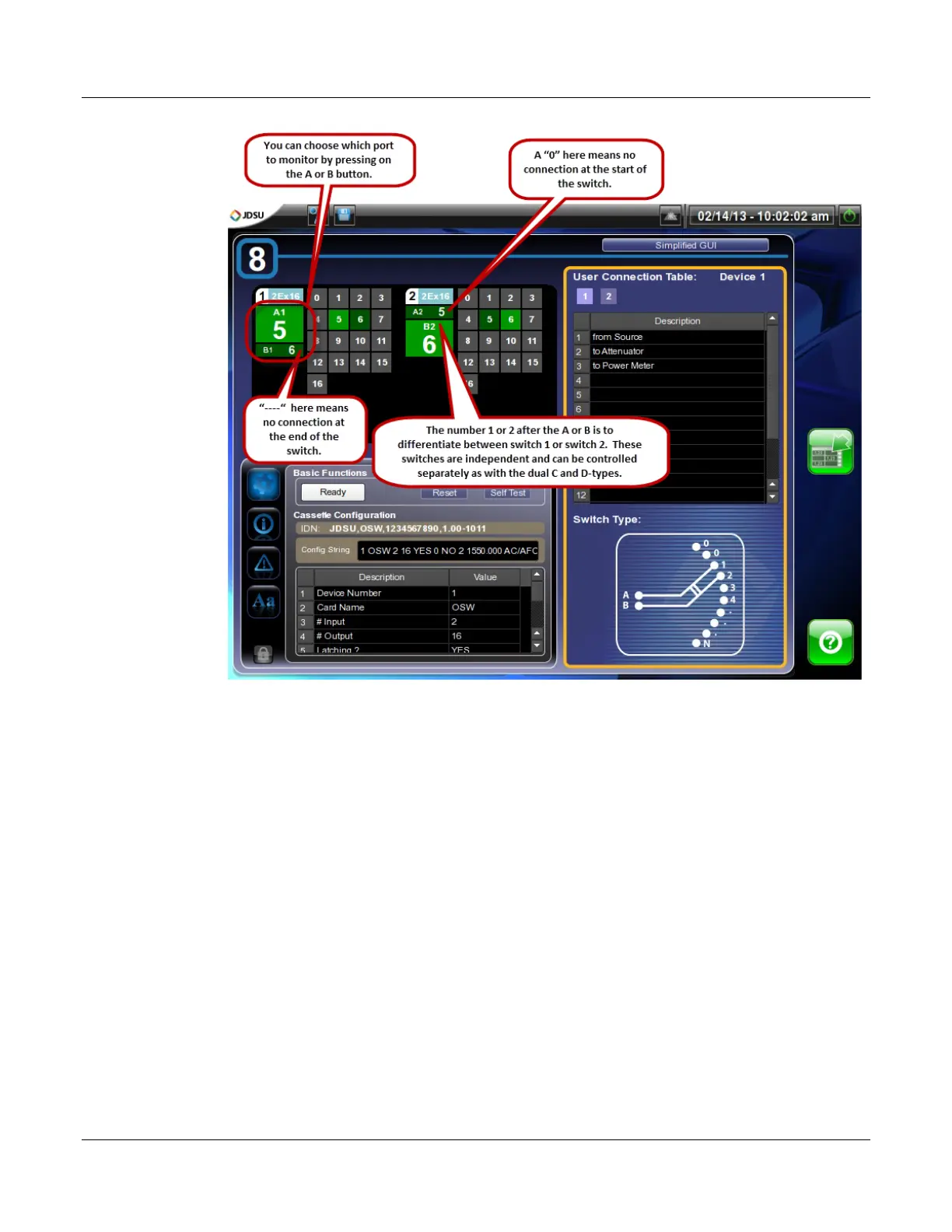
The mOSW-C1 Graphical User Interface (GUI)
Simplified Views
MAP-200 Optical Switch mOSW-C1 Installation and User Guide Standard
June 2016 Document Number 22112369-120 R000 Page 36
Simplified Views
Simplified Instrument Summary View
You can change the level of detail in the summary screen by selecting the “Simplified
GUI” button in the upper right-hand corner of the detail screen of any casette except
the 1x2 and 2x2 cassettes. When you come back to the “Instrument Summary”
screen the cassette information panel will show a simplified view of its information.


 To Next Page