The mOSW-C1 Graphical User Interface (GUI)
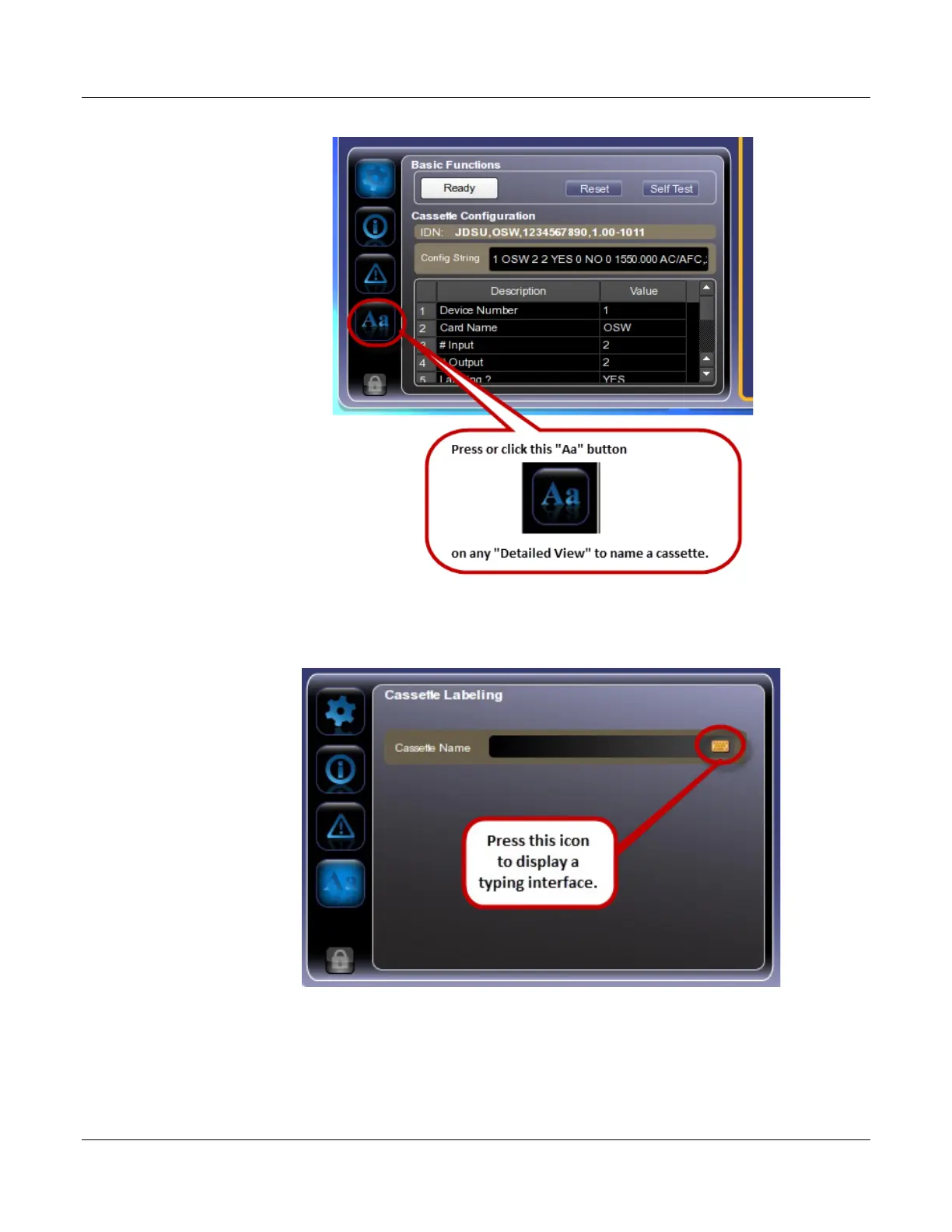
Naming a Cassette
MAP-200 Optical Switch mOSW-C1 Installation and User Guide Standard
June 2016 Document Number 22112369-120 R000 Page 39
A “Cassette Label” view will appear.
2. Press the typing interface icon in the “Cassette Label” view.
A typing interface will appear.
3. Type the cassette name in the typing interface


 To Next Page