9
Multi-Sensor 360 User Manual
Chapter 1: Product Introduction
Copyright © 2021 Vicon Industires Inc. All Rights Reserved.
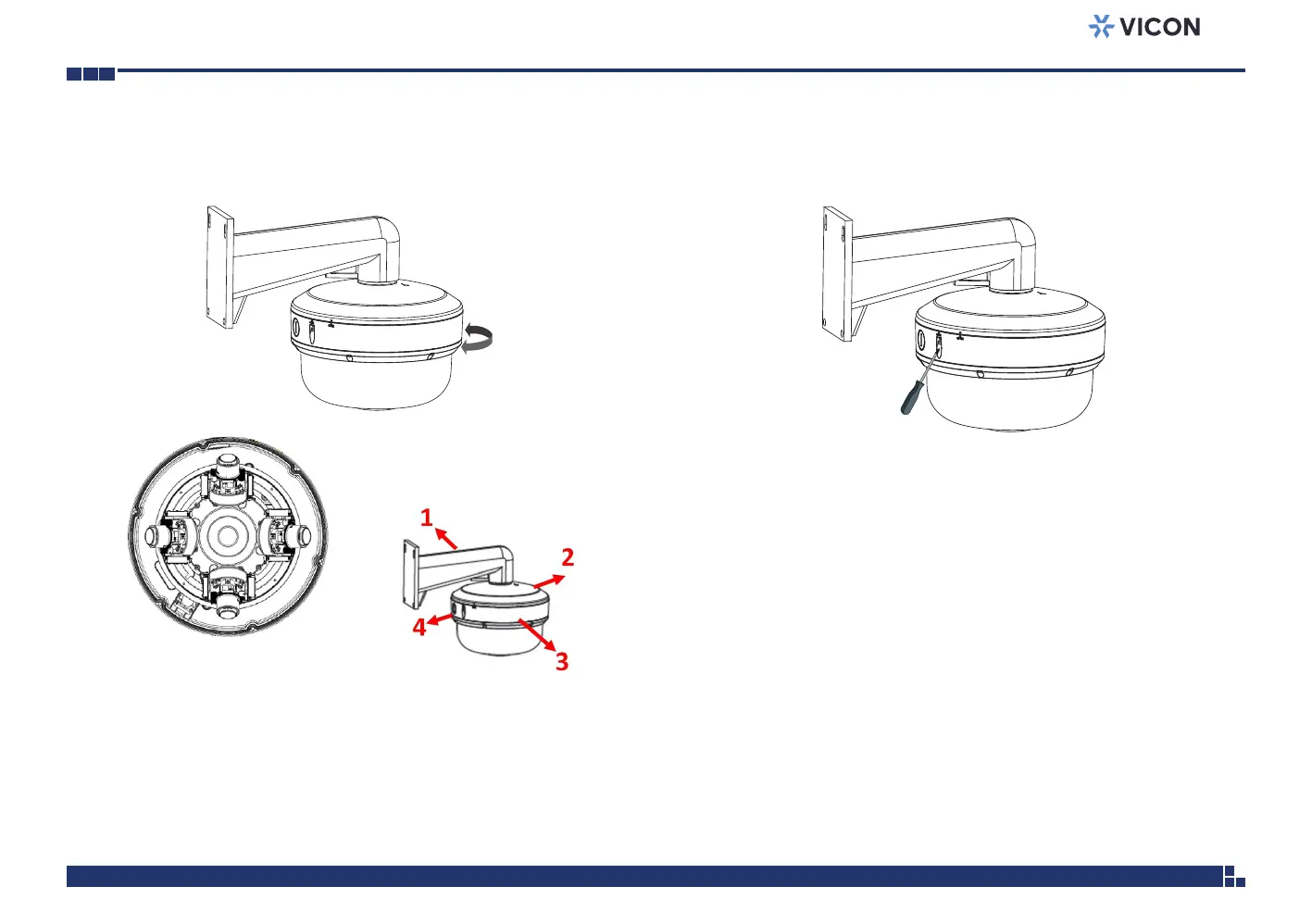
13. Rotate the camera from OPEN to LOCK in order to fix the camera.
The smark should be aligned with the LOCK ( s ) mark.
14. Tighten the captive screw on the lateral side of the bottom cover to
secure the camera.
Note default head position of
camera for 360⁰ view.
1
2
3
4
Conduit Entrance
Vicon Logo



 To Next Page