What to do if Vigilant MX1-Au Fire Alarms shows 'No database present'?
- JJeffrey KnightAug 29, 2025
If the LCD shows “No database present. Program MX1 with a valid database”, upgrade the datafile if necessary and download it.
What to do if Vigilant MX1-Au Fire Alarms shows 'No database present'?
If the LCD shows “No database present. Program MX1 with a valid database”, upgrade the datafile if necessary and download it.
What causes Vigilant MX1-Au Fire Alarms internal sounder to sound continuously?
If the internal sounder sounds continuously with no fault present, it indicates a hardware fault. Replace the LCD/Keyboard.
What to do if Vigilant Fire Alarms battery test cannot be started?
A battery test cannot be started if one has been carried out recently. Do not initiate a battery test if a battery test has been performed recently. The time of the last test can be displayed on the LCD.
What to do if Vigilant Fire Alarms printer does not respond?
If the printer is not responding, first, ensure the printer is connected to the mains power and switched on. Then, verify that the printer cable is correctly connected to both the printer and the MX1, that Xon/Xoff is selected, and the printer has sent Xoff, and that the printer is online. Finally, check paper and toner levels and replenish if needed.
What does 'Type mismatch' mean on Vigilant MX1-Au?
A 'Type mismatch' indicates that the type of device on the loop differs from the MX1 configuration settings and is not a permitted substitute. Use the Devices command in the MX Loop Status screen on the front panel to search for MISM devices. Check device address settings and programming. Check MX Loop Point settings in SmartConfig. Check that the device is installed on the correct loop.
What does 'Foreign device' mean on Vigilant MX1-Au Fire Alarms?
A 'Foreign device' message indicates that an unprogrammed device has been detected on the loop. Use the Devices command in the MX Loop Status screen on the front panel to search for FRGN devices. Check device address settings and programming. Check MX Loop Point settings in SmartConfig. Verify the device is installed on the correct loop.
What to do if Vigilant Fire Alarms shows 'MX Loop open circuit' point in fault?
If the “MX Loop open circuit” point is in fault, it means there is a break in the MX Loop wiring. Use the front panel MX Device command or Diagnostic Poll, in conjunction with the “as-installed” diagrams, to scan from each end of the loop.
What does it mean when Vigilant MX1-Au Fire Alarms shows “DB1 CRC”, “DB2 CRC” are in fault?
If “DB1 CRC” or “DB2 CRC” are in fault, it indicates a corrupted datafile or site-specific configuration. Switch to the backup datafile if it is the same configuration (using SmartConfig or pressing RESET on the Controller).
What does 'Firmware CRC error' mean on Vigilant MX1-Au?
A Firmware CRC error indicates corrupted firmware. Reload the firmware. Confirm that the WRITE ENABLE Firmware link is not fitted.
How to fix Vigilant Fire Alarms Alarm Devices Fault/Disabled LED when it's on steady?
If the Alarm Devices Fault/Disabled LED is on steady, it means alarm devices have been disabled. Press the Disables key to determine whether Alarm Devices have been disabled from the panel.
Provides instructions on operating the MX1 panel and understanding its displays and conventions.
Describes the core functions and capabilities of the VIGILANT MX1 fire detection system.
Details the different access levels and their associated command permissions.
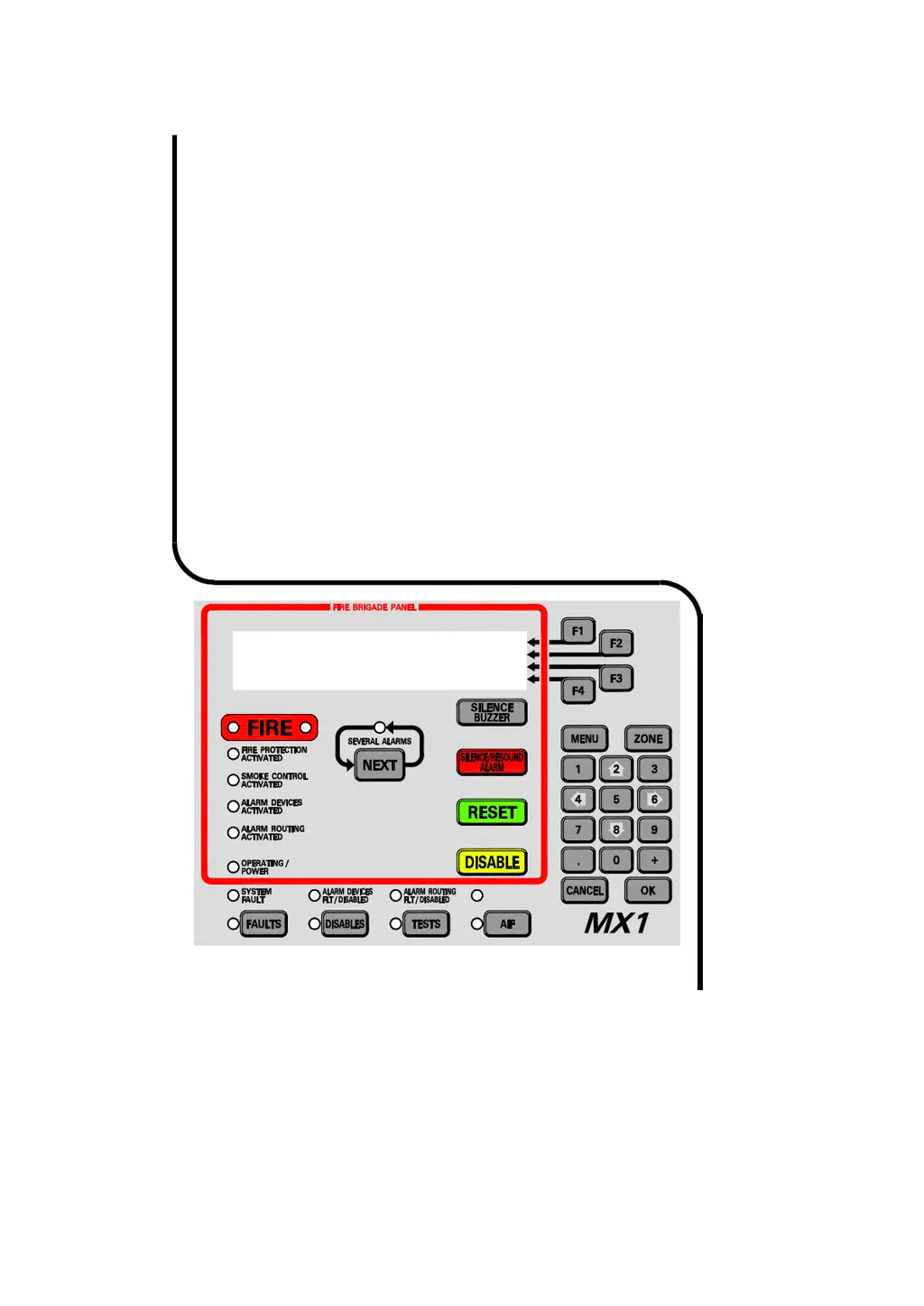
Step-by-step guide for managing alarms using the Fire Brigade Panel (FBP) controls.
Explains how the MX1 indicates alarm presence and displays alarm details.
Procedures for resetting alarms after investigation and clearing conditions.
Describes how the MX1 indicates faults and how to view fault details.
Explains how to view disabled items (zones, points) and their status.
Details how to access and interpret the MX1's event history log.
Describes the format and meaning of zone-specific event messages.
Explains the format and meaning of point-specific event messages.
Guides on recalling and viewing the status of off-normal points and zones.
Procedures for resetting zones and points to clear alarm or fault states.
Instructions for disabling or enabling individual or ranges of points/zones.
Details on performing various tests on zones, including alarm and fault tests.
Step-by-step guide to access critical service functions using User Code and PIN.
Checking power supply voltage, current, and battery status.
Monitoring the voltage and current status of MX addressable loops.
Procedures for replacing MX devices and automatic re-addressing.
Enabling commissioning mode to reduce detector test times.
Restarting the MX1 panel from the LCD, requiring Access Level 3.
Allows remote panel operation as if standing in front of it via the network.
Displays communication status of network interface devices.
Shows status of network faults, including path and communication failures.
Provides a guide to interpreting LCD messages and taking corrective actions.
Instructions for installing the MX1 panel within its cabinet.
Details on connecting the dedicated mains feed to the MX1 cabinet.
Guidance on connecting batteries for system standby power.
Instructions for wiring MX addressable devices to the MX1 controller.
Steps for the initial power-up sequence and basic checks.
Provides overall technical specifications for the MX1 system.
Lists devices compatible with the MX1 analogue loop.
Detailed descriptions of all in-built points and their functions.
| Brand | Vigilant |
|---|---|
| Model | MX1-Au |
| Category | Fire Alarms |
| Language | English |