SECTION 2.4 DEFINING PHYSICAL WAN PORT OPERATION
Abstract
This section will provide instruction in specifying the physical Port used for WAN Service
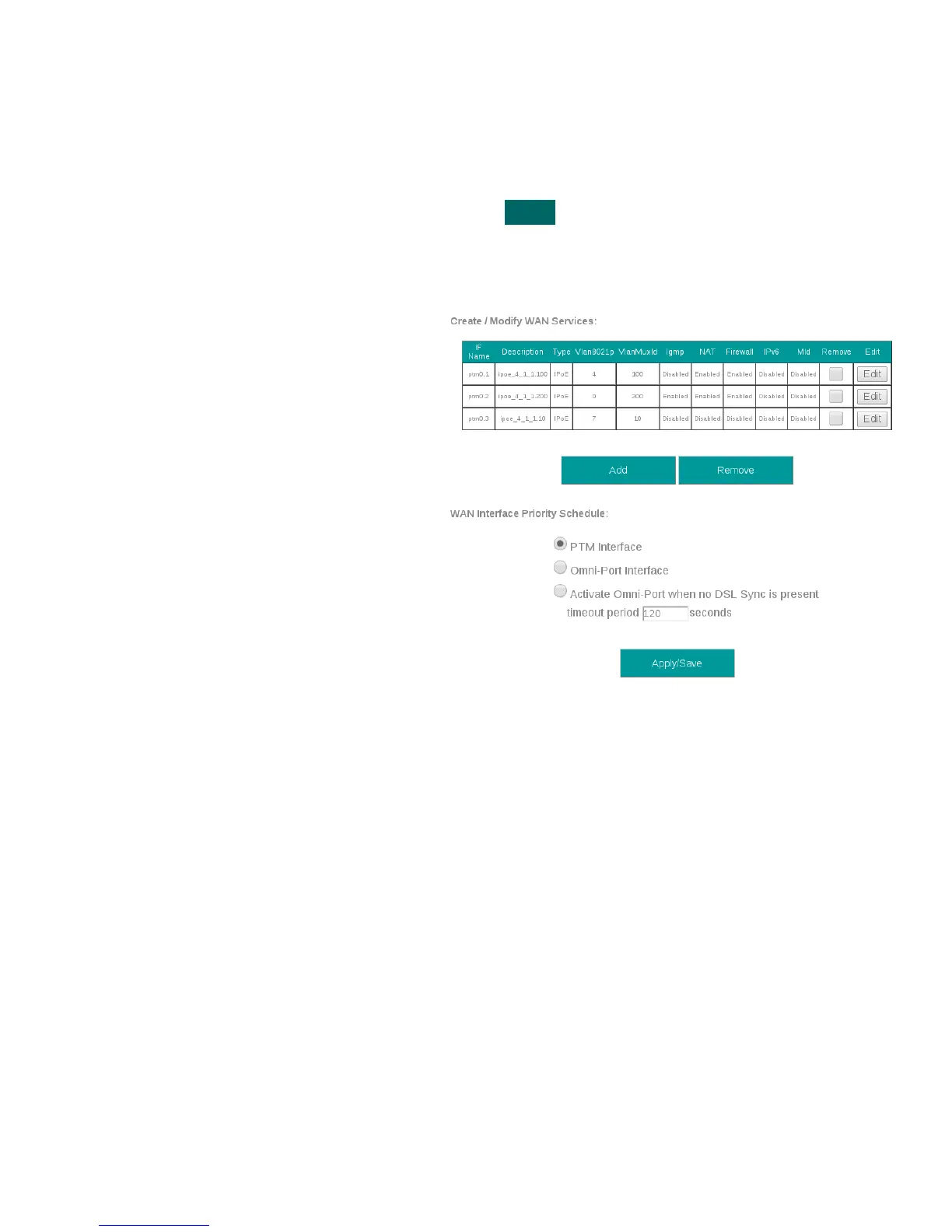
Step 1 Direct your browser to the WAN IF: Services page
1.A In the left-hand navigation pane, select:
WAN
WAN IF: Services
Step 2 Select the appropriate parameters for WAN Interface Selection
2.A xDSL Interface:
In some FW Revisions, this is labeled PTM.
ATM is also supported in this mode.
Omni-Port Interface
An Ethernet interface and service must be
created
Time-out
Enable Omni-Port, when no DSL Sync is
present, within specified time after boot-up.
2.B Select “Save / Apply”
VisionNet M504 / M505N R3 Page 17 of 62 User Manual Rev 0.1c



 To Next Page