SECTION 3.2 Interface Configuration
Abstract
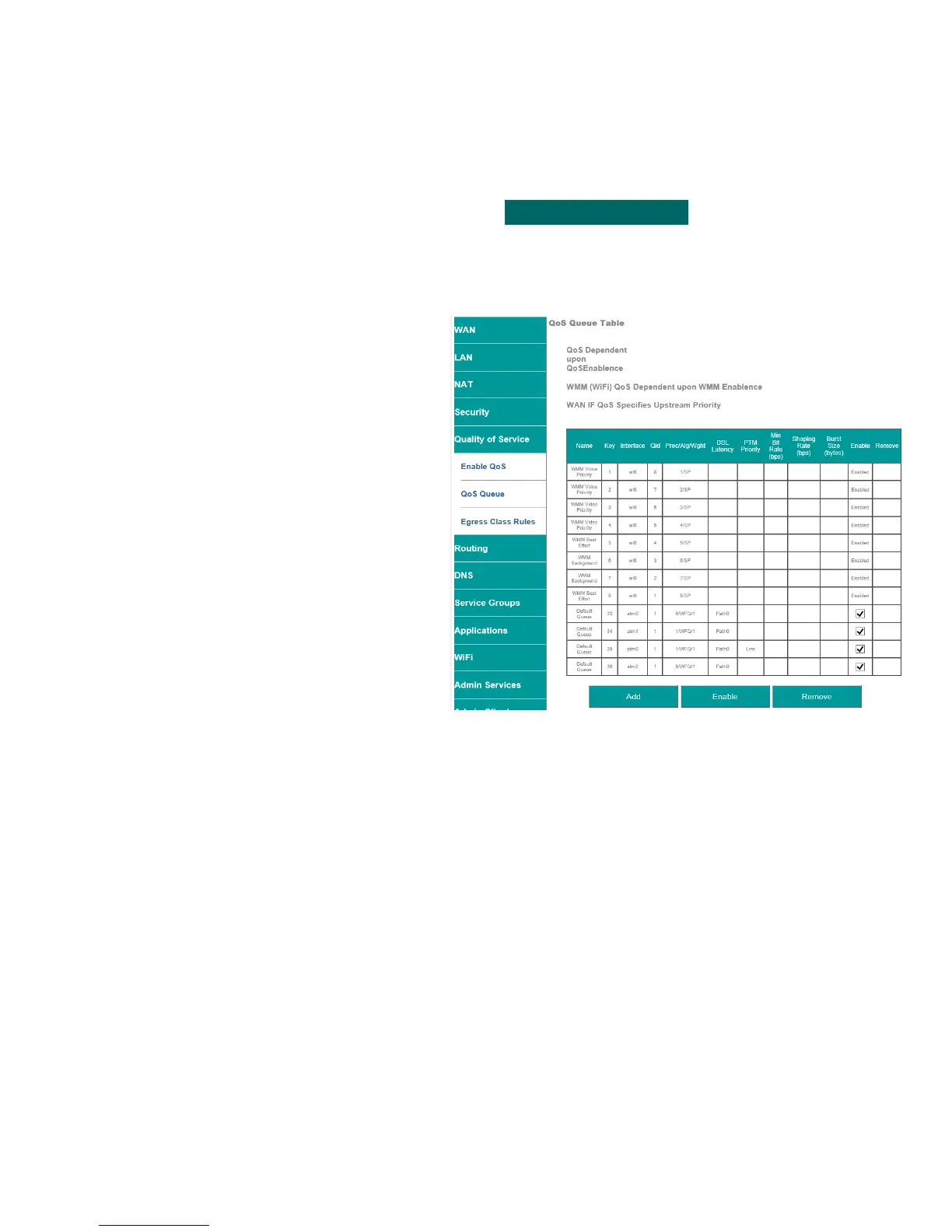
This section will depict enabling / disabling QoS rules for specific WAN Interfaces
Step 1 Direct your browser to the QoS Queue page
1.A In the left-hand navigation pane, select:
Quality of Service
QoS Queue
Step 2 Enable / Disable Interfaces
2.A WMM Priorities
These apply to WiFi, when WMM is enabled
Enable / Disable WAN Interfaces
Check / Uncheck the radio box within the
table row of the desired interface.
Adding Interface
You may add interfaces, to this list, by
selecting add.
Note: The add feature applies primarily to
Ethernet port prioritization.
2.B When finished, select “ Apply / Save “.
VisionNet M504 / M505N R3 Page 33 of 62 User Manual Rev 0.1c



 To Next Page