SECTION 3.3 QoS Classification Table
Abstract
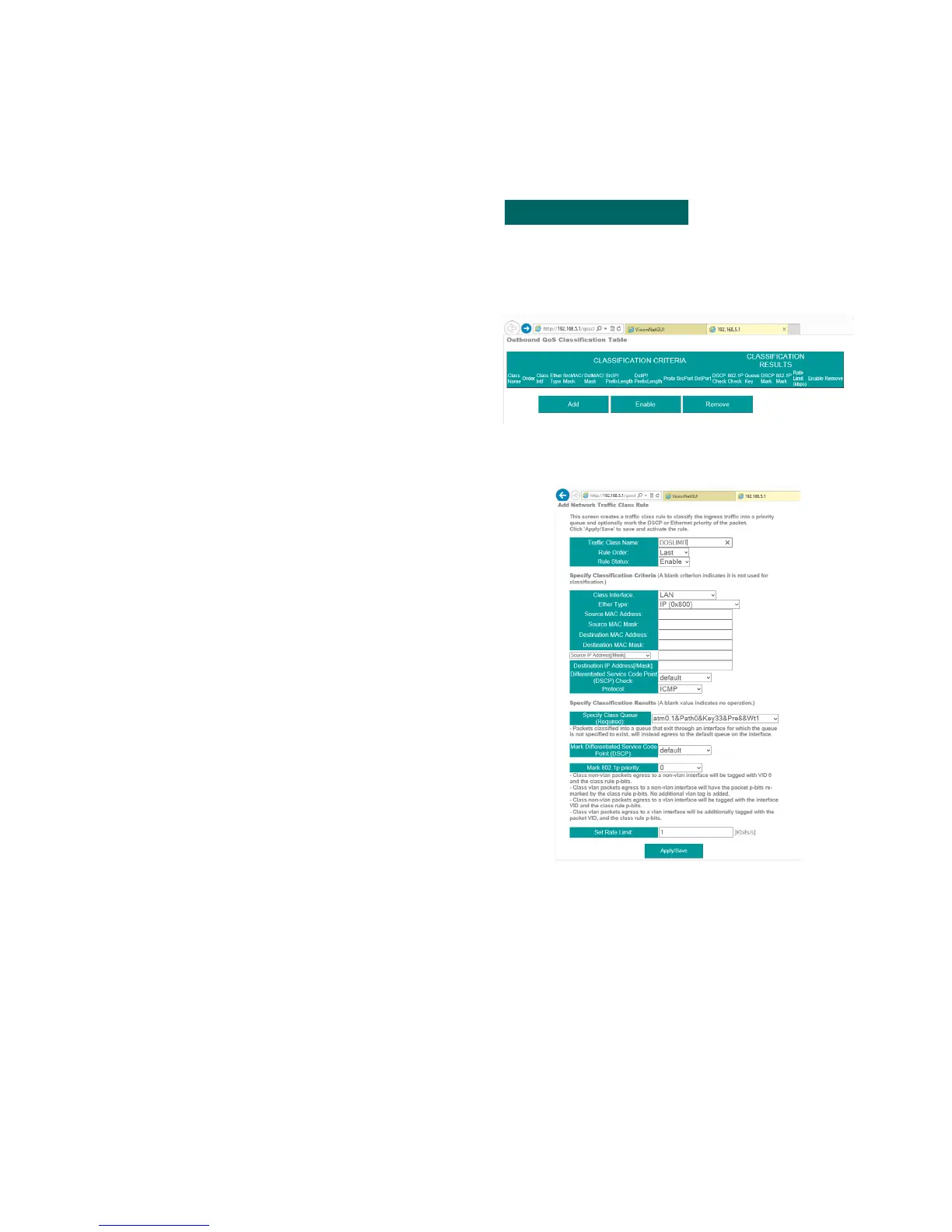
This section will depict the QoS Classification Table
Step 1 Direct your browser to the Egress Class Rules page
1.A In the left-hand navigation pane, select:
Quality of Service
Egress Class Rules
Step 2 Add Entry
2.A Note: Your browser will open the table in a
new tab.
This is due to browser size limitations
Upon Review, select “Add”
Step 3 Customize Rule
3.A General Guidelines
The first section is to establish the Rule
Identifier and Status
The second section is to establish which type
of packets will be considered for QoS
The third section is to establish the patch,
DSCP, Priority, and any egress rate limiting
When complete, select “Apply / Save”
3.B When finished, select “ Apply / Save “.
VisionNet M504 / M505N R3 Page 34 of 62 User Manual Rev 0.1c



 To Next Page