SECTION 2.10 CREATE / MODIFY A PPP WAN SERVICE
Abstract
This section will explain creating a PPP WAN Service, which may be used for routed, or proxied, IP services.
This section will not explain, in detail, the various options; as this must be specified by an ISPs Network Operations Center and
OSP Manager.
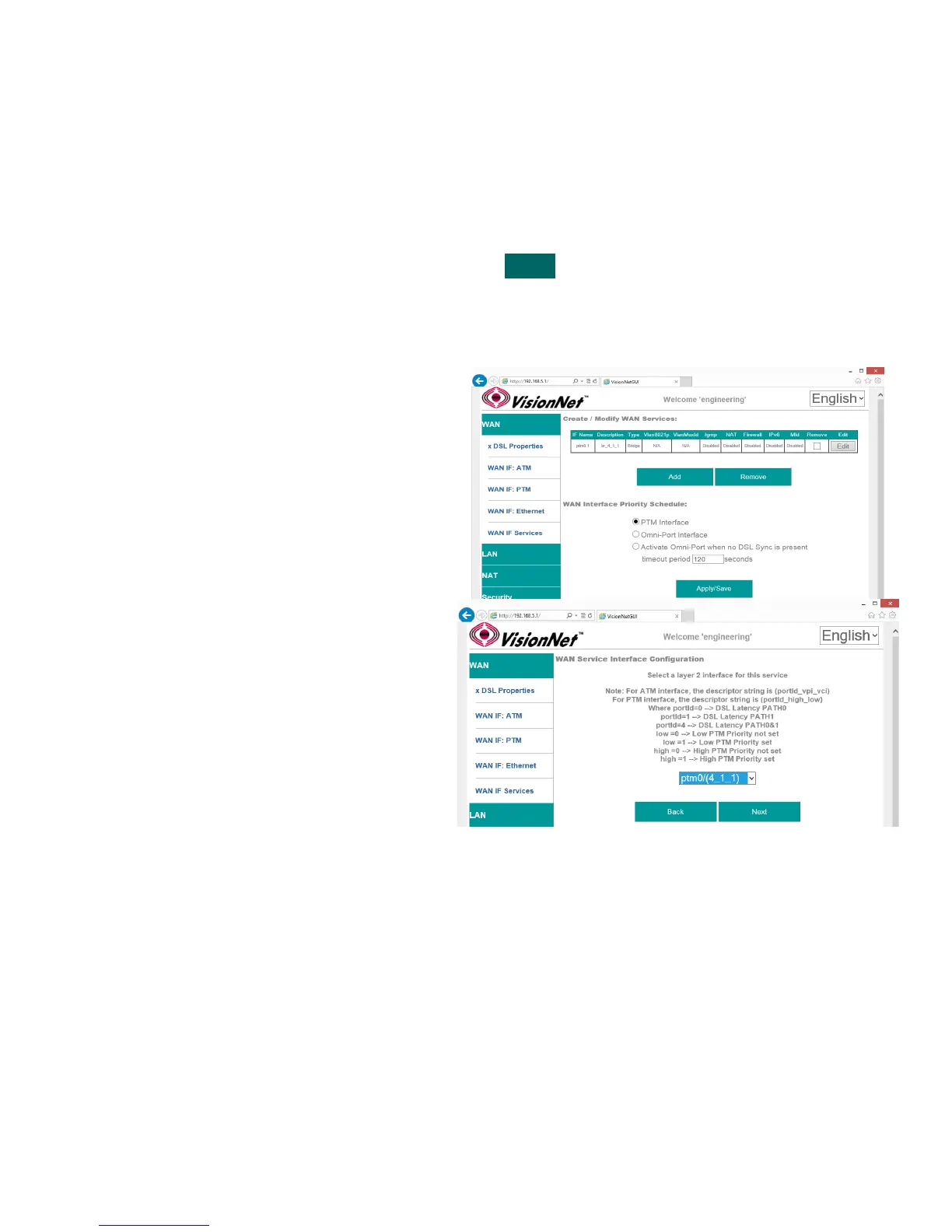
Step 1 Direct your browser to the WAN IF: Services page
1.A In the left-hand navigation pane, select:
WAN
WAN IF: Services
Step 2 Create a WAN Interface
2.A Select “Add”
NOTE: If you wish to modify an existing
connection; select the “EDIT” button located
in the table row of the desired interface
2.B Select Desired Interface
This is the Interface that will be used for
the Bridged Service
Upon selection, select “Next”
VisionNet M504 / M505N R3 Page 28 of 62 User Manual Rev 0.1c



 To Next Page