SECTION 2.6 CREATING A PTM INTERFACE
Abstract
This section will demonstrate the creation of a PTM Interface, most commonly used for VDSL2 Operation.
This section will not explain, in detail, the various PTM based options; as this must be specified by an ISPs Network Operations
Center and OSP Manager.
Step 1 Direct your browser to the WAN IF: PTM page
1.A In the left-hand navigation pane, select:
WAN
WAN IF: PTM
Step 2 Create a PTM Interface
2.A Select “Add”
Notes:
You must remove, and rebuild, an interface if
you would like to change parameters.
Associated WAN Services must be removed,
before an interface may be removed.
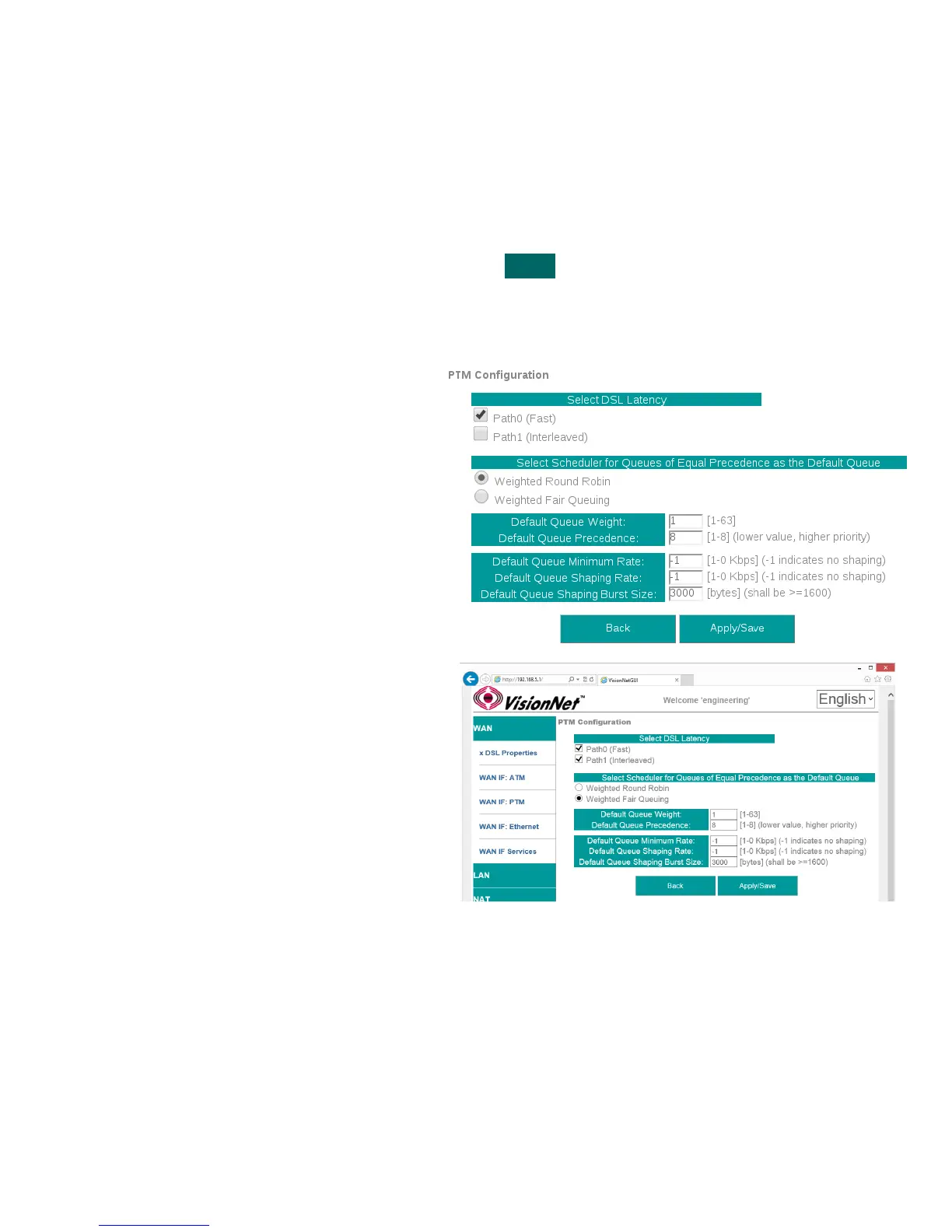
2.B Modify Parameters
Notes:
VLAN MUX
VLAN MUX is enabled by default.
DSL Latency
If “Interleave” (PATH 1) is to be selected, “Fast” (PATH 0)
must also be selected
QoS Scheduler
Select WRR or WFQ
You may select Queue Weight and Precedence for the
ATM.
This will affect QoS Prioritization for upstream traffic only.
2.C Select “Apply / Save”
VisionNet M504 / M505N R3 Page 20 of 62 User Manual Rev 0.1c



 To Next Page