SECTION 8.2 Multi-NAT
Abstract
Once a Routed IPv4 WAN Interface has been created, and NAT Assigned, there may be a need to alter the way that specific
applications traverse NAT.
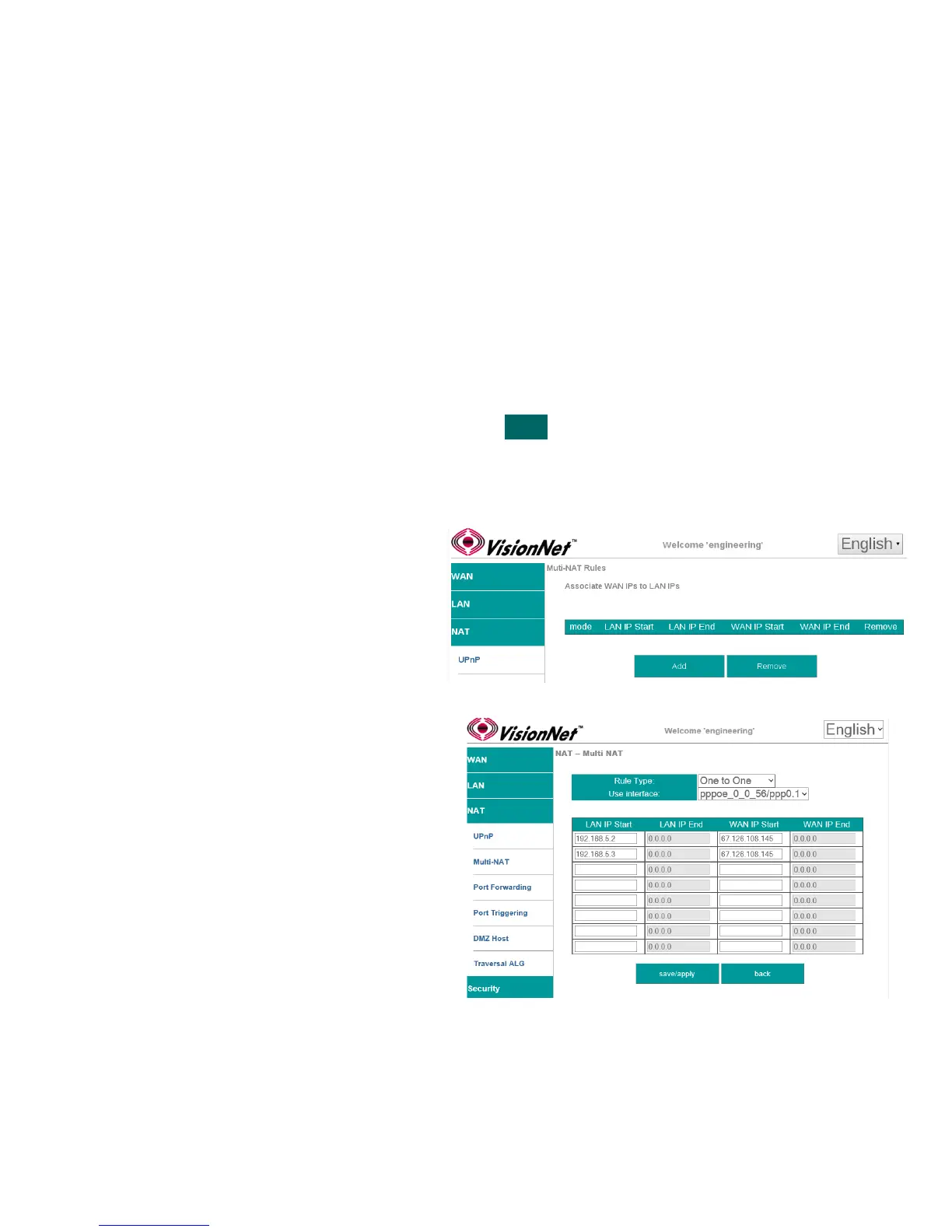
Multi-NAT allows for IP Mapping between public and private IPs.
1:1 NAT: 1 LAN IP ↔ 1 WAN IP
1: Many NAT: 1 LAN IP ↔ > 1 WAN IP
Many:1 NAT: > 1 LAN IP ↔ 1 WAN IP
Many: Many NAT: > 1 LAN IP ↔ > 1 WAN IP
Multi-NAT is generally not suggested unless specifically requested by an IT Manager
Step 1 Direct your browser to the Multi-NAT page
1.A In the left-hand navigation pane, select:
NAT
Multi-NAT
Step 2 Create Multi-NAT Rules
2.A Select “Add”
2.B Rule Type
1:1 : 1 LAN IP ↔ 1 WAN IP
1: Many : 1 LAN IP ↔ >1 WAN IP
Many:1: >1 LAN IP ↔ 1 WAN IP
Many: Many : >1 LAN IP ↔>1 WAN IP
Use Interface
WAN interface associated with the rule
IP Ranges
Associated with Rule Types
Step 3 When finished, select “ Apply / Save “.
VisionNet M504 / M505N R3 Page 45 of 62 User Manual Rev 0.1c



 To Next Page