SECTION 9: WiFi Configuration
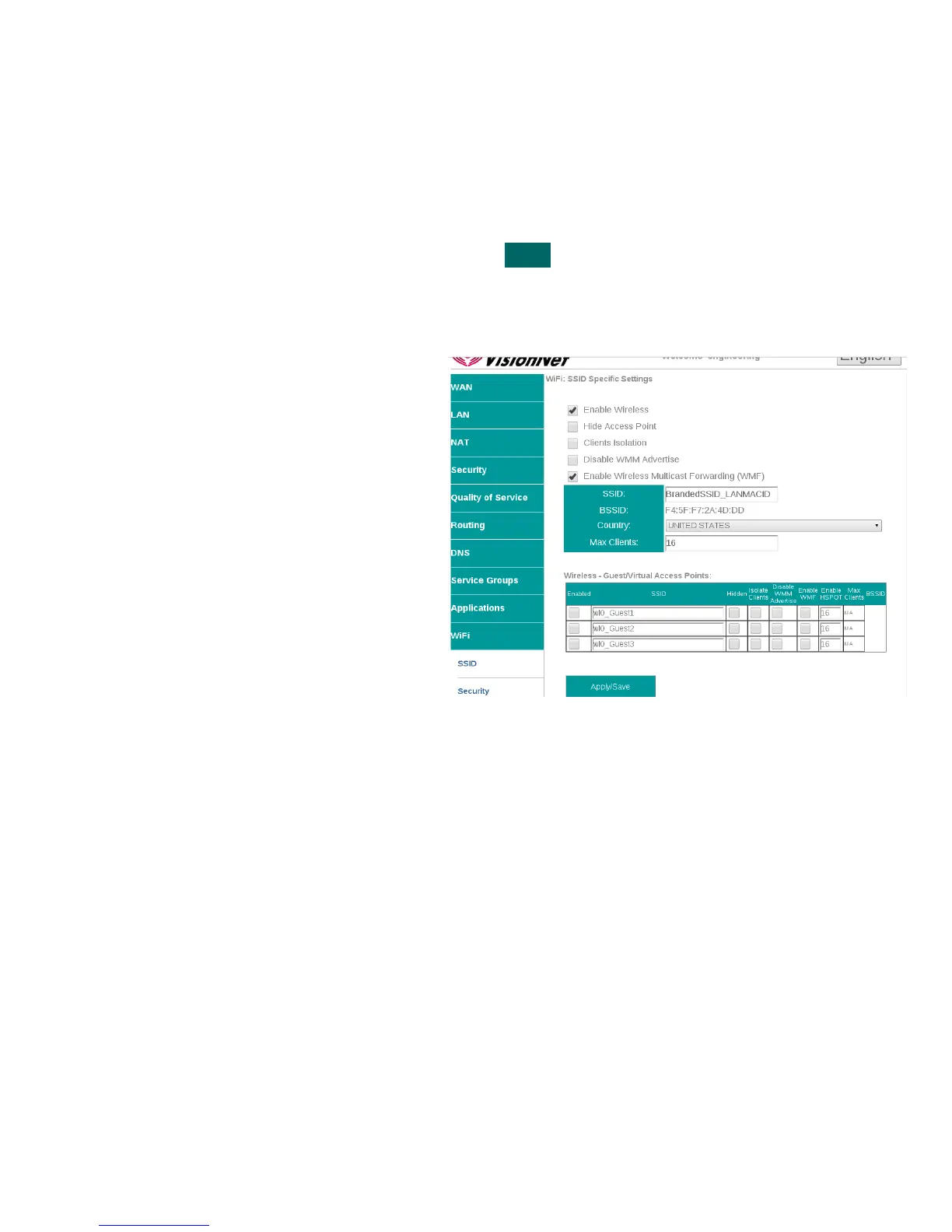
SECTION 9.1 Enable / Disable WiFi
Abstract:
WiFi may be enabled / disabled
Step 1 Direct your browser to the SSID page
1.A In the left-hand navigation pane, select:
WiFi
SSID
Step 2 Enable / Disable WiFi
2.A Check / Uncheck the box labeled “Enable
Wireless”
Step 3 When finished, select “ Apply / Save “.
It may take up to 1 minute for your change to take effect
VisionNet M504 / M505N R3 Page 50 of 62 User Manual Rev 0.1c



 To Next Page