SECTION 7.2 STATICALLY ASSIGNED GLOBAL DNS
Abstract
You may over-ride the dynamically assigned DNS settings, to manually assign the DNS Servers that the gateway CPE
uses for name resolution.
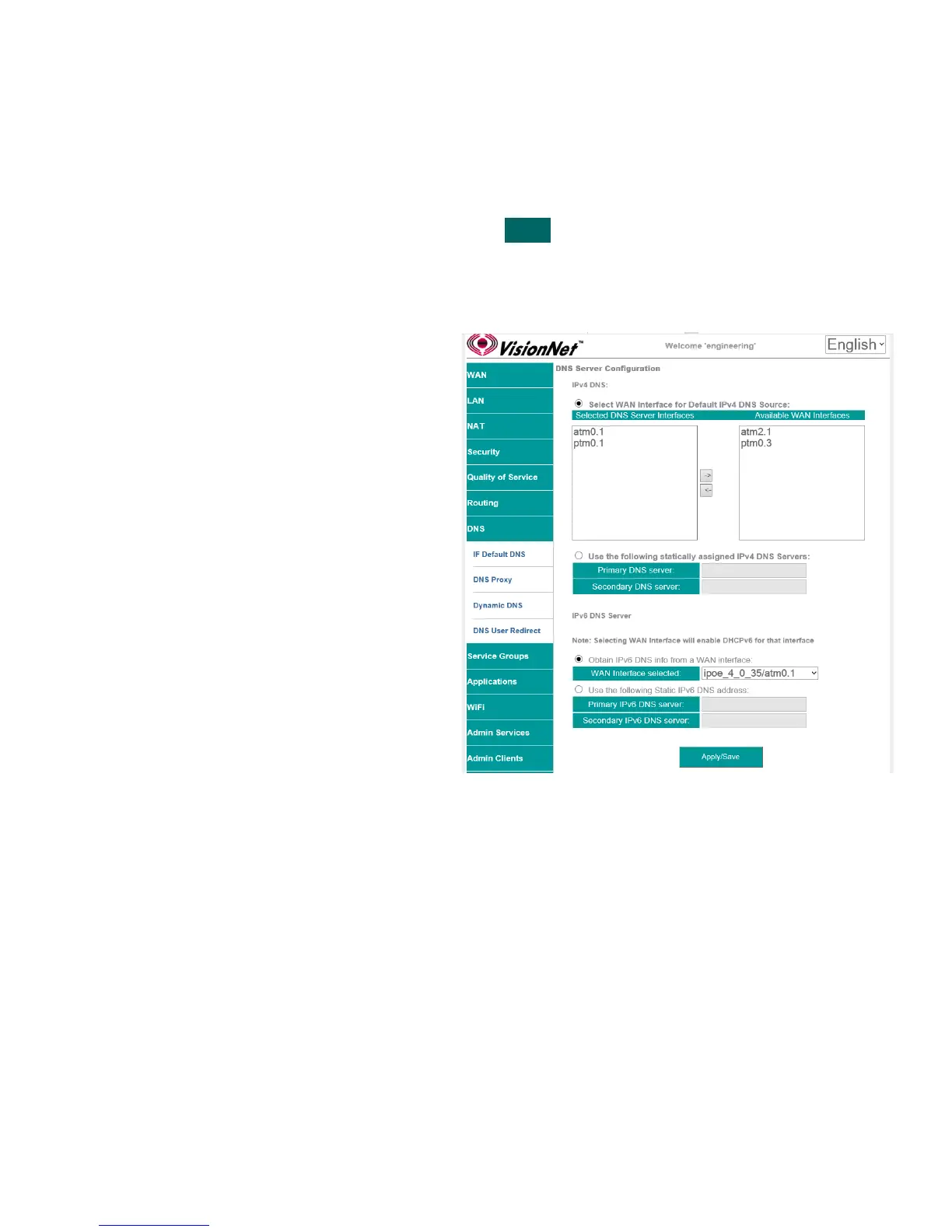
Step 1 Direct your browser to the IF Default DNS page
1.A In the left-hand navigation pane, select:
DNS
IF Default DNS
Step 2 Statically Assign DNS Servers
2.A Select IFs “Use the following statically
assinged IPv4 DNS Servers”.
IPv4
Enter Primary and Secondary
Step 3 When finished, select “ Apply / Save “.
VisionNet M504 / M505N R3 Page 43 of 62 User Manual Rev 0.1c



 To Next Page