VIVOTEK - Built with Reliability
User's Manual - 85
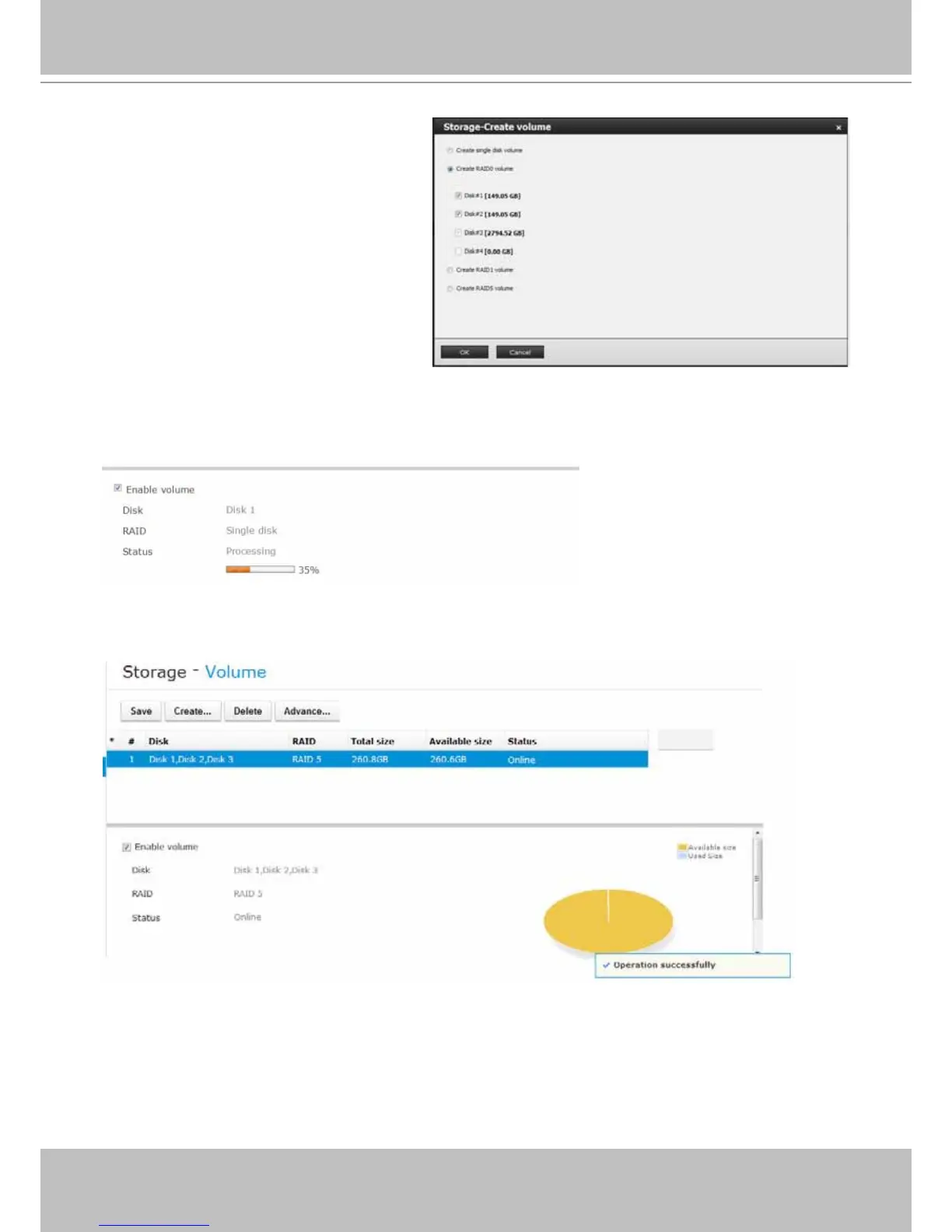
2. The Create volume window will
prompt. Select a RAID volume
conguration you prefer.
The available disk drives will then
be listed. Select their checkboxes to
include them into the volume.
The OK button will not be available
until you select the correct number of
disk drives; e.g., 3 or more disks for a
RAID5 volume.
3. If you create a RAID volume, the individual disk drives will be grouped into a logical volume
as shown below. The creation process should take several minutes, and is indicated in the
status bar below.
On completion, video feeds from network cameras are immediately recorded to the created
volume(s).
4. Click on the Save button to complete your conguration.



 To Next Page