VIVOTEK - Built with Reliability
86 - User's Manual
To delete a storage volume:
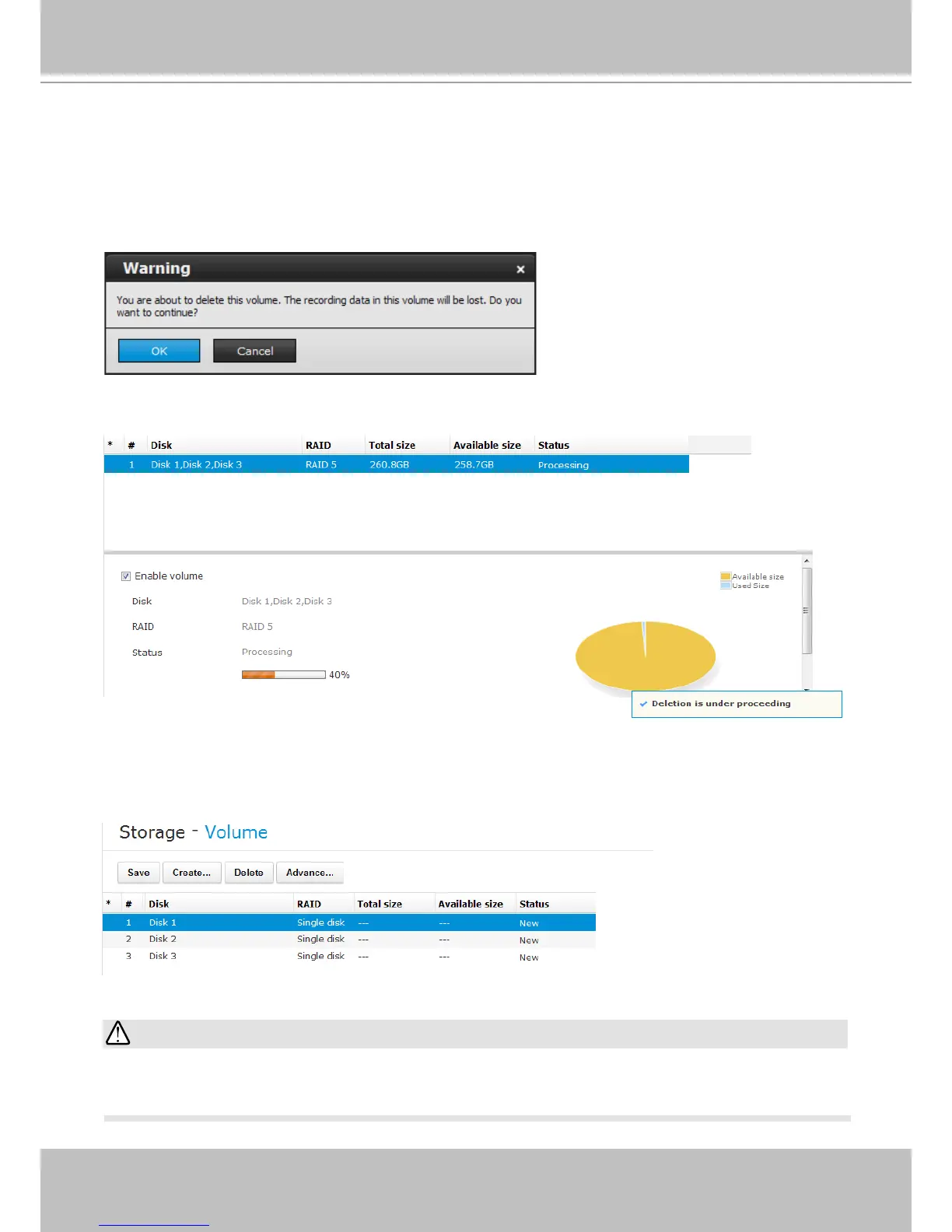
1. Click to select a storage volume from the list.
2. Click on the Delete button.
3. A warning message will prompt saying all recorded data will be lost. Click OK if you want to
remove the volume.
The deletion progress will be indicated as below.
When completed, the status of the volume's member drives will be indicated as "New" drives.
As the result, all recording tasks to that volume will be cancelled.
If you want to delete a RAID5 volume with a spare drive, remove the spare drive before you
delete the volume.
IMPORTANT:



 To Next Page