f
C
-I
S82265F
A
B
C D E
Instruments and controls
70
Switches
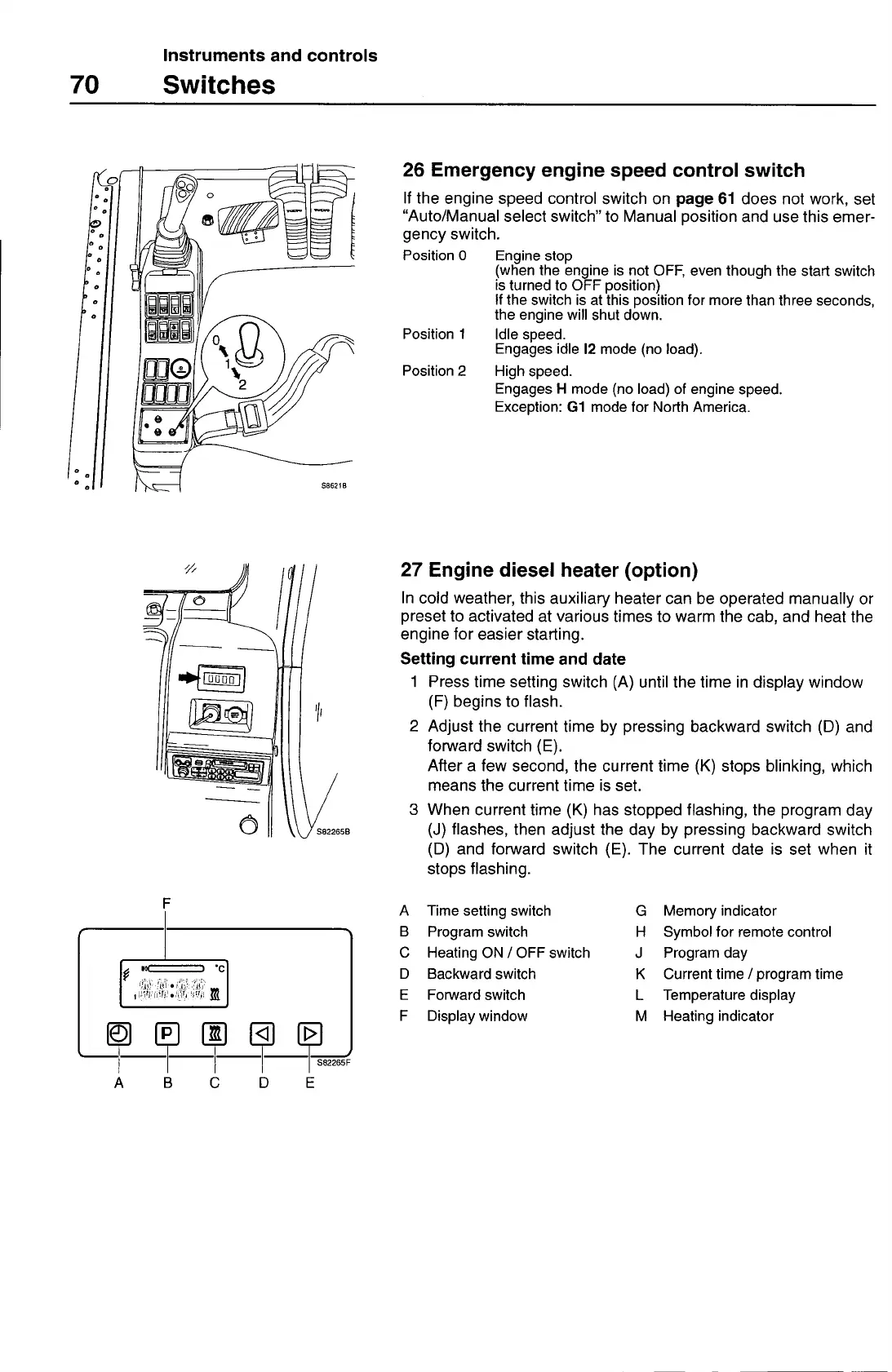
26 Emergency engine speed control switch
If the engine speed control switch on
page 61
does not work, set
"Auto/Manual select switch" to Manual position and use this emer-
gency switch.
Position 0
Engine stop
(when the engine is not OFF, even though the start switch
is turned to OFF position)
If the switch is at this position for more than three seconds,
the engine will shut down.
Position 1
Idle speed.
Engages idle
12
mode (no load).
Position 2
High speed.
Engages H mode (no load) of engine speed.
Exception:
Gi
mode for North America.
27 Engine diesel heater (option)
In cold weather, this auxiliary heater can be operated manually or
preset to activated at various times to warm the cab, and heat the
engine for easier starting.
Setting current time and date
1 Press time setting switch (A) until the time in display window
(F) begins to flash.
2 Adjust the current time by pressing backward switch (D) and
forward switch (E).
After a few second, the current time (K) stops blinking, which
means the current time is set.
3 When current time (K) has stopped flashing, the program day
(J) flashes, then adjust the day by pressing backward switch
(0) and forward switch (E). The current date is set when it
stops flashing.
A
Time setting switch
G
Memory indicator
B
Program switch
H
Symbol for remote control
C
Heating ON / OFF switch
J
Program day
D
Backward switch
K
Current time / program time
E
Forward switch
L
Temperature display
F
Display window
M
Heating indicator



 To Next Page