Instruments and controls
Description of instrum ent panel 47
VOE 2134355130
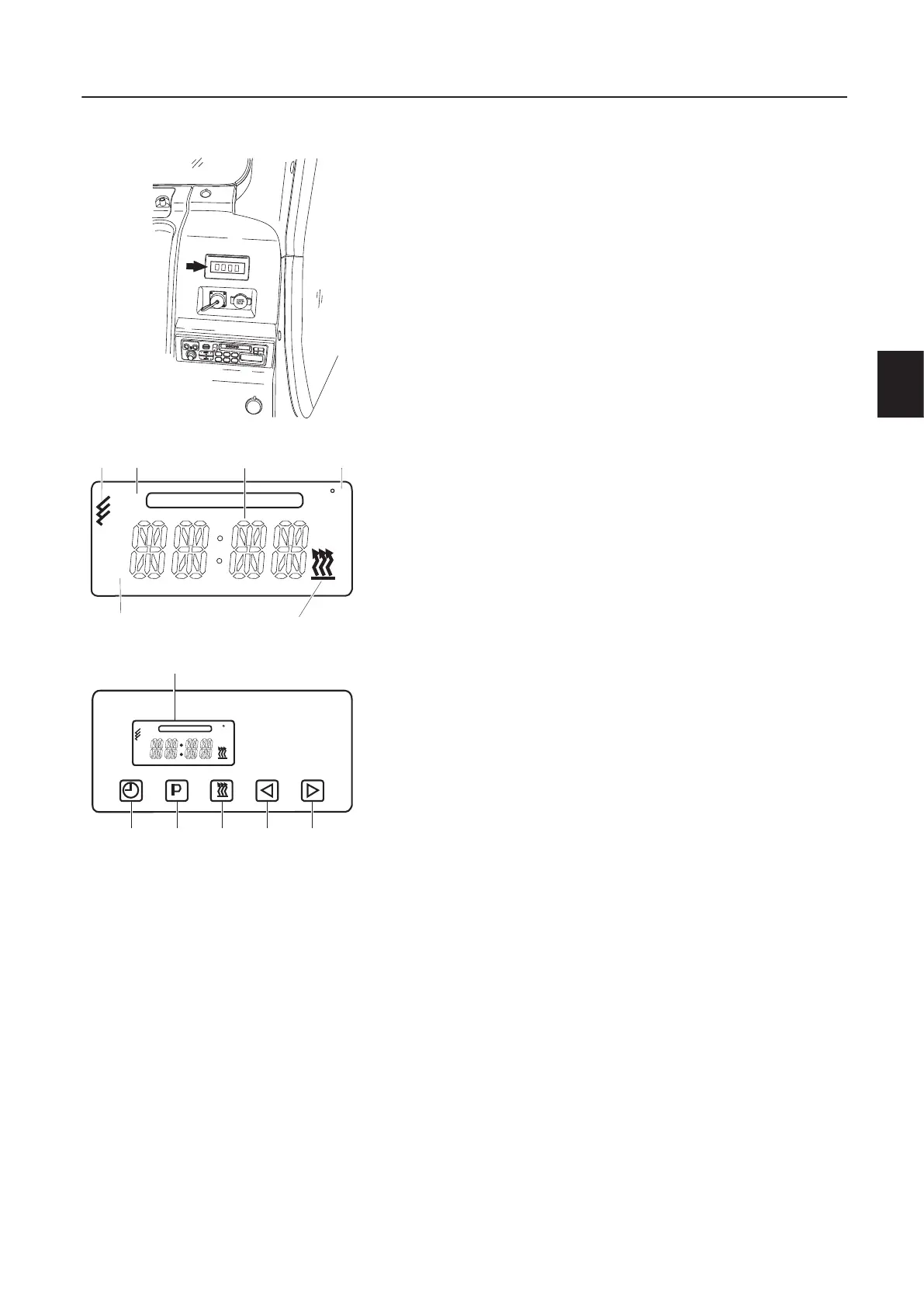
31 Engine diesel heater (option)
In cold weather, this auxiliary heater can be switched on manually
or preset to activate at various times to warm the cab and heat the
engine for easier starting.
Setting current time and date
1 Press time setting switch (A) until the time in display window
(F) begins to flash.
2 Adjust the current time by pressing backward switch (D) and
forward switch (E).
After a few second, the current time (K) stops blinking, which
means the current time is set.
3 When current time (K) has stopped flashing, the program day
(J) flashes, then adjust the day by pressing backward switch
(D) and forward switch (E). The current date is set when it
stops flashing.
Operating heater (direct)
1 Press heating ON / OFF switch (C), heating indicator (M) and
current time / program time (K) will come ON.
2 The initial setting time is for a duration of 120 minutes and this
time can be adjusted by pressing switches (D or E). Heating
time can be set up to 120 minutes.
3 Press heating ON / OFF sw itch (C) to OFF to change the heat-
ing time.
4 Press backward switch (D) until current time / program time (K)
flashes in display window (F).
5 Now adjust the operating time by pressing forward switch (E)
and backward switch (D) as current time / program time (K)
flashes. The heating time is set when it stops flashing.
Stopping heater
6 Press heating ON / Off switch (C), then heating indicator (M),
stops the heater; however the fan will continue to operate until
the unit is cool enough to safely shut down.
A Time setting switch
B Program switch
C Heating ON / OFF switch
D Backward switch
E Forward switch
F Display window
G Memory indicator
H Symbol for remote control
J Program day
K Current time / program time
L Temperature display
M Heating indicator
S82265B
1
2
3
6
5
4
S82265E
M
G
H
LKJ
C
MO
1
S82265F
MO
1
ACBDE
F
C


 To Next Page
 Loading...






