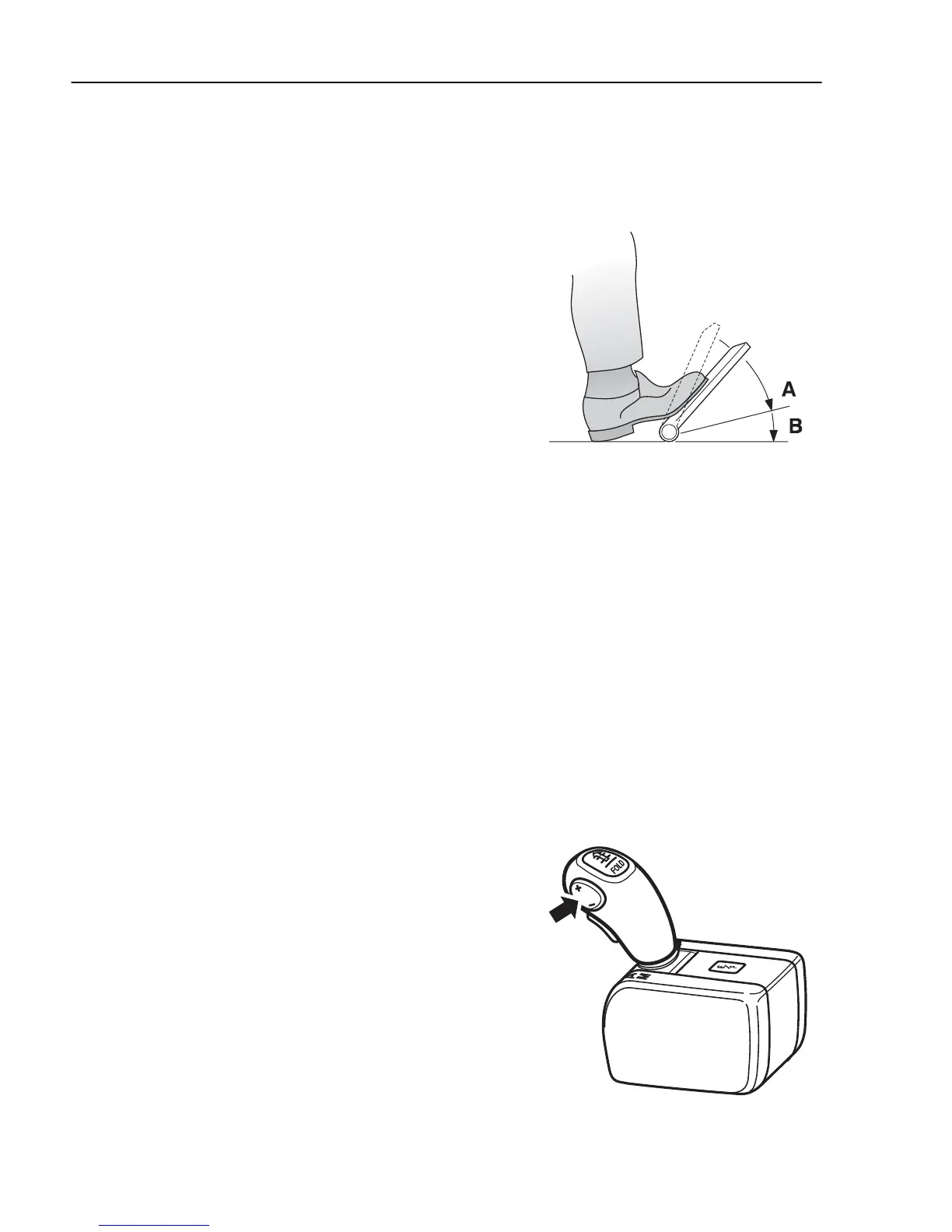
Kickdown
Kickdown is activated by fully depressing the
accelerator pedal (position B). The kickdown program
optimises gear selection/throttle for maximum
acceleration which most often leads to down-changing.
Kickdown functions in both the economy and power
programs, but not in manual mode.
Position A = full throttle
Position B = kickdown
J2012347
Manual gear changing
Gear change is done manually using the button on the
gear shift lever. Change up with + and down with –.
The change occurs when the button is released. If the
engine speed gets too high or too low, the control unit
will change gear automatically. The lock-up clutch,
“
Lock-up
” can not be affected manually.
Select starting gear
Selection of starting gear is done automatically after
driving a short while. Starting gear (1 or 2) can be
selected manually using the +/– buttons on the gear
shift lever. If 1st gear is selected a 1 is shown after E
or P in the left section of the display. If 2nd is selected
as the starting gear, no digit is shown in the display.
J4020108
210
Powertronic



 To Next Page