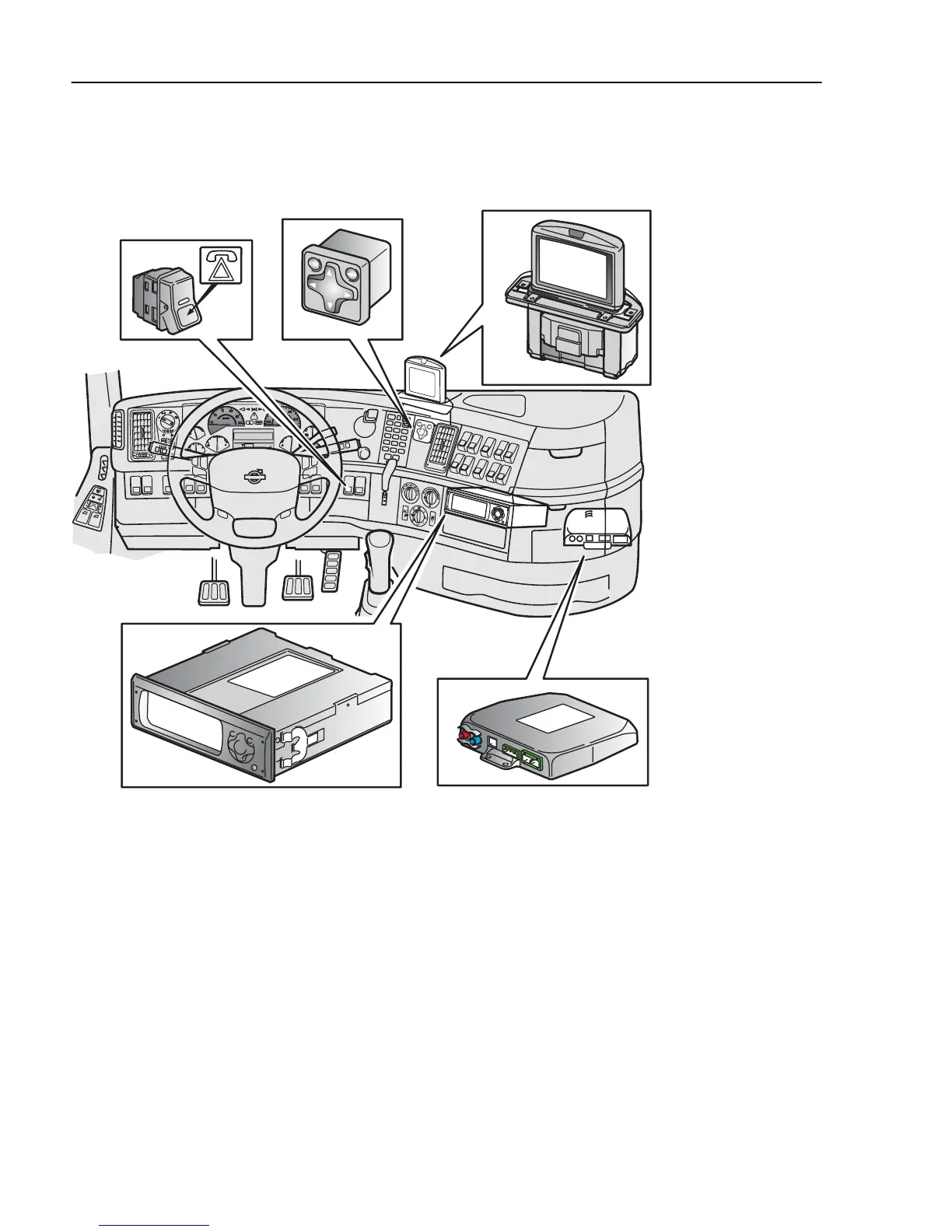
Technical description
J3019628
Dynafleet
comprises two units,
Dynafleet Gateway
and
Dynafleet Driver Tool
.
Dynafleet Gateway
has an
assistance button located on the instrument panel.
Dynafleet Driver Tool
has a keyboard and also has a
separate colour display as an option. The
Dynafleet
unit is connected to various electronic control units
and the tachograph via the vehicle’s electronic
network. Communication with the central office takes
place via the GSM mobile phone network.
The Dynafleet Driver Tool
is located in the instrument
panel beneath the radio. The screen is located above
448
Dynafleet



 To Next Page