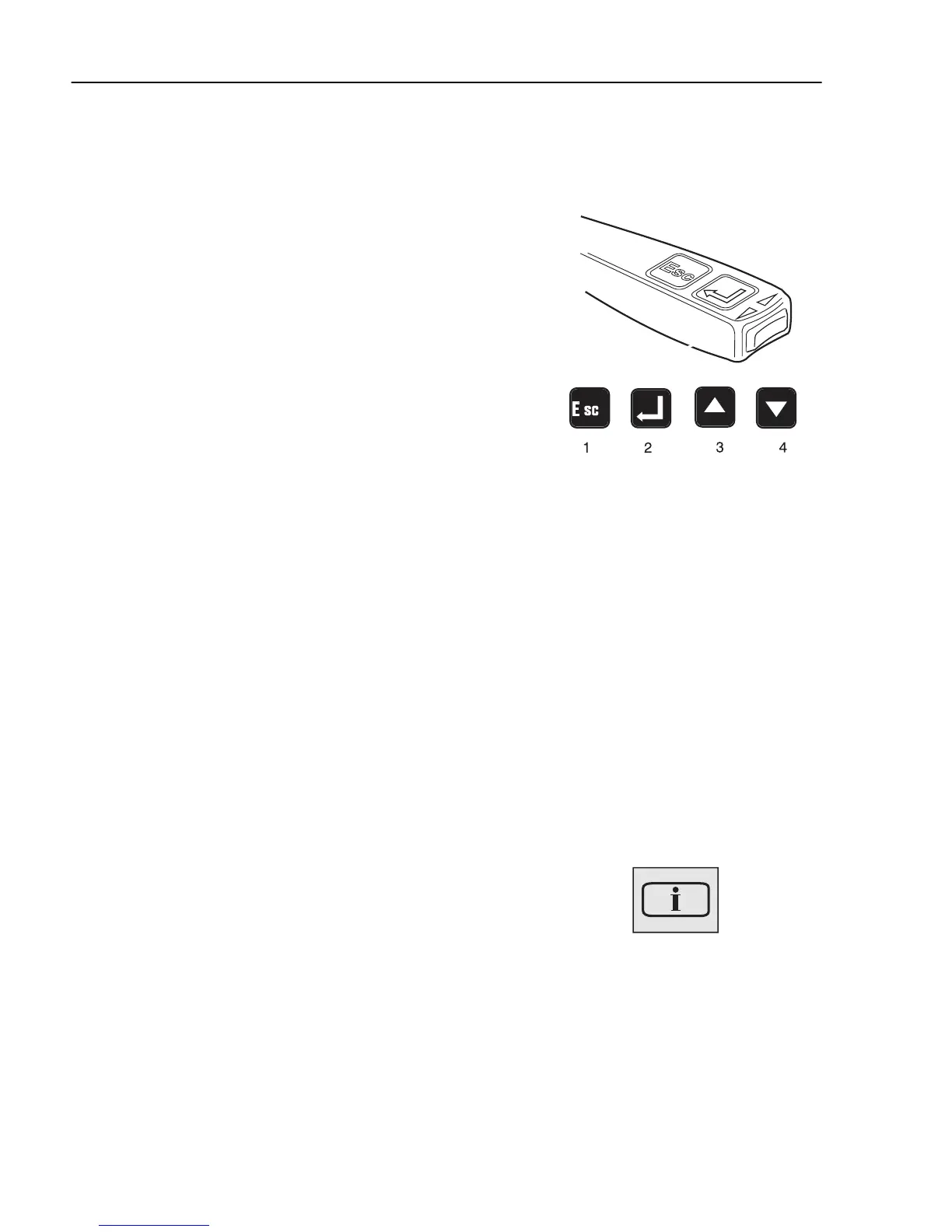
Display control stalk
In order to communicate with the display, the control
lever on the right hand side of the steering wheel is
used. The following commands are available:
1 “Esc” is used to return to the previous character
and to discontinue a setting/operation.
2 “SELECT” confirms a selection or a character.
3 “▲” is used for increasing values when setting
digits and for browsing in the diagnostics menus.
4 “▼” is used for reducing values when setting
digits and for browsing in the diagnostics menus.
J3008810
General, about messages
There are three types of messages:
• Information
• Warning
• Stop
Above the info display are three lamps (for
information, warning or stop messages) which attract
the driver's attention to faults in the vehicle.
Information messages
When this light comes on a new information message
is displayed. The lamp is used to inform the driver.
The lamp lighting does not indicate a fault in the
vehicle.
J3014366
82
Information display



 To Next Page