92
VERSION 10/2018 ORDER NUMBER DOC 2339321
.
8.12 SOFT CIRCULATION OPTION
Systems with soft circulation can
automatically circulate the A and/or
B component. During circulation, the
pumps run at the preset, reduced
circulation pressure.
B_04507
Working pressure
Circulation pressure
Example, soft circulation
Leopard
B_04516
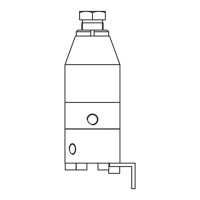
Circulation valve
GA 400
Soft circulation setting
Via password level 4 where pos. "P154" P154 = 1.
0 = no circulation, 1 = soft circulation, 2 = circulation at operating pressure
Separate settings for A and B components
A-component circulating (product valve A opens when circulating)
A-component not circulating (product valve A remains closed)
B-component circulating (product valve B opens when circulating)
B-component not circulating (product valve B remains closed)
Starting circulation
1. Press the [STOP] button.
2. If necessary, place return hoses in the corresponding product tanks.
3. Select circulation mode:
B
A
4. [Start]
Ending circulation
[Stop]
circulation stops and pressure returns to operating pressure.
Maintenance
Check valves regularly for leaks (leakage testing in Chapter 7.6.4). If the valves are leaking,
some of the product will ow back to the product tank and the mixing ratio will no longer
be right.


 To Next Page