Pour the toner into the toner box.
Close the cover of the toner refilling port.
The toner refilling is completed.
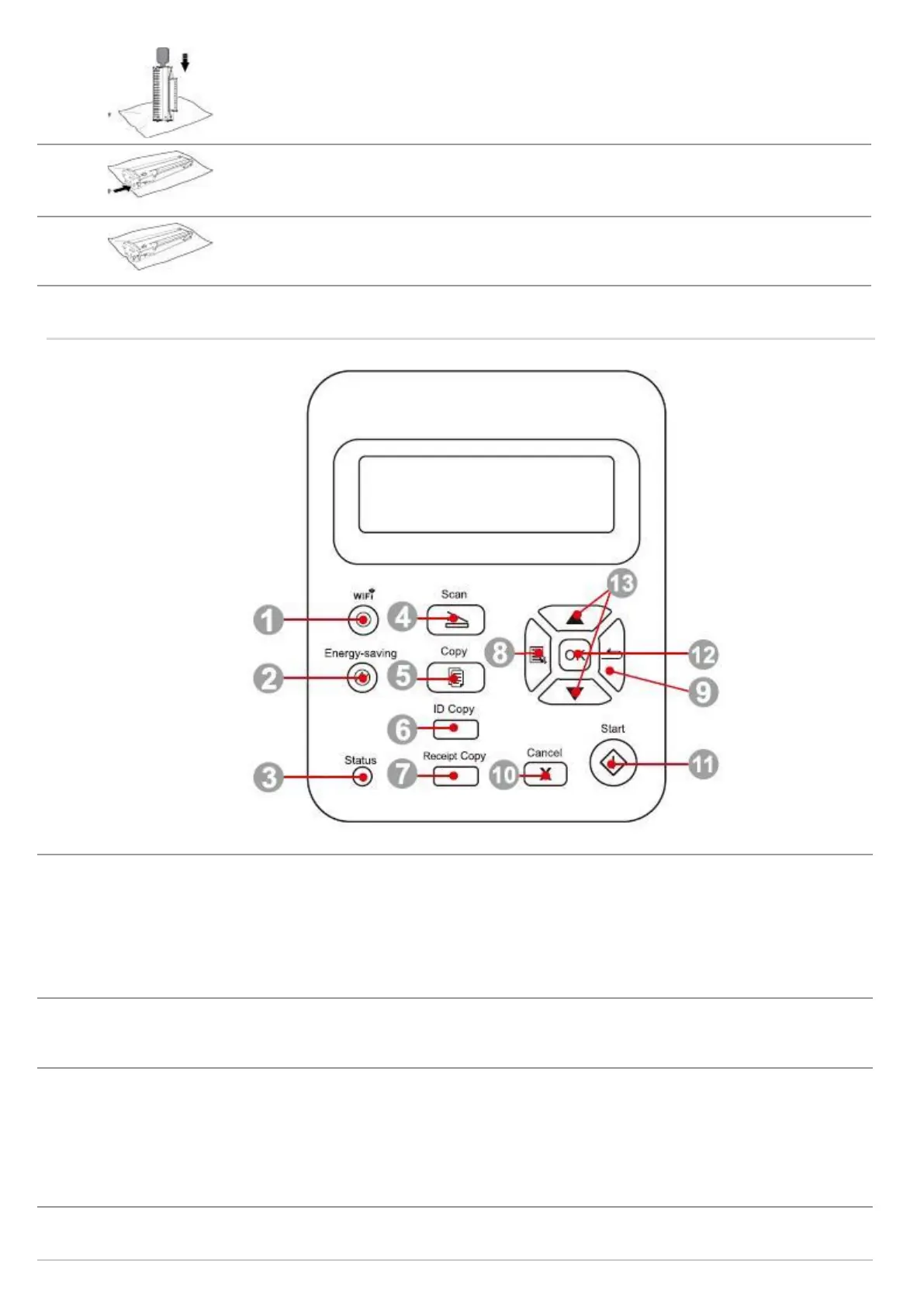
Short press Wi-Fi button to turn on direct Wi-Fi connection of the printer and automatically print
out "Mobile Device Wi-Fi Connection Wizard" page (for models with Wi-Fi function only).
Long press Wi-Fi button for over 2s to start WPS when Wi-Fi is not connected or to disconnect
Wi-Fi when it has already been connected (for models with Wi-Fi function only).
Open save toner function (applicable to non-Wi-Fi model only).
Power Saving/Wake-
up Button
Press this button to switch to power saving status or wake the machine from power saving status
This light indicates the ready, alarm and other status of the printer
Green light: Normal
Orange light: Warning
Red Light: Error
Press this button to enter into scan mode



 To Next Page