5. Wireless network setup (applicable to Wi-Fi models)
Depending on model, the printer with Wi-Fi printing function supports the two types of wireless network connection of both
infrastructure connection and Wi-Fi hotspot connection, while there is usually only one connection between computer and printer
at a time. If you have problems during wireless network setup, please refer to Chapter 5.3 Wireless Network Setup Frequently
Asked Questions.
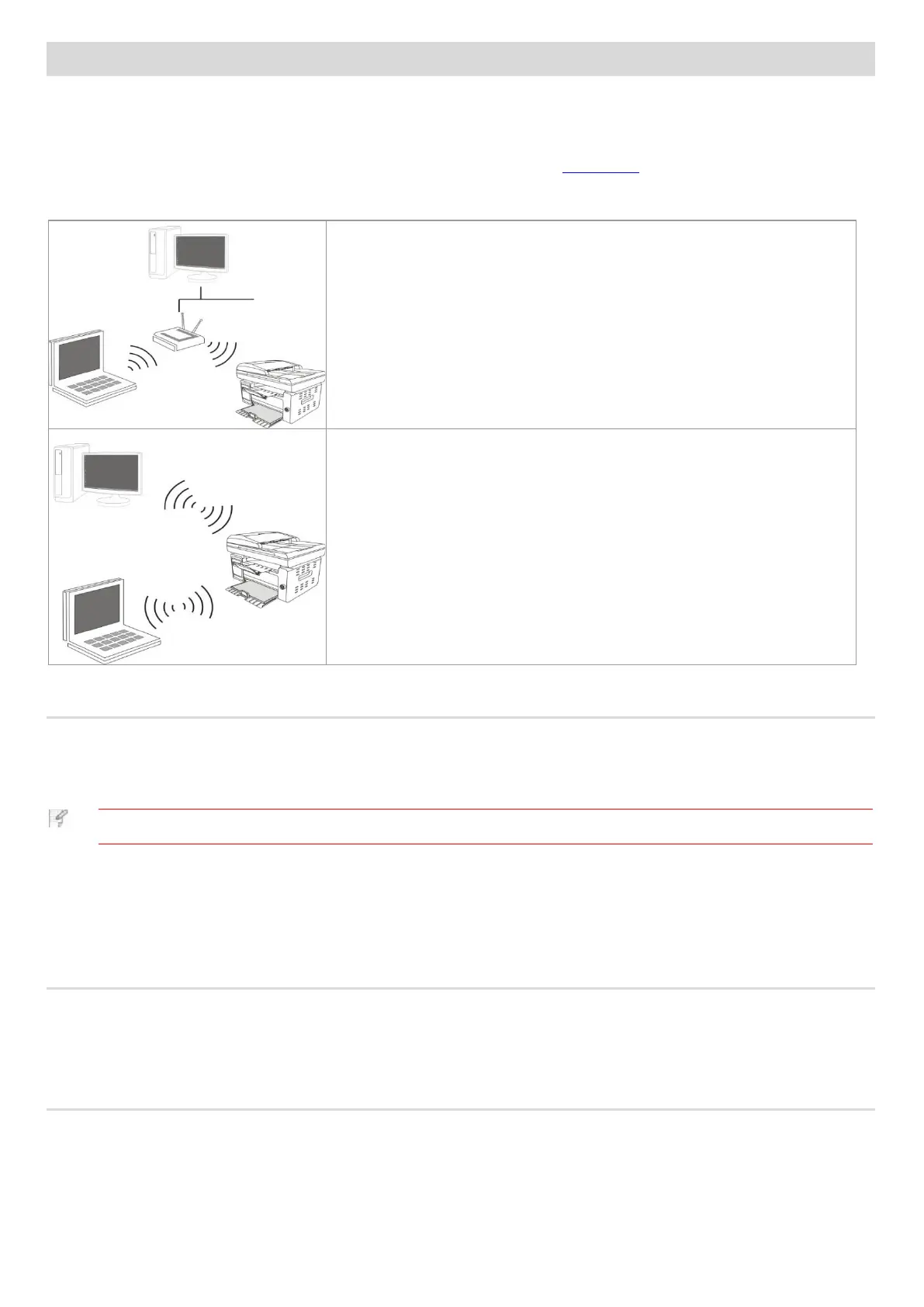
Basic structure mode: connecting to a wireless device via router
1. Access point (wireless router)
2. Wireless network printer
3. Computer connecting to access point via wireless network
4. Computer connecting to access point via network cable
Wi-Fi Hotspot
The wireless computer is directly connected with the wireless device.
5.1. Basic structure mode
You can connect a computer to your printer via access point (wireless router) as the medium. Access point (wireless router)
connection is divided into wireless network setup and Wi-Fi Protected Setup (WPS).
• The machine with the fax feature supports automatic search of wireless network through the printer's control
panel to select the wireless network you desire and then input its password for connection.
Important: Before wireless network installation, you must learn about the service set identifier (SSID) and password of your
access point in order to use them during wireless network setup. If they cannot be determined, please consult your network
administrator or access point (wireless router) manufacturer.
5.1.1. Wireless network setup tools
If your computer has been installed with a driver and had been connected to wireless network, but the wireless network was
changed, you can set it again with wireless network setup tools.
5.1.1.1. Preliminary preparations
1. Access point (wireless router).
2. A computer that has been connected to network.
3. A printer that has wireless network function.



 To Next Page