5.1.1.2. Setup methods of wireless network setup tools
1. Take the wireless network setup tool in computer.
1) Windows system: Click the “Start menu” – “All programs” - “Printon”- Product name – “Wireless network setup tool”.
2) Mac system: click "Go" - "Applications" - "Printon" - "Utilities" - "Wireless Network Configuration Tool" on the
computer Finder menu bar.
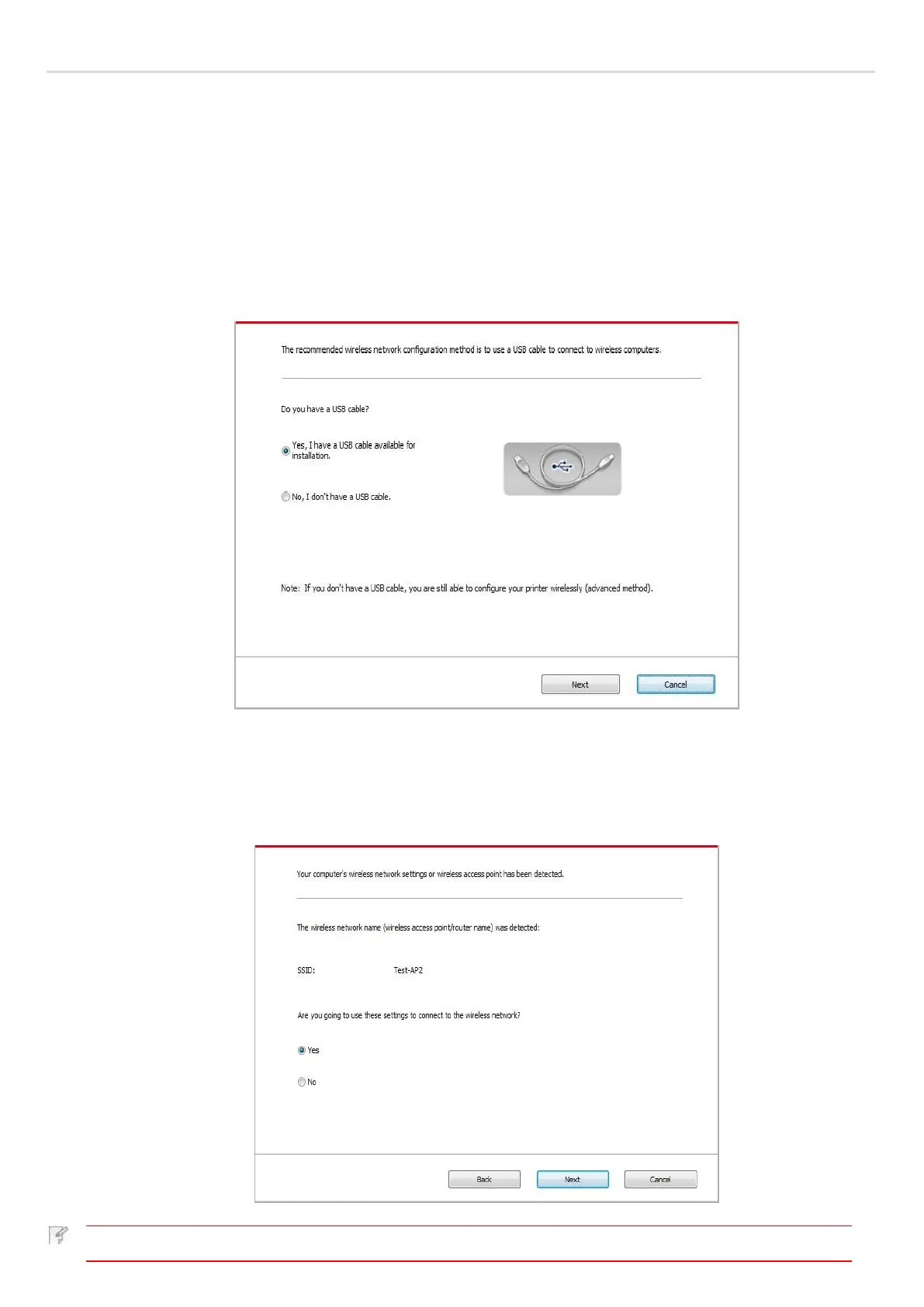
2. Use USB cable to connect and configure. Select "Yes, I have an USB cable that can be used for installation" in the following
interface. Click "Next".
2.1 The computer has been connected to wireless network.
1) The currently wireless network currently connected to computer is selected as wireless network configuration tool by
default. Complete configuration according to interface prompt.



 To Next Page