3.2. Mac system driver installation
• Driver installation under Mac system is divided into 2 steps, driver installation and adding a printer. If you are going to
print in AirPrint mode, there is no need to install a driver and you just need to add a printer directly.
• When you are installing a driver with wired or wireless network, you may need to know the Bonjour name of printer.
Please print the “Network setup page” to view it. (Please refer to Chapter 7.2).
3.2.1.Driver installation
Mac 10.11 is taken as the example in the following operation. The information on your computer screen may differ because of
multiple operating systems.
1. Turn the power of printer and computer on.
2. Insert the CD companying with printer in the CD driver of your computer, and double click Printon XXX Series installation
package. (XXX in Printon XXX Series represents product model.)
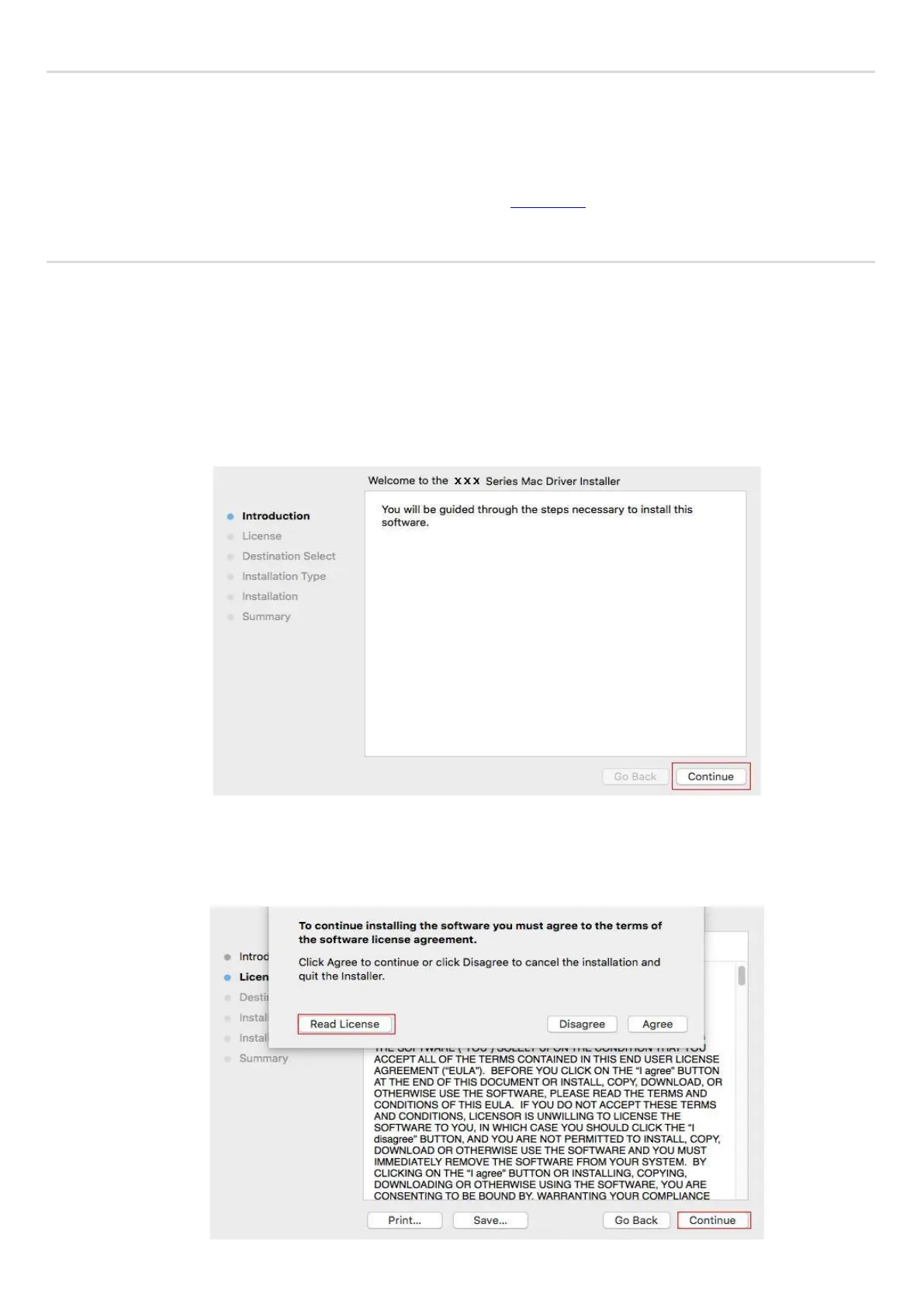
3. Click “Continue”.
4. Read licensing agreement and then click “Continue”.



 To Next Page