EasyManua.ls Logo

Walton Printon PMF22 - Print Operations; Print Functions Overview

Walton Printon PMF22
97 pages
Print Icon
To Next Page IconTo Next Page
To Previous Page IconTo Previous Page
Loading...
8. Print
8.1. Print Function
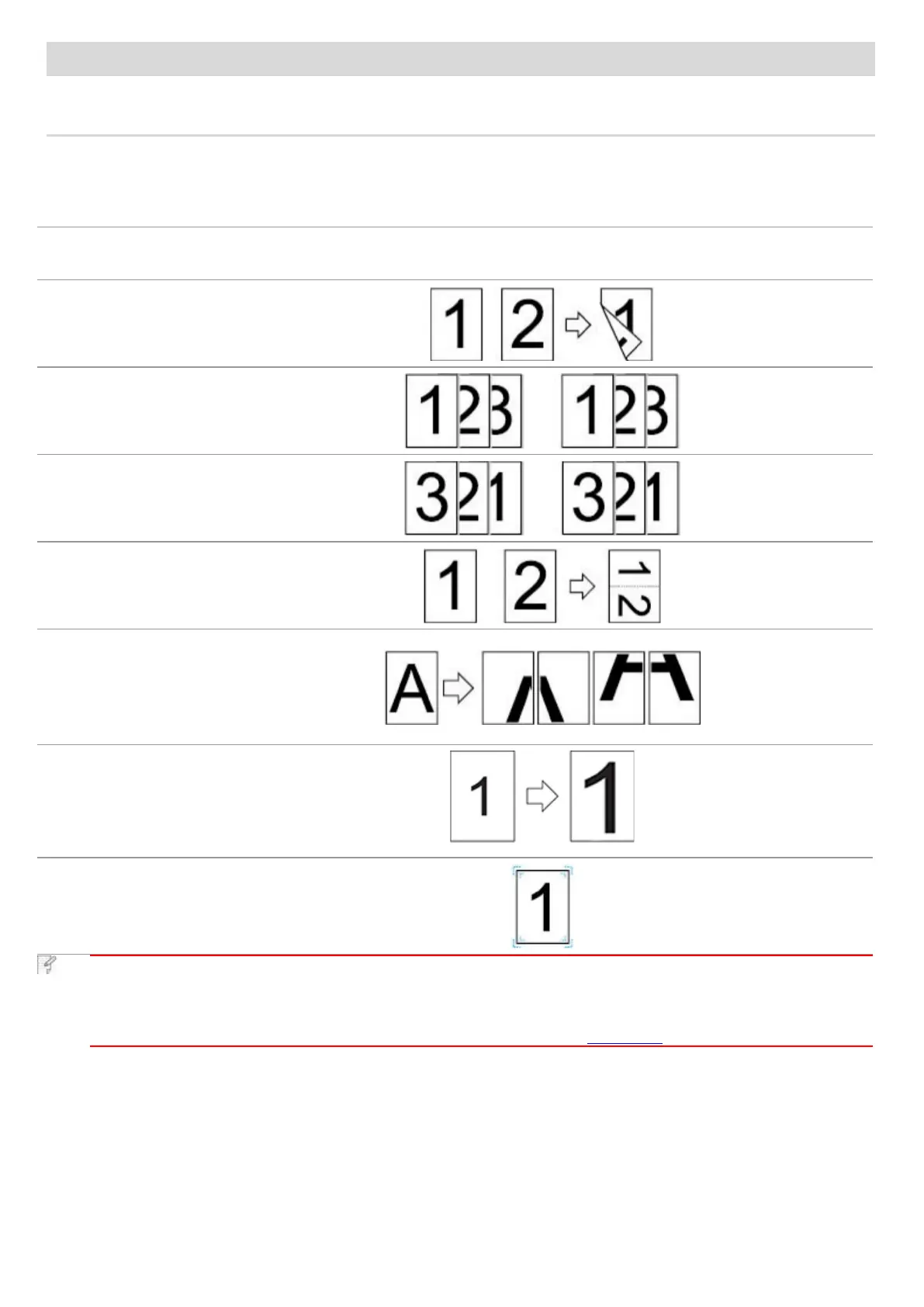
You can set the print function through "Start"-"Device and Printer"- select corresponding printer- right click set print function in
"Print Preferences". Some functions are as follows:
Functions
Diagram
Manual Duplex
Collate Print
Reverse Print
N-in-1
Poster Print
(for Windows
Operation System
only)
Zoom Print
Custom Size
Note:
• You can select the 2 x 2 Poster printing from Layout options in the settings interface to use the poster
printing function.
• You can open the Printing Preferences and click Help button to check the specific function explanation.
For information about how to open the help document, see Chapter 8.2.

Table of Contents