4. Wired Network Settings (For printer models that support
wired network printing)
Printers that support wired network printing can be connected to the network, thereby the printer will work under the control
through a wired network.
4.1. Install the Printer to Network
Please refer to Chapter 3.1.3 to see the installation steps of NET Model.
4.2. Control the Network Printer
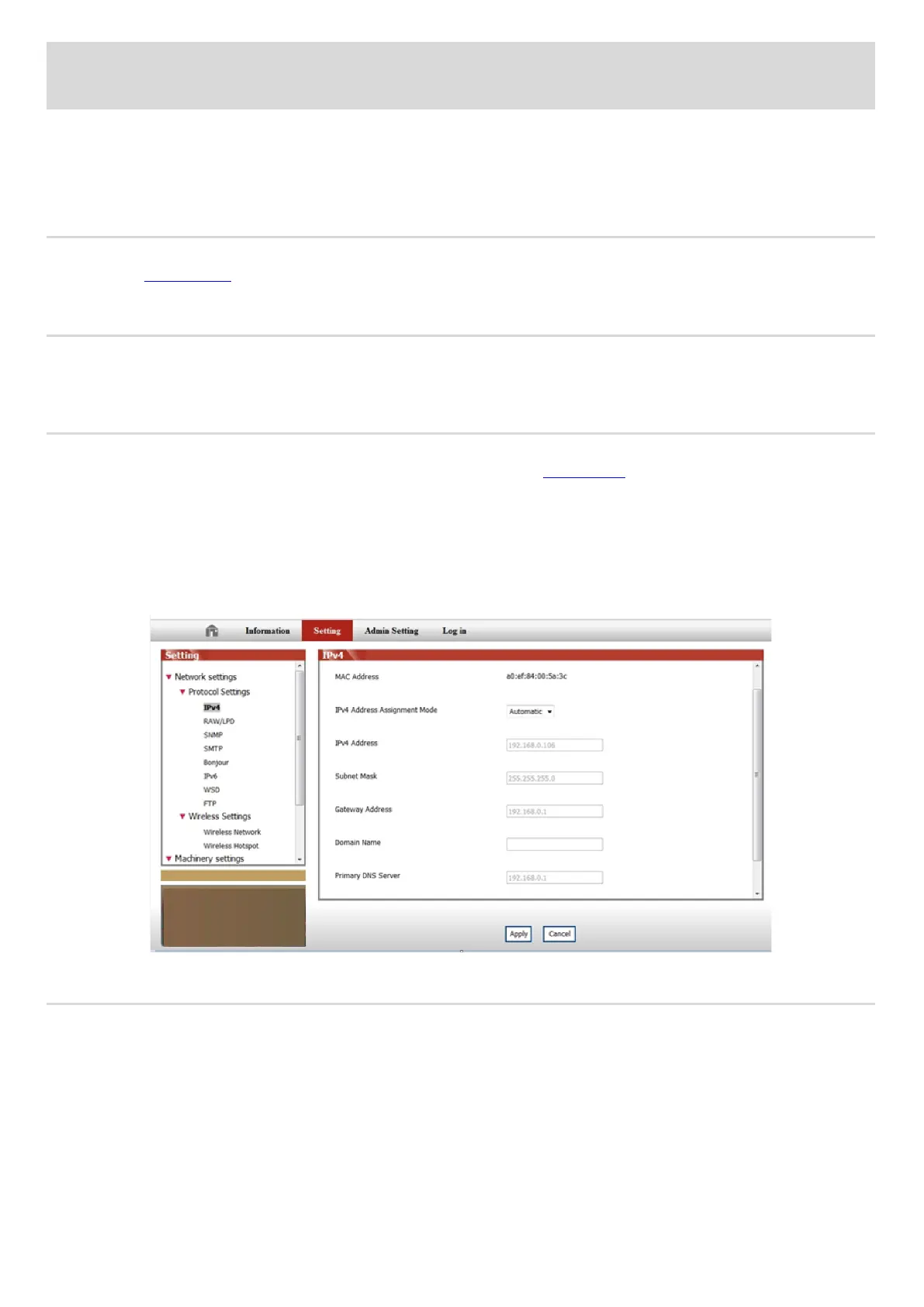
User can control the network settings through the built-in WEB Server in the printer.
4.2.1. View or Change Network Settings
1) View the IP address of the printer on its control panel according to steps in Section 7.1.7.
2) Type the IP address into the Web browser & web address bar to access the embedded Web server of the printer.
3) Complete the settings of the Networking Protocol, wireless network, Wi-Fi hotspot, address list, e-mail and other relative
configuration information in the “Setting”.
4.2.2. Set or Change Web Server Login Password
You can control the printer using the administrator settings.
Steps:
1) After opening the built-in WEB server, log in (default user name is admin, default password is 000000).
2) Click "Administrator Settings" to conduct corresponding operations.



 To Next Page