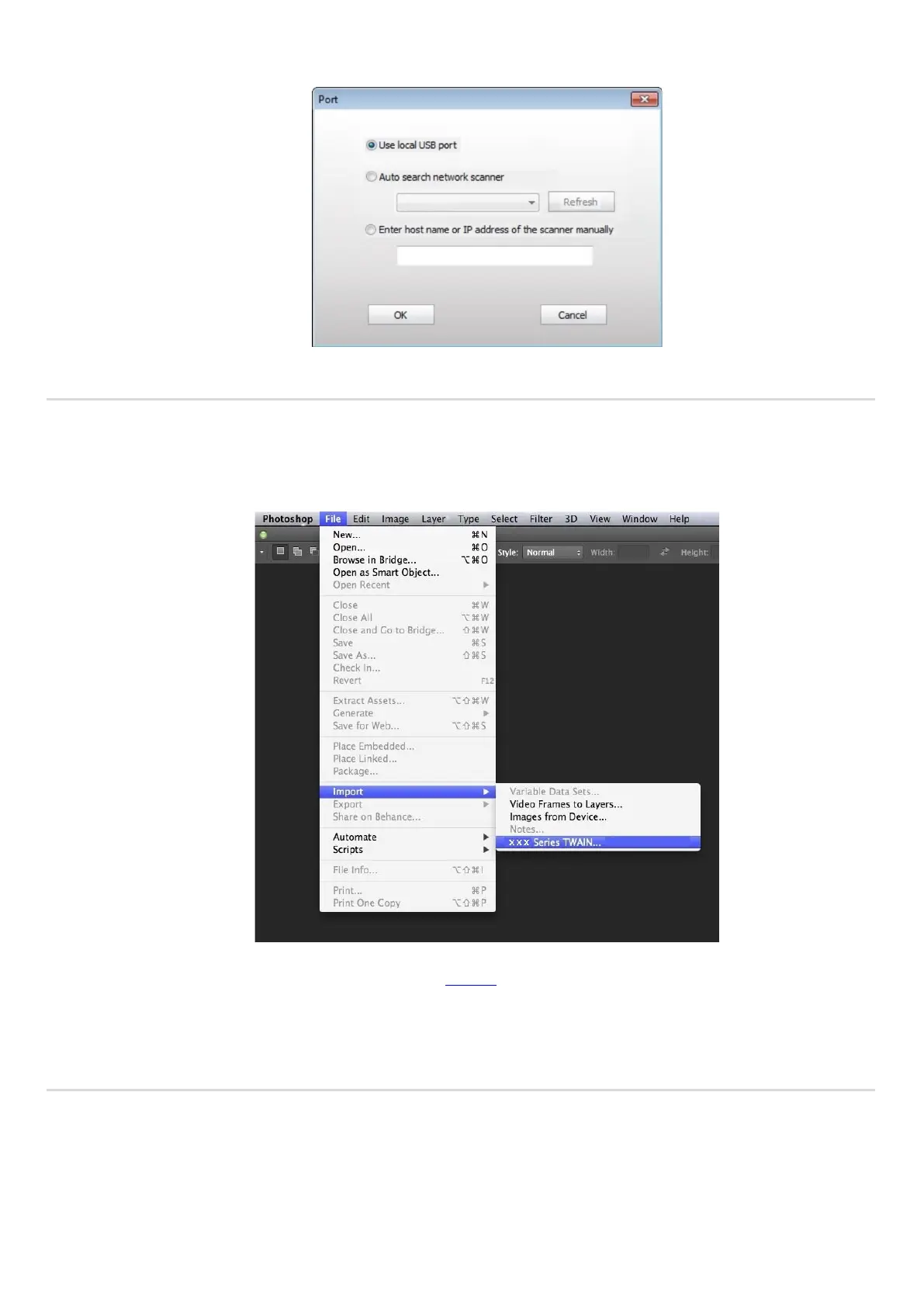
Note: Click on the "Port" below to select the scan port, which is shown as below:
10.2.2.2. Photoshop
Operation Steps:
1) Launch Photoshop, click on "File" – "Import" on the top left corner, select TWAIN Scan, as is shown below:
2) After the window pops up, please refer to Step 3 of 10.2.2.1 to see the specific operation steps.
10.2.3. WIA Scan Driver
10.2.3.1. WIA1.0 Scan (Windows XP / Windows Server 2003)
1. Office Software (Word and Excel)
Operation Steps:
1) Keyboard shortcuts: Alt+I+P+S to open the application’s window.



 To Next Page