This product complies with the TWAIN and Windows Image Application (WIA) standard. If using the application which supports
TWAIN and WIA standard, users can use the scan function and directly scan the images to the open application. The handbook
requires Office Software (Word and Excel) and Photoshop, for example, to show the operation.
10.2.2. TWAIN Scan Driver
10.2.2.1. Office Software (Word and Excel)
Operation Steps:
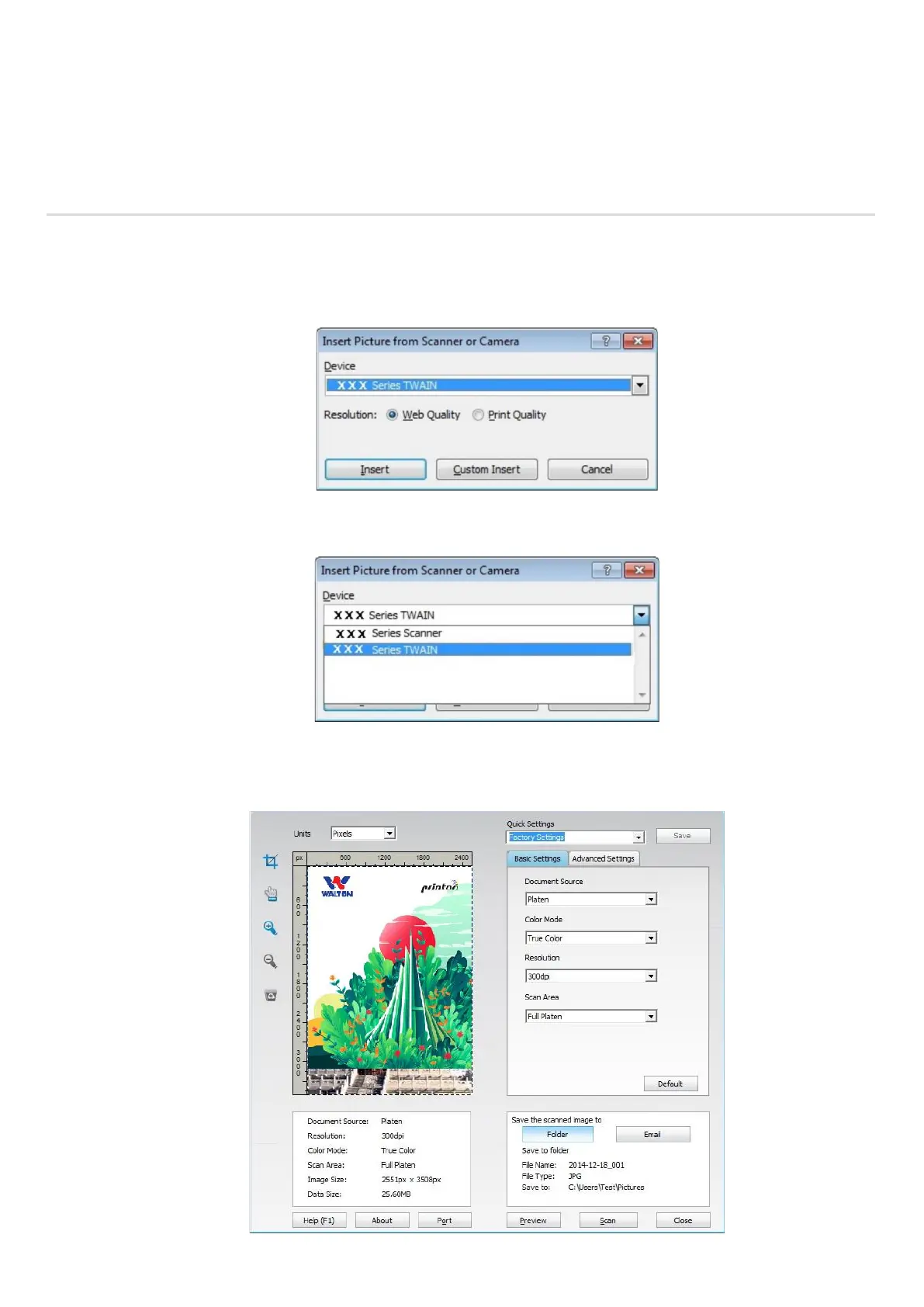
1) Keyboard shortcuts: Alt+I+P+S to open the application’s window.
2) Click on "Device" option and select TWAIN Scan, click the “Custom Insert” button below.
3) After the window pops up, set the scan information in the right list of "Basic Setting" and "Advanced Setting". Click on
"Scan" and start scan.



 To Next Page