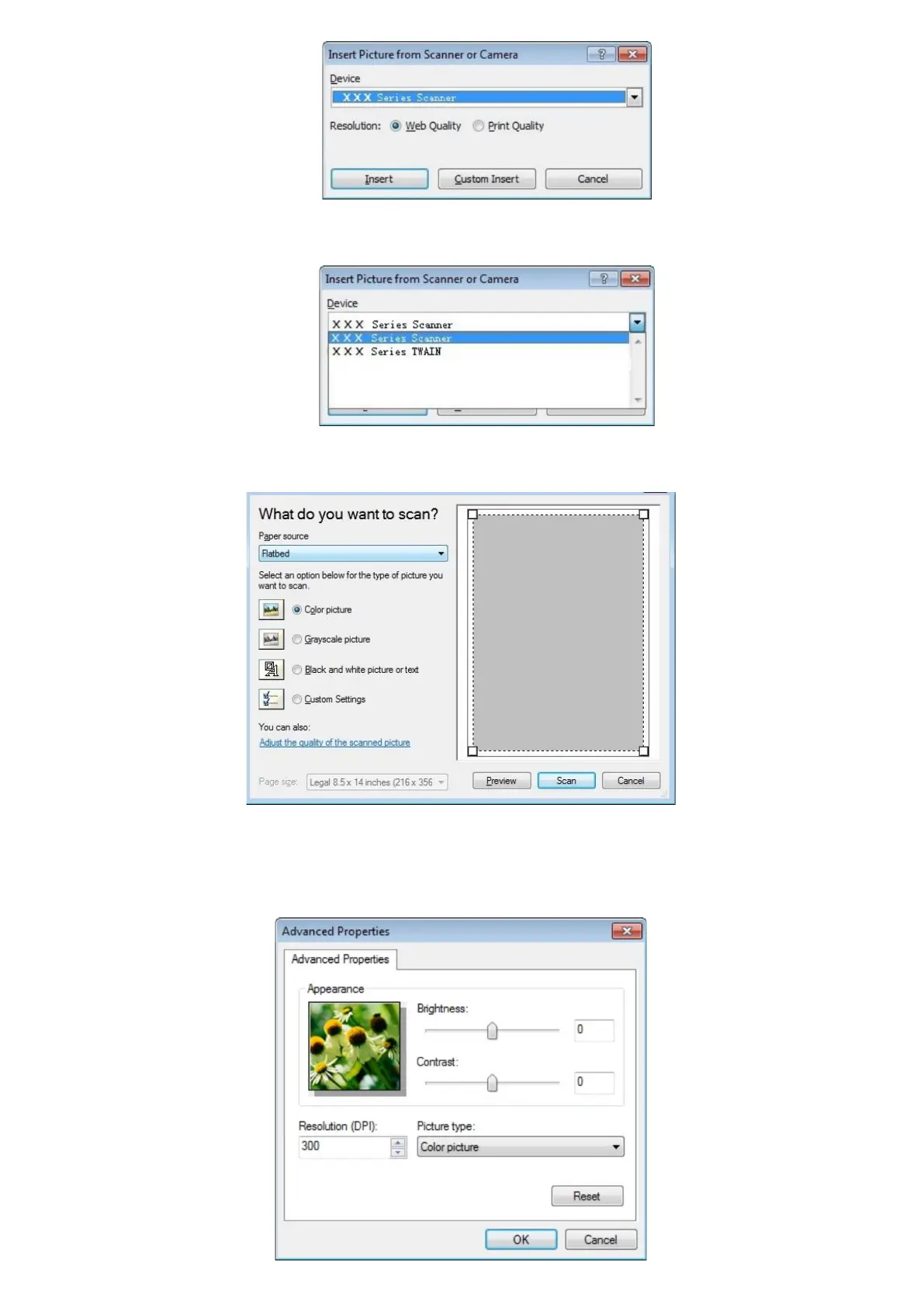
2) Click on "Device" and select WIA Scan, click the “Custom Insert” below.
3) The prompt window as is shown below, set the scan information.
4) Click on "Adjust the Scanned Image Quality" on the bottom left corner of the above picture, the advanced properties
interface will pop up, then users can set the scan; After finishing the settings, click on the "OK" button, then "Scan" button
to start scan.



 To Next Page