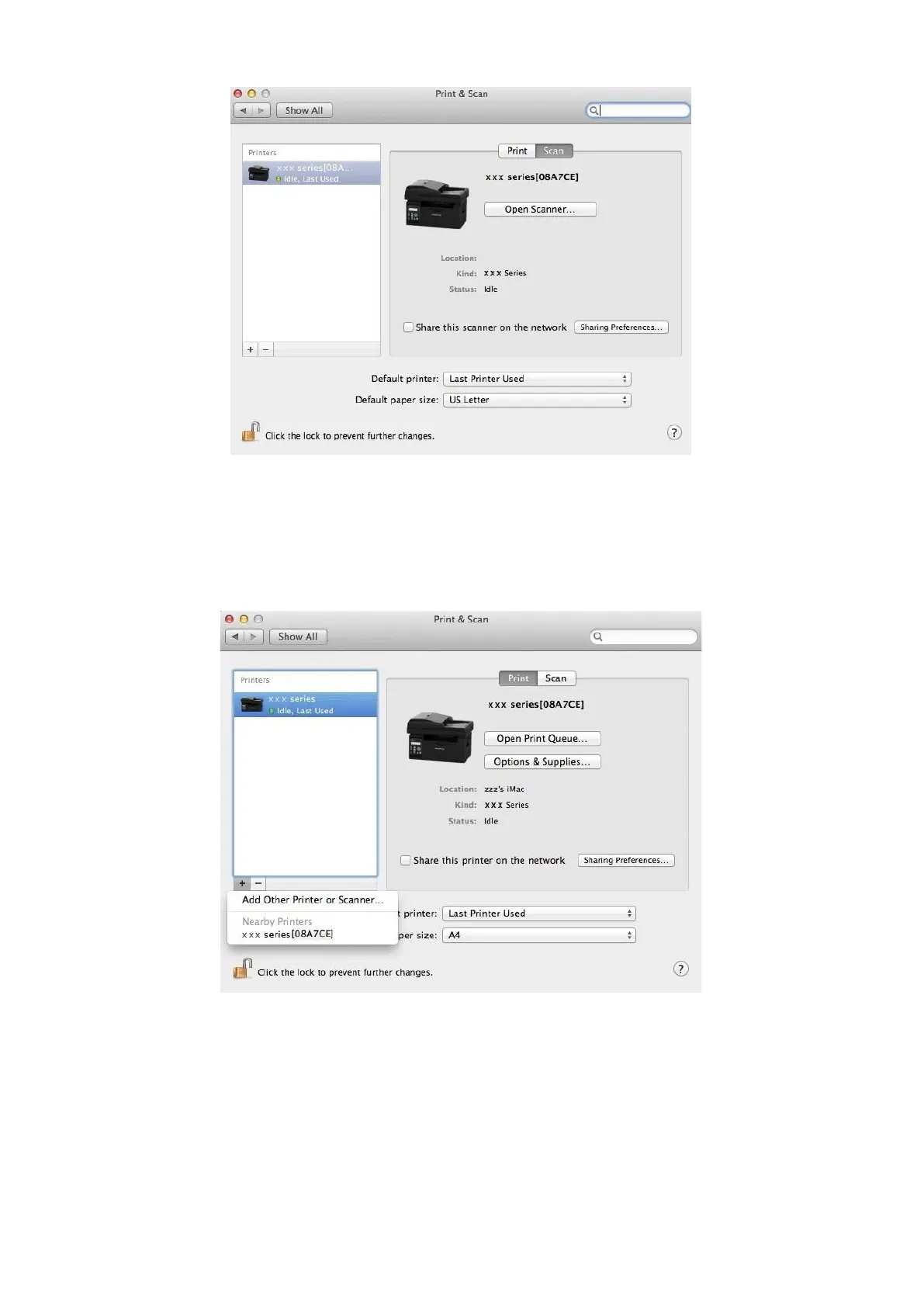
3. After the window pops up, select "Print".
4. Select printer
1) For USB Model printer: plug the USB cable, the corresponding printer will automatically show in the left list.
2) For NET Model printer: plug the network cable, click on symbol "+" at the bottom of the left list to add printer.
3) For Wi-Fi Model printer: select the Wi-Fi icon on the top right corner of the page, click on "Open Network Preferences"
in the list.



 To Next Page