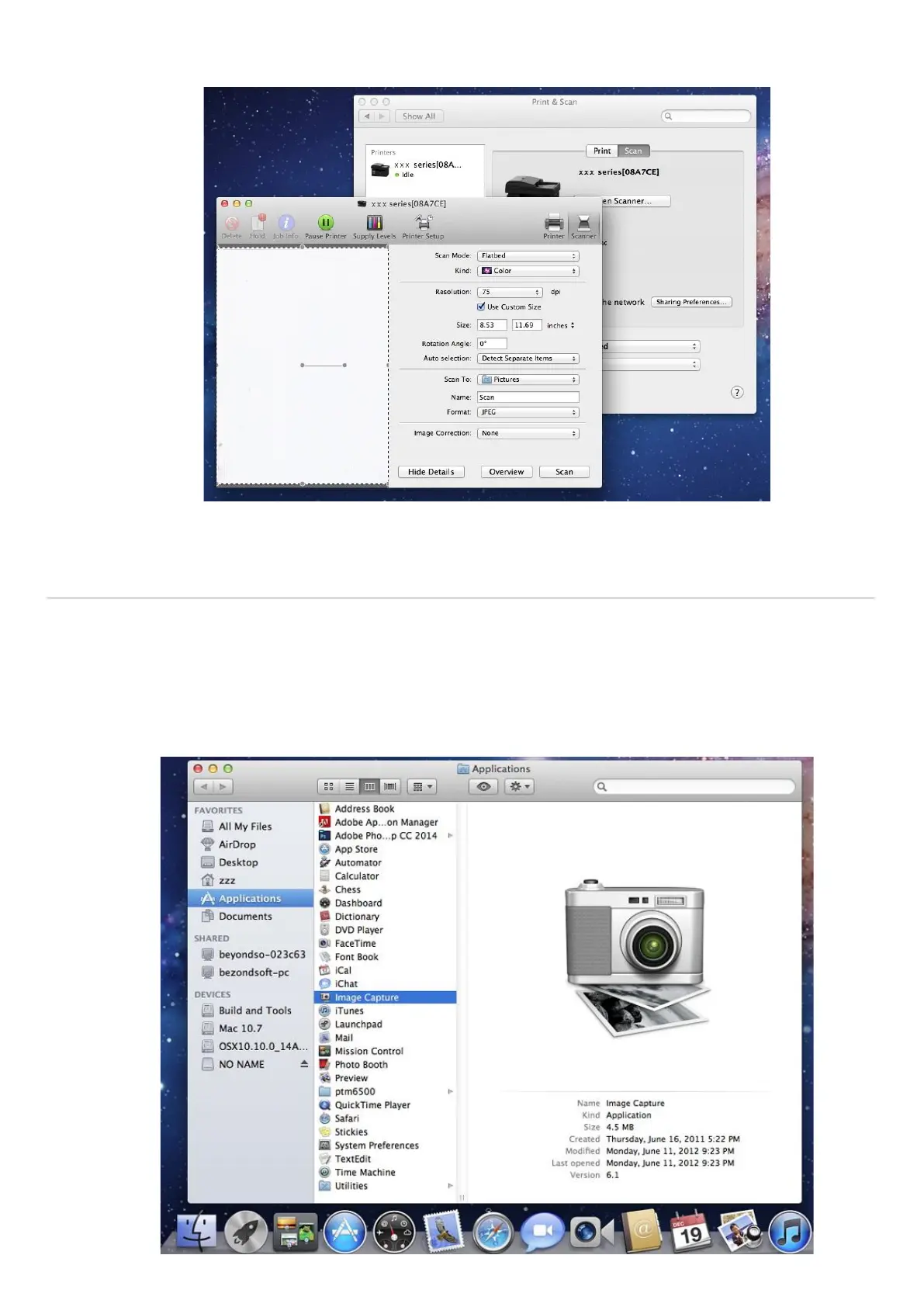
5. Click on "Show Details" on the bottom right corner to set the scan parameters.
6. Click on "Scan" on the bottom right corner and start scan.
10.3.1.2. Call CIA through applications
Operation Steps:
1) Click on "Finder" icon on the bottom left corner of the computer desktop, or use keyboard shortcuts
command+shift+C to open the window. Find "Image Capture" in "Applications" (or conduct keyboard shortcuts
command+shift+A to directly switch to "Applications") and click to launch the application.



 To Next Page