Waves eMotion LV1 Classic User Guide | Chapter 3: Setup
Window
C
LIP
L
EVEL
A
DJUST
Use the Clip Level drop-down menu to set the level at which clipping will be indicated by the LED in the
meter. This does not affect the audio level, only the point at which clipping is indicated.
Range: -6 dB to 0 dB
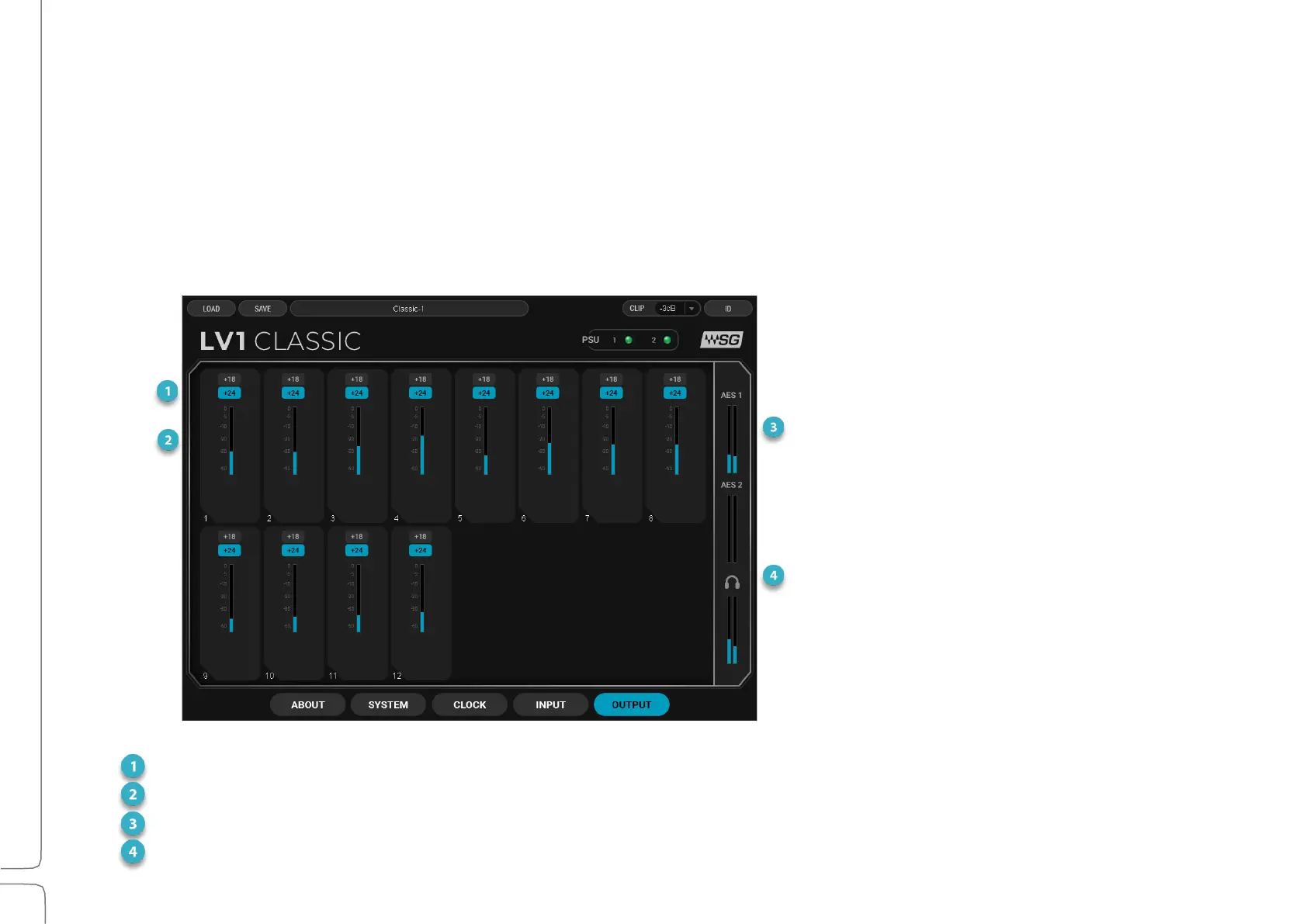
Output Tab
There are 12 line outputs, a stereo AES output, and 2 stereo headphone outputs.
Select +18 dBu or +24 dBu mixer headroom.
Analog Output Meters (dBFS)
-60 dB to 0 dB, +18 dBu and +24 dBu full scale line output levels.
Level indication only; no input control.
One meter for each headphone channel.



 To Next Page