Waves eMotion LV1 User Guide | Chapter 5: Show Window
Window
Delay Groups
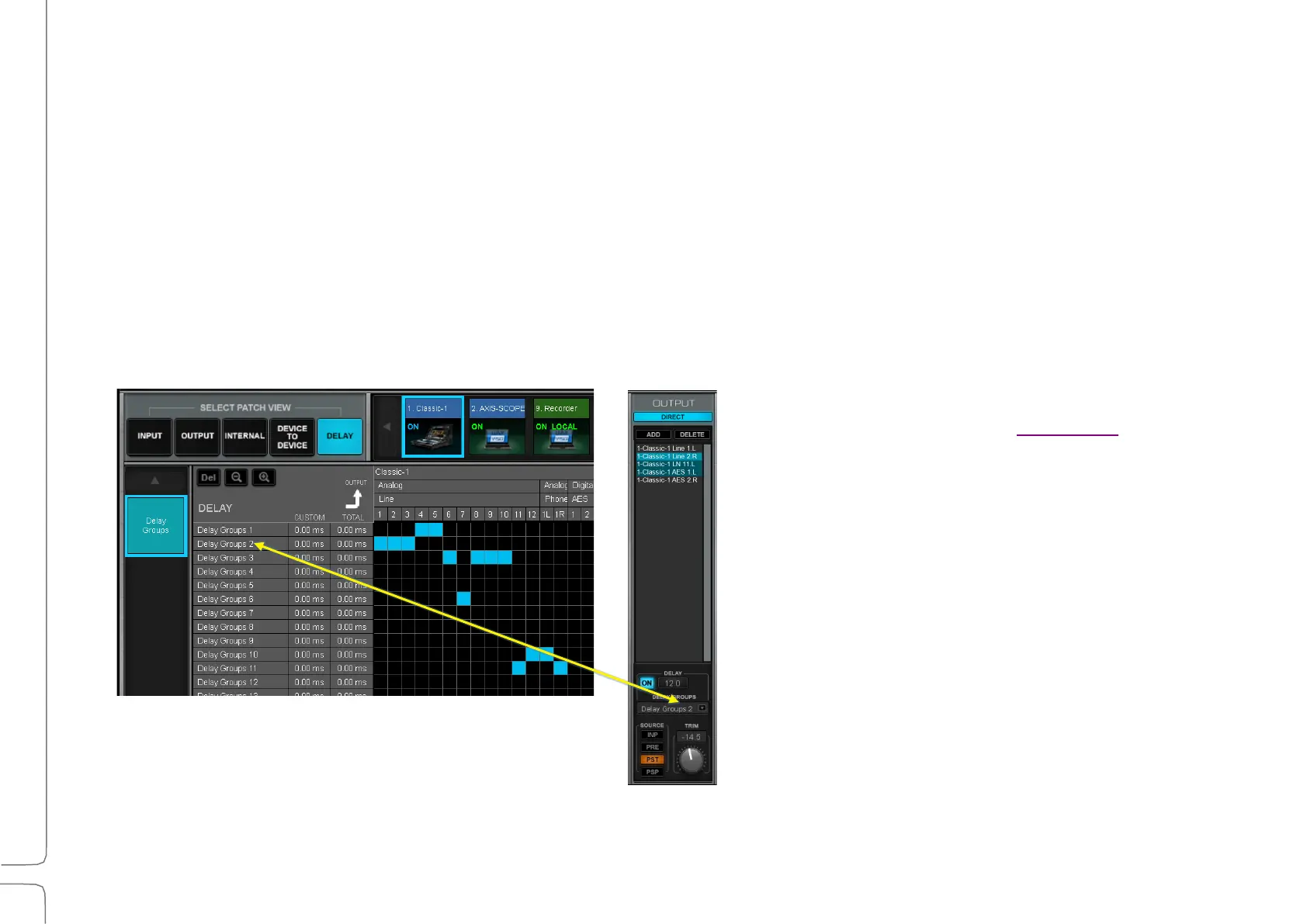
Delay groups are collections of I/O device channels whose timing can be controlled as a unit. These are not audio
busses, but rather a means of managing the delay of one or more grouped I/Os. A delay group typically consists
of several I/Os. An individual I/O can belong to only one delay group.
D
ELAY GROUPS SERVE TWO FUNCTIONS
:
•
Coordinate plugin and buss latency compensation to busses routed to selected I/Os.
•
Apply the same delay to all I/Os in a group.
The mixer’s 16 delay groups are listed on the left side of the patch grid, along with their user-defined (Custom) delays.
The total latency of the delay group (processing delay + custom delay) is also shown.
Delay groups can also be established in the
Channel window. Please refer to Appendix D of
this user guide for a detailed description of
eMotion LV1 delay management.



 To Next Page