Waves eMotion LV1 Classic User Guide | Chapter 1: Mixer
Window Window
Mixer Window Details
Channel Modes
MODE SELECTOR
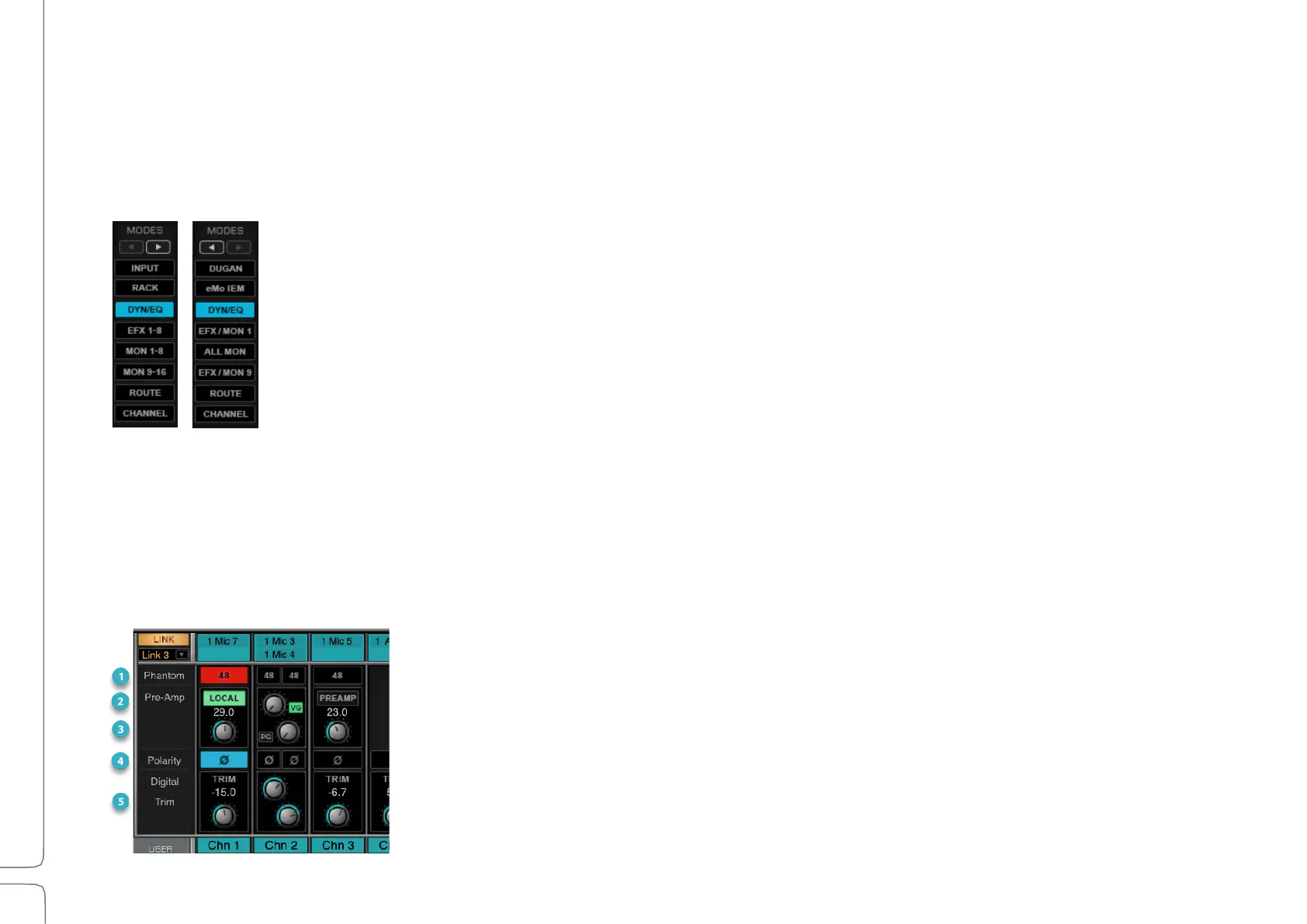
Use the Mode Selector in the upper-right corner of the interface to choose a Channel Strip mode.
Left and right arrows toggle the view to control additional mode options.
A channel’s mode controls are located in the center/top section of the channel strip. Each mode
caries specific controls and views, and a mode selection affects all channels within the layer.
Input Mode
The Input Channel Strip mode manages signals from I/O devices or internal busses. In this mode, each layer
includes digital trim controls and pan/balance/rotation controls for each channel or buss. When a channel is
patched to an I/O with a preamp, the Input Mode provides control over the preamp.
I
NPUT AND
P
REAMP
C
ONTROLS
ON THE TOUCHSCREEN
When a channel is patched to an I/O preamp, the following preamp controls
are available.



 To Next Page