Waves eMotion LV1 Classic User Guide | Chapter 2: Channel
Window Window
Preamp Controls
I/O preamps can be controlled from the Input section. These controls are active only when a preamp is available.
5–48V
P
HANTOM
P
OWER
Activates the preamp 48V phantom power. Independent left and right controls.
Options: On or Off, default: Off
6–P
REAMP
A
NALOG
G
AIN
A
DJUST
The Preamp section is used to adjust the analog (hardware) gain and the digitally controlled output level of the
I/O device’s preamp. There are two modes for controlling preamp gain: Preamp and Local. Select a mode with
the button above the preamp control knob.
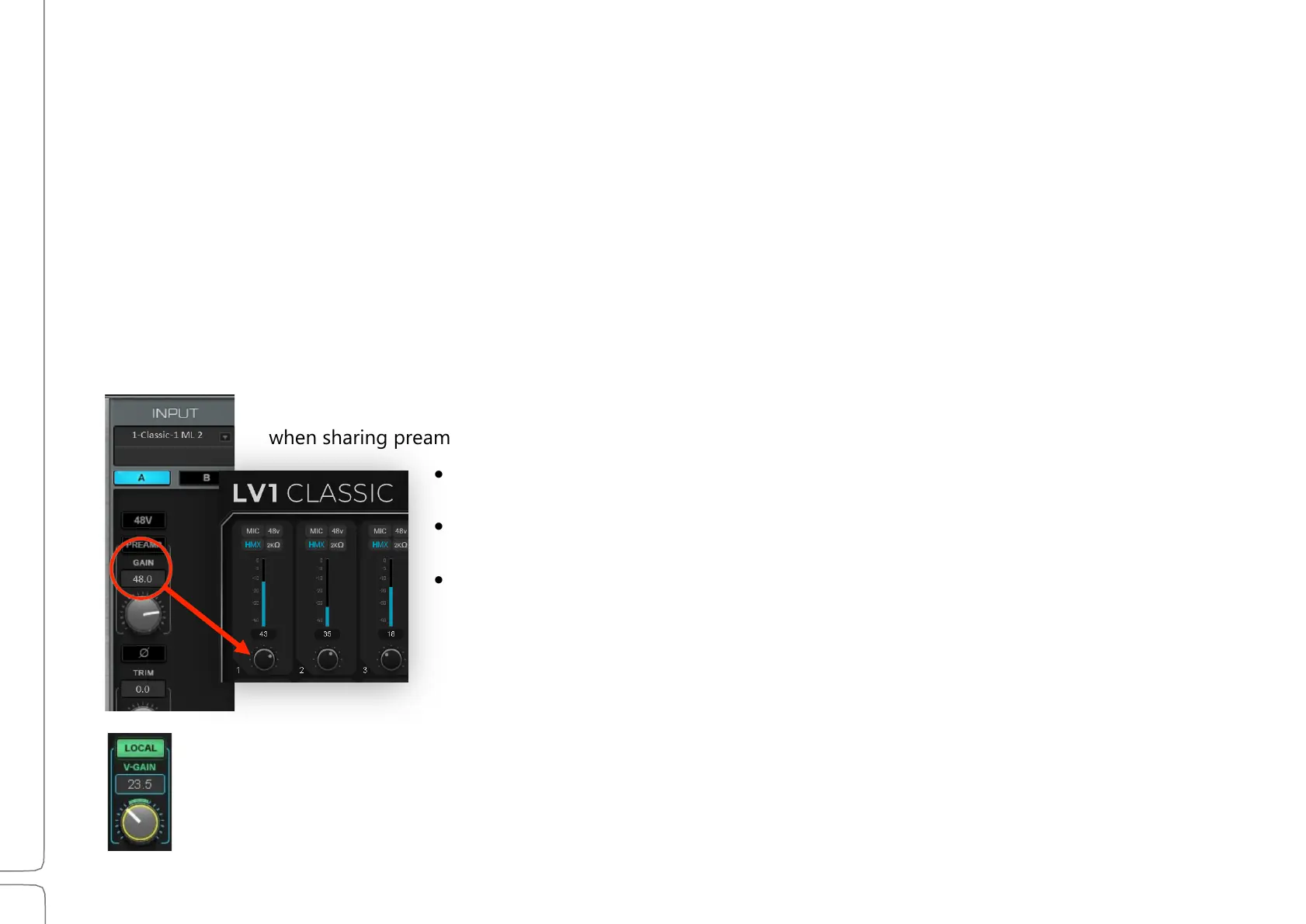
Preamp mode (left) adjusts the preamp’s analog gain, just like the preamp gain control in the
device’s control panel. Preamp analog gain value is displayed above the knob. Characteristics
when sharing preamps in Preamp mode:
• All users operating in the Preamp mode have direct control over preamp
analog gain.
• When preamp gain is adjusted on one system, it will change
correspondingly on all systems.
• When a shared preamp is switched from Local mode to Preamp mode,
its gain setting will take on the V-Gain level.
In Local mode, the Gain knob becomes the V-Gain knob (Virtual Gain). V-Gain is a digital gain stage that
always delivers the user’s requested input gain, regardless of the preamp’s analog gain setting.



 To Next Page