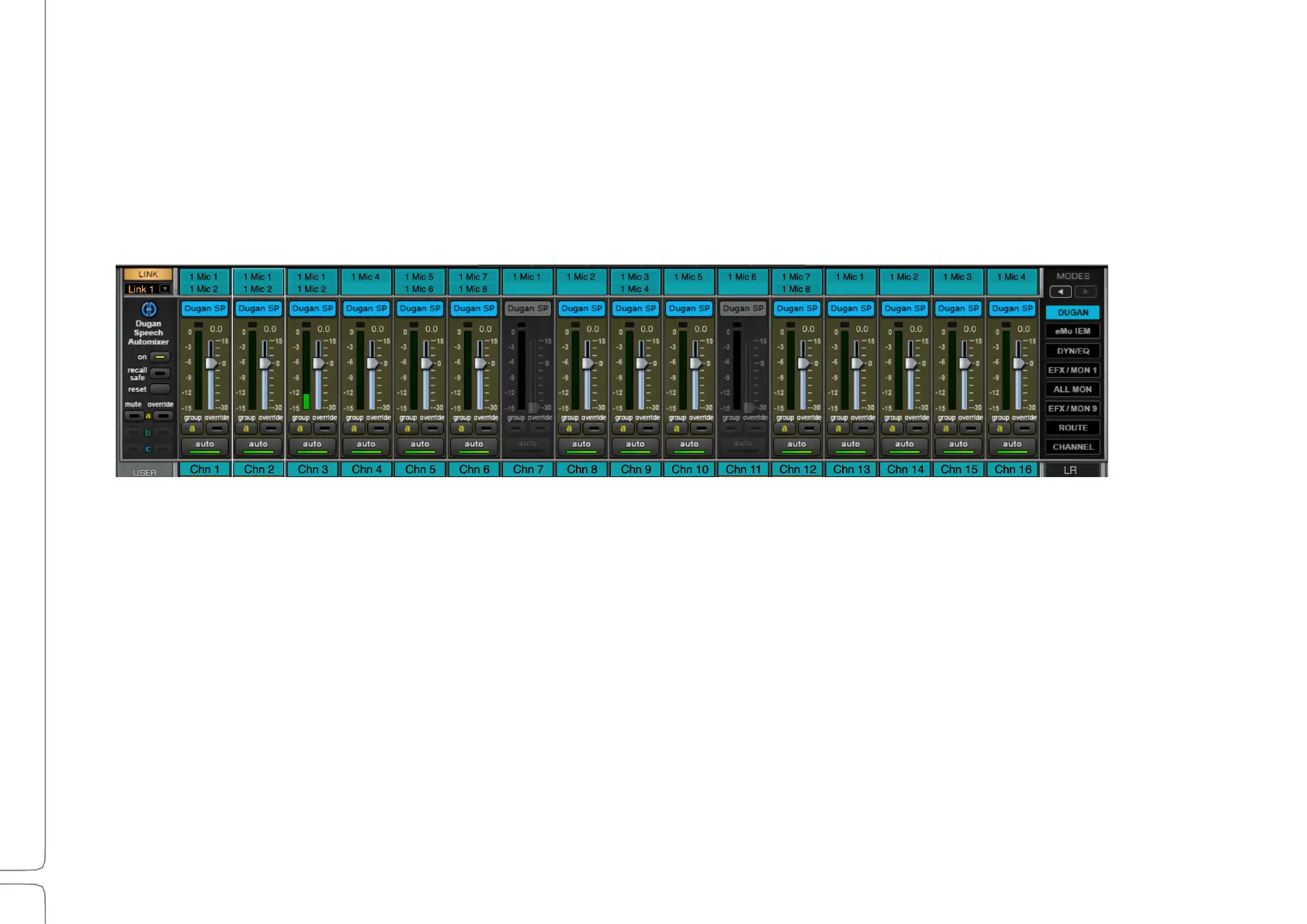
Waves eMotion LV1 Classic User Guide | Chapter 1: Mixer
Window Window
Dugan Speech Channel Strip Mode
The Dugan Speech Automixer controls a group of live microphones in multi-speaker environments. It turns up mics
where someone is talking and turns them down where people are quiet. It’s commonly used in roundtable discussions,
talk shows, debates (and similar setups) and is based on the hardware Dugan Automatic Microphone Mixer.
For detailed instructions on using the Dugan Layer, please refer to the Waves Dugan Automixer User Guide, which
can be found in the download section of the Waves web site. A Dugan Speech license is required to use this feature.
To access the Dugan Layer, click the arrow above the Modes buttons. The Dugan Speech mode button replaces the
Input button.
1. Click the On button at the top of the Dugan channel strip control to activate Dugan Speech.
2. The automixer’s position in the signal flow of a channel is after processing, after fader. Effective automixing
depends on correct input gains for each channel. Adjust each channel’s preamp or input gain so that the level
display is green. If needed, lower the master fader to compensate for the sum level of several channels.
3. Click the Auto button to turn on the automixer for that channel.
4. Set the weight controls to balance the channel auto mix gain and establish the priority of one speaker over
others. Weight levels can be changed by dragging the faders up or down, or by entering dB values in the value
boxes below the faders.
Assign channels to Dugan groups. A group functions as a separate and independent automatic mixer. Each channel
can be assigned to one of three groups: a, b, or c. Dugan groups control mutes in the same manner as LV1 mute
groups.



 To Next Page