Waves eMotion LV1 Classic User Guide | Chapter 1: Mixer
Window Window
Route Mode
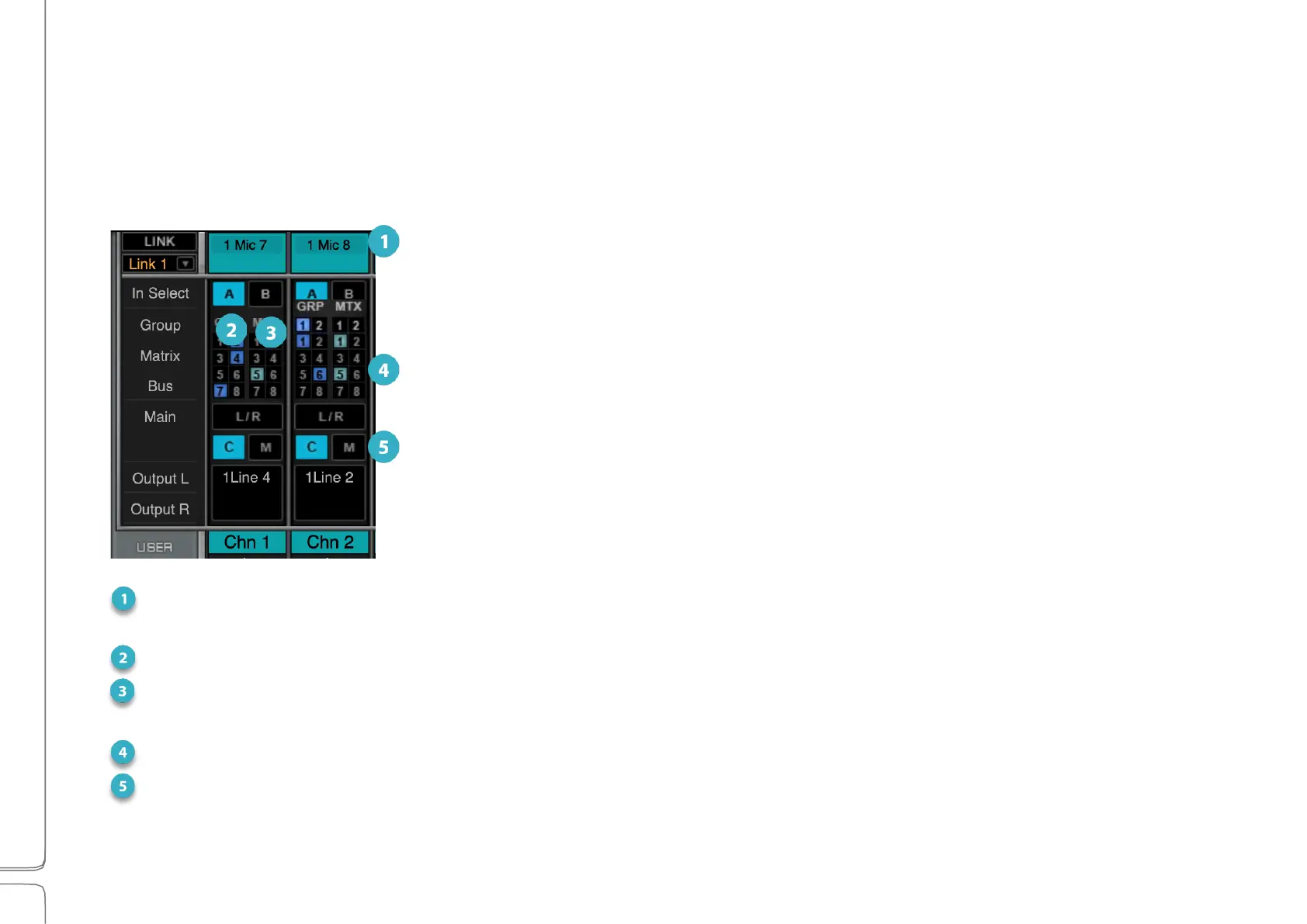
Use the Route mode to patch within the mixer and to I/O devices. It provides an overview of the internal and
external patching in the mixer view.
1
Input Select: Lets you choose between two sets of I/O device input channels, A or B. Each set can be
patched to any device that is assigned to the mixer. Each channel has two inputs.
2
Group Assignments: Assigns channel to up to eight mix groups. Groups are controlled on the GRP layer.
3
Matrix Assignments: Assigns channel output to up to eight matrix channels. They are controlled in the
Masters layer. Each matrix channel can accept up to 12 sources.
4
Main Outputs Assignments: Assigns channel to the main mix.
5
Channel Direct/Mix Outputs/Recorder Assigns the output to an I/O or the local media recorder. Devices
assigned to the mixer are available for patching from this menu. Grayed-out I/O channels are unavailable.



 To Next Page