Waves eMotion LV1 Classic User Guide | Chapter 3: Setup
Window
Servers
LV1 Classic comes with a built-in server responsible for running the console and performing plugin processing.
This server is automatically assigned to the console upon launching and must always be assigned to slot 1.
You can assign up to three more servers for additional processing and up to four
servers as backups. And you can also replace main server.
1
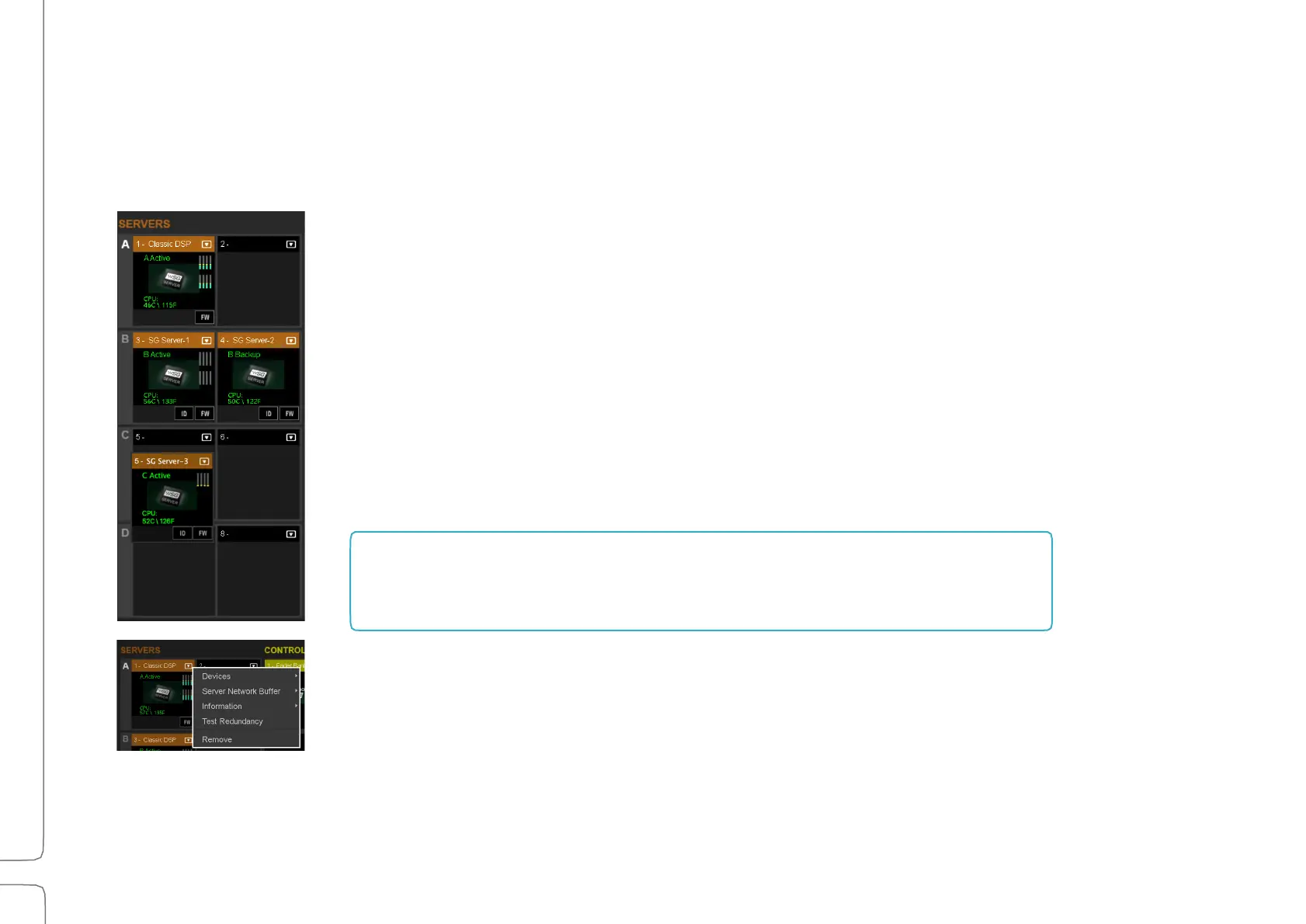
The Servers Rack is used to assign, remove, and configure SoundGrid servers. Servers
are assigned and removed in the same way as I/O devices.
Servers are organized into groups of two: A, B, C, and D. These groups are assigned to
specific channels for processing, with assignments configured in the Channel and
Mixer windows.
The first server assigned to a group becomes the active server for the group and is
labeled “Active.” The second server assigned to the group acts as the redundant server
and is labeled “Backup.”
Servers are assigned and configured via the drop-down menu.
1
You can replace the onboard server with a different one if needed. Unassign the Classic server and reassign the replacement in its place.
The server in Slot A is used for running the mixer and handling
plugin processing. Regardless of how many additional processors
are added, there must be a server in this slot.



 To Next Page