Waves eMotion LV1 Classic User Guide | Chapter 3: Setup
Window
M
ULTI
-S
ERVER
O
PERATION
A server group can be assigned to any mixer channel—all plugin processing on that channel will
take place on the designated server. This allows you to distribute your DSP load between servers to
get optimal performance from them. DSP-heavy plugin racks can be assigned to different server
groups to balance the load. You can assign these DSP-heavy channels to stronger servers, while
assigning lighter racks to older or less powerful servers.
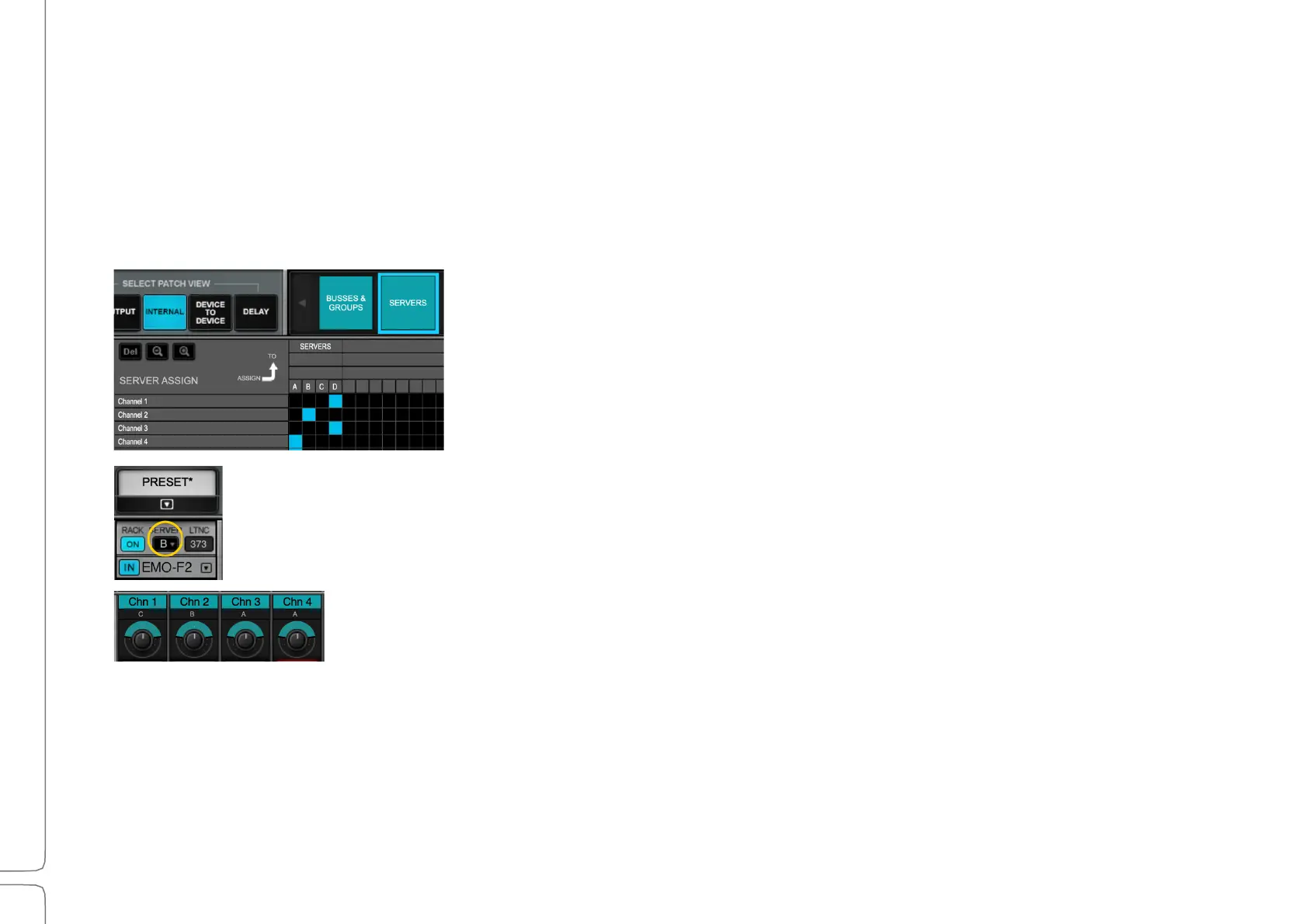
Server groups are assigned in the Patch Window internal
Patch View (shown here at the left), which provides an
overview of all or the server group assignments.
You can also assign a server group to the selected channel using the server-assign
drop-down menu at the top of the plugin chainer in the Channel Window.
In the Mixer windows, the assigned server group is displayed beneath the channel’s
name. You cannot set the server group assignment from the Mixer windows.



 To Next Page