Waves eMotion LV1 Classic User Guide | Chapter 1: Mixer
Window Window
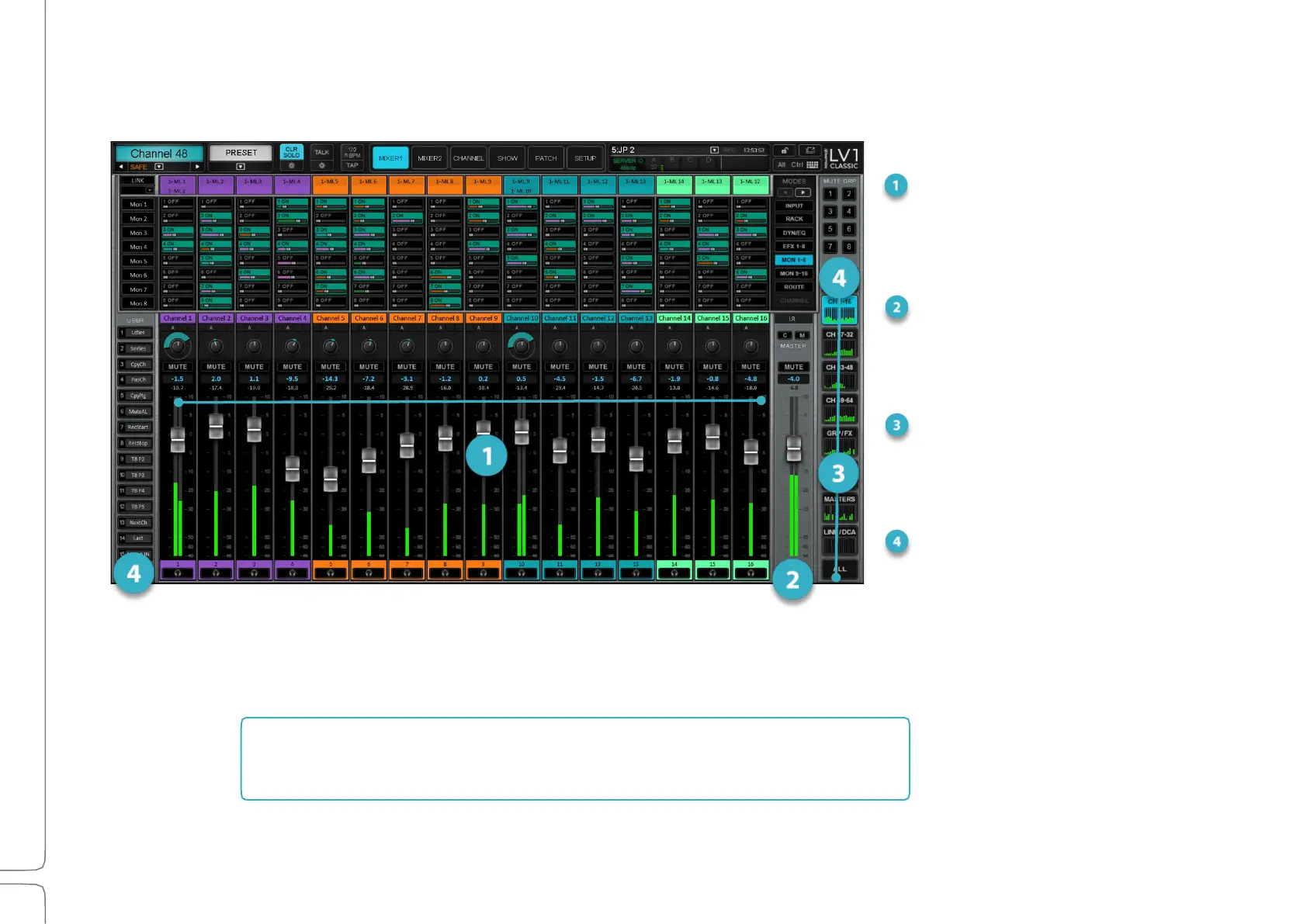
The Mixer window controls provide access to assignment and processing settings, such as those on the Channel and Patch
windows, for up to 16 channels in a single window. The mixer consists of four main sections.
Mixer Channels
Channels consist of channel strips that
control individual channels, and Channel
Strip modes that define how a channel or
buss is controlled and viewed.
Master Fader
The master fader controls the overall output
level. In the sends on faders mode, it
controls the output level of the aux channel.
Mixer Layers
Mixer layers determine what
populates different mixer channels—
what is being viewed and controlled.
Mute Groups and
User-Assigned Keys
Mixer Layer 1 is, by default, linked to the fader bank and can be controlled from the tactile surface or the touchscreen.
The next several pages are an overview of what these sections do,
followed by detailed descriptions of how to use them.



 To Next Page