Waves eMotion LV1 Classic User Guide | Chapter 1: Mixer
Window Window
A
DJUSTING AN
A
UX
S
END
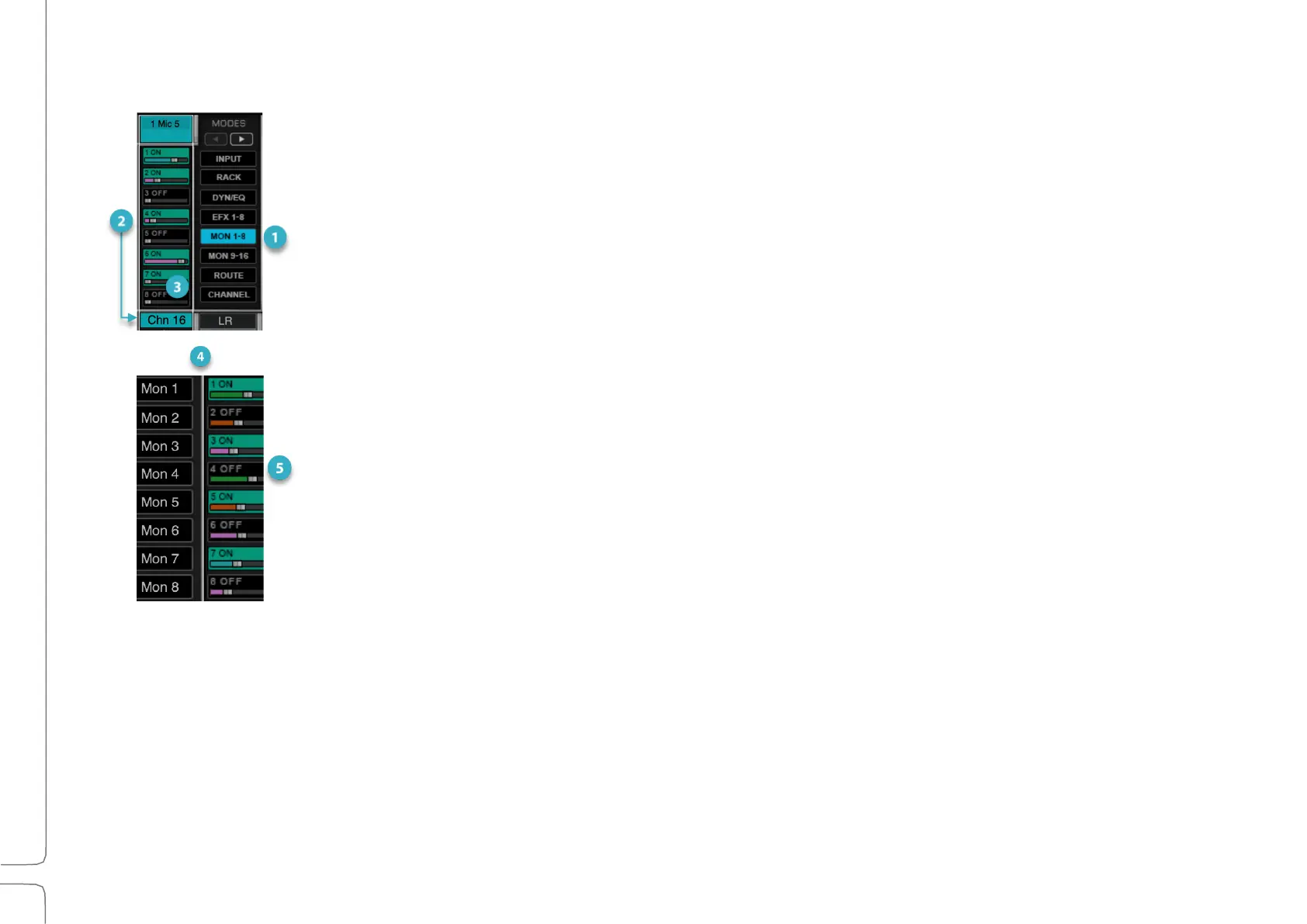
1. Select an AUX Channel Strip Mode.
2. Select an aux that you want to send from the selected channel. Aux channel names are shown in
the Sub Views panel on the left side of the Channel Strip mode section.
3. Turn an aux send on or off by double-clicking its cell.
4. Ctrl+click on a cell to select the source for each send. The color of the
fader bar indicates the aux source:
Before all processing, post-input gain
Pre-fader, post-processing
Post-fader, post-processing
Post-fader, post-panner, post-processing
5. Adjust the aux send level using the small horizontal fader. Fader value appears in the cell when
the fader is touched. You can also set aux send levels in the Channel window.



 To Next Page