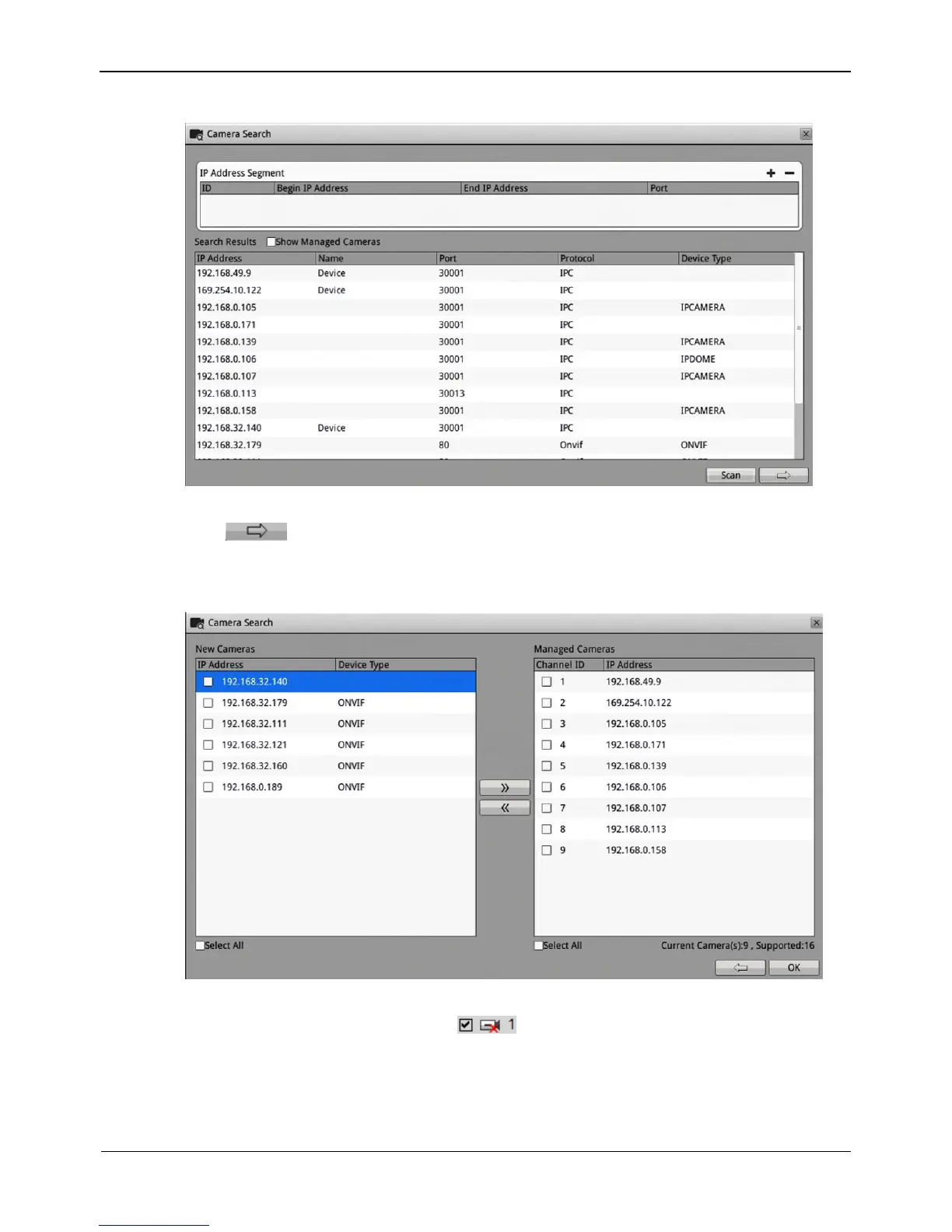
Figure 4-2 Camera searching page
Click , the camera select interface is displayed as shown in Figure 4-3. Select
the cameras you want and then click OK to complete selection of IP cameras.
Figure 4-3 Camera selecting page
To remove managed cameras, click in the camera list, select the cameras to
be removed, and click Delete Camera.
6. IP camera setup
You can view the status of an IP camera and set the name, IP address, recording policy,
stream parameter, and motion detection parameter of the IP camera.



 To Next Page