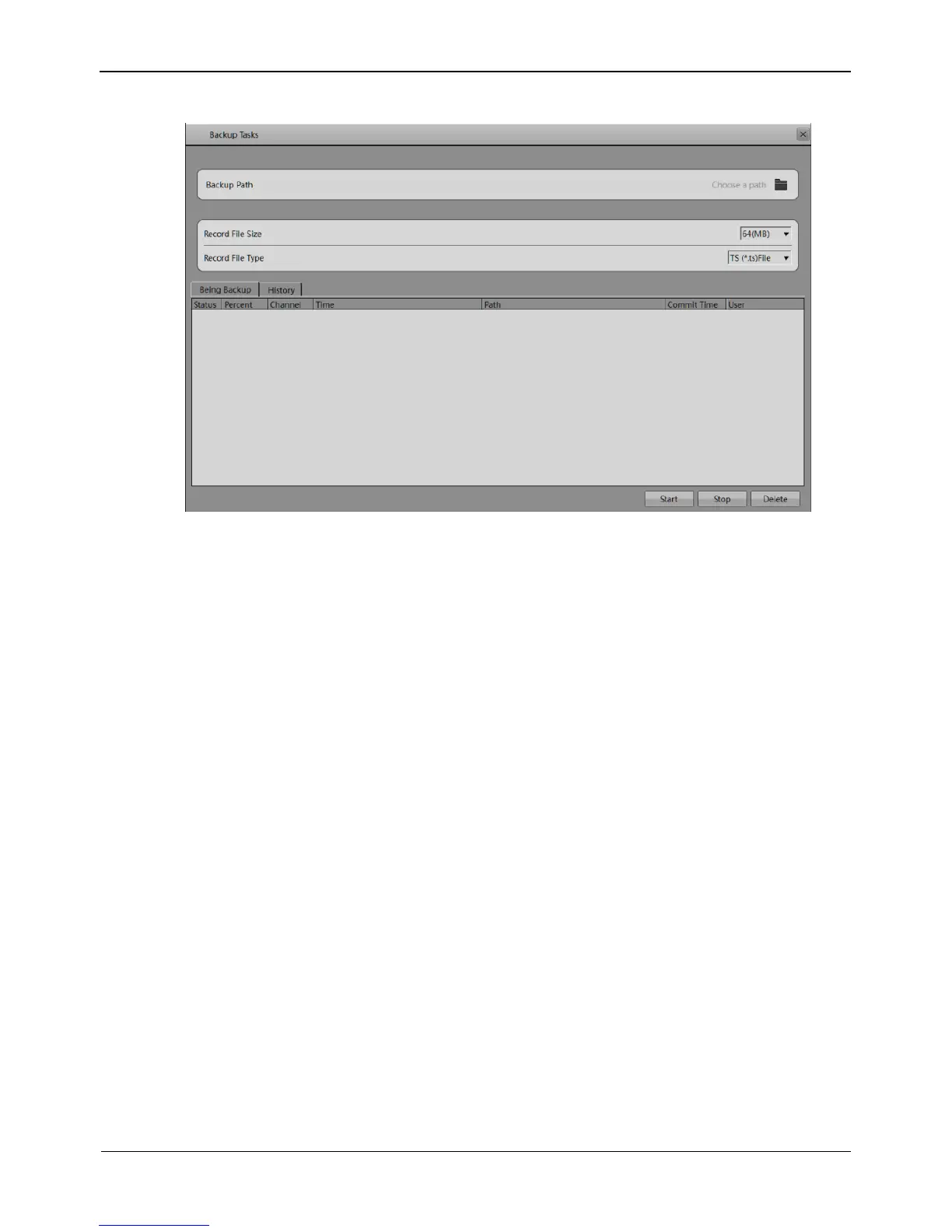
Figure 6-3 Backup path browse dialog box
The Backup Path bar displays the selected backup path. If it is empty, select a backup
path. The list below shows available backup storage devices. The NVR supports two
types of backup storage device, that is, USB storage device and ESATA Disk.
USB Disk
Connect a USB flash drive or mobile hard disk to the USB interface on the front
panel.
The NVR detects and displays the USB disk automatically.
Right-click the USB flash drive and choose Popup or Format to perform the
corresponding operation.
Double-click the USB flash drive to access the corresponding path list, select a
backup path, and click OK to save the setting and exit.
ESATA Disk
Connect a ESATA flash drive or mobile hard disk to the ESATA interface.
The NVR detects and displays the ESATA storage device automatically.
Double-click the ESATA flash drive to access the corresponding path list, select a
backup path, and click OK to save the setting and exit.
Step 2 Set backup file options.
Record File Size: specifies the maximum size of a single backup file.
Record File Type: specifies the type of record file.
Step 3 Select the video to be backed up.
Method 1: Select the video to be backed up during video playback. Figure 6-4 shows
the video backup control bar.



 To Next Page