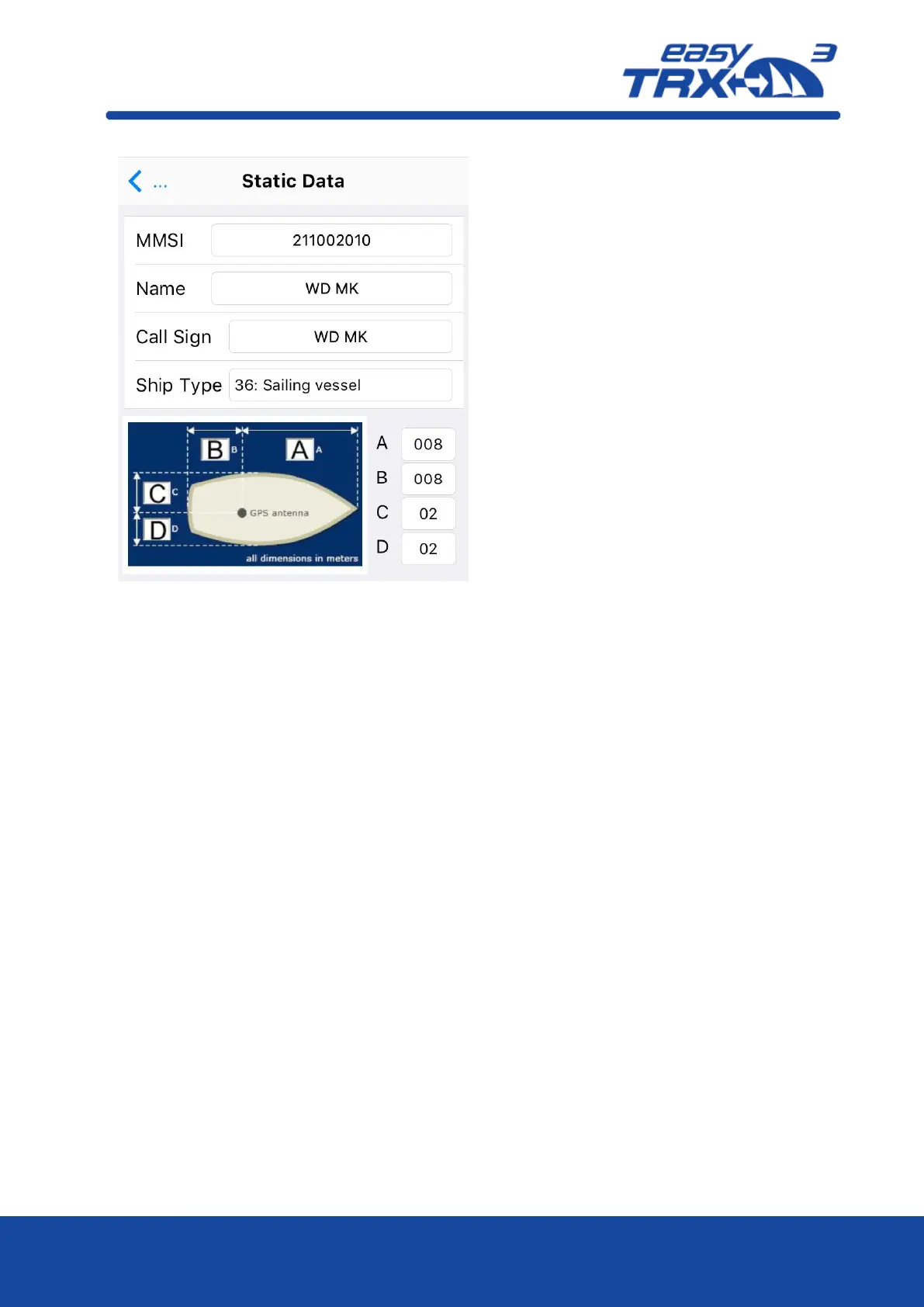
Here you can enter your own vessel data
such as
MMSI
Name
Call Sign
Additional you can select from a drop-
down-list which type of vessel.
If you are not having a valid MMSI number,
the easyTRX3 is not able to send out data
into the AIS system. The unit is
automatically set into pure reception mode
(RX only).
Without a valid entered MMSI number it is
not possible to store any log-files on the
internal storage. As long as there is no
MMSI, the easyTRX3 is always creating a
warning message “MMSI is missing”.
Additional to this message the yellow
warning LED is glowing.
With additional entries for A / B / C / D you
can define ship dimensions in relation to
the GPS source aboard. If you are using the
internal GPS antenna of the easyTRX3 the
place you are going to mount the easyTRX3
is the relation point for this.
By using the arrow, you will get back to
the center screen.
That’s all for general basic settings for
participating in the AIS system.
You can close the app.
If you need to change the factory settings
to fit your special situation, please join the
following instructions.



 To Next Page