iPump User’s Manual
wegener.com 27 800009-01 Rev. A
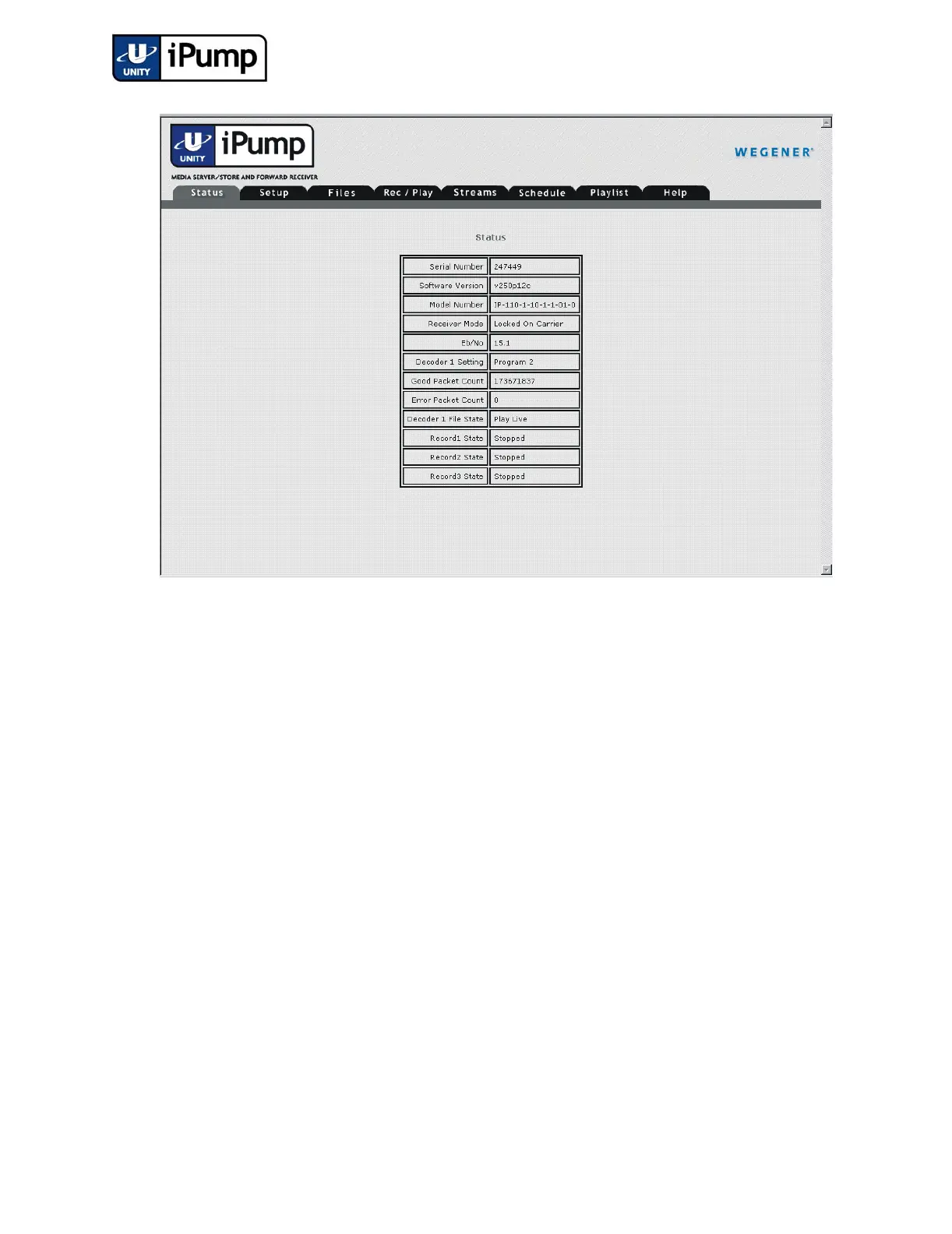
Figure 3.4 iPump Web Interface (Status Tab)
NOTE: For IP addresses which include subfields with leading zeros, you
must omit those zeros when entering the address in your browser. For
example, IP address 128.092.050.004 (as entered from the iPump front panel)
must be entered as 128.92.50.4 in the web browser.
Normal
Shutdown
Removing power to shut down your iPump will not harm the unit, but is not
recommended and will lengthen the time required for the next startup. Normal
startup can only be performed following a normal shutdown. To shut down
your iPump:
a) Return to the iPump home screen (press ESC repeatedly until model
and unit number or an alarm or warning message is displayed)
b) Press the right-arrow button four times to reach the Unit Shutdown
screen.
c) Press the ENTER button to select Unit Shutdown and when prompted,
press the ENTER button again to confirm.
In less than 30 seconds, the iPump will power down and the LCD and LEDs
will go out. Your iPump is now ready for normal startup by pressing the
ENTER button.



 To Next Page